Best Auto Poster for TikTok, YouTube Shorts & Instagram (2026)
The best auto posters for short-form video in 2026 — tools that schedule and publish to TikTok, YouTube Shorts, and Instagram Reels automatically.
FlowShorts Team
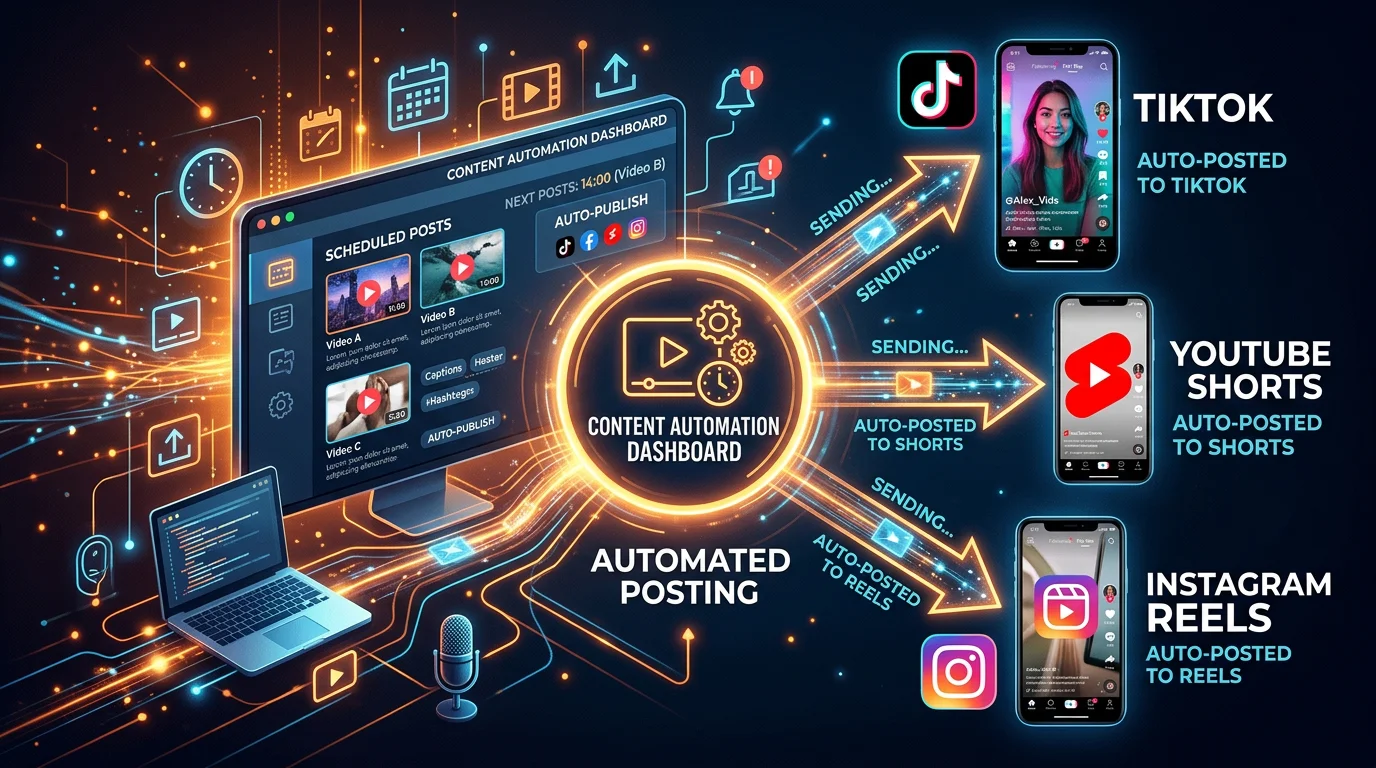
Posting manually to three platforms every day is unsustainable. If you're creating short-form video content for YouTube Shorts, TikTok, and Instagram Reels, you already know the grind: export the clip, open each app, write a caption, pick a thumbnail, tap publish — then repeat tomorrow. The best auto poster tools solve this by handling the scheduling and publishing automatically, so you can stay consistent without burning out. This guide ranks the top six auto poster tools for 2026 and tells you exactly which one is right for your workflow.
Key Takeaways
- FlowShorts is the only tool that both generates and auto-posts videos — no clip needed, just pick a niche and it handles everything.
- Buffer and Later are the best pure scheduling tools if you already have content and want the lowest cost.
- Hootsuite and Metricool are best for teams and agencies managing multiple client accounts at scale.
- KD 0, 8,100 monthly searches — "best auto poster" is a high-intent commercial keyword with almost no competition, making the right tool choice a real business decision.
What Is an Auto Poster?
An auto poster is a software tool that automatically publishes pre-scheduled content to one or more social media platforms without requiring manual action at the time of posting. You upload the content, set a publish date and time, connect your accounts, and the tool handles delivery. More advanced auto posters — like FlowShorts — also generate the content itself, removing the need to create videos manually before scheduling them.
What to Look for in an Auto Poster
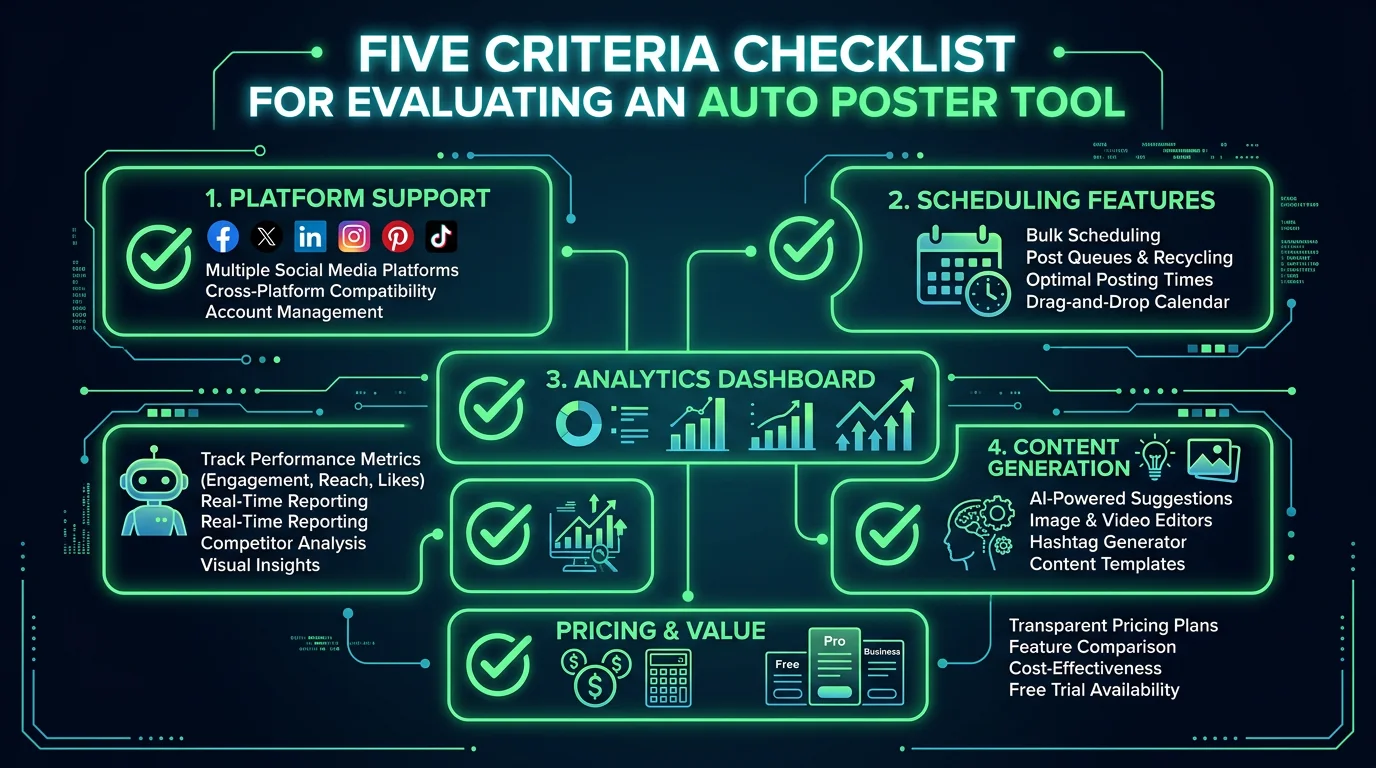
Not all auto posters are built the same. Before committing to one, evaluate it across five dimensions:
1. Platform Support
The best auto posters cover all three short-form platforms: TikTok, YouTube Shorts, and Instagram Reels. Some tools support only one or two, which forces you to maintain separate workflows. Confirm native API support — not just a workaround that sends a push notification to your phone to post manually.
2. Scheduling Flexibility
Look for tools that support bulk scheduling, recurring posts, and queue-based publishing. If you produce 30 videos a month, you need to be able to load them all at once and assign time slots automatically — not schedule each one individually.
3. Analytics
Posting without data is guessing. Your auto poster should surface basic performance metrics: views, engagement rate, and follower growth. Tools like Hootsuite and Metricool go deeper with competitor benchmarking and custom report exports.
4. Content Generation
Most auto posters are schedulers only — you still need to make the video. FlowShorts is the exception: it generates AI-powered faceless videos from a topic or niche and posts them automatically. For creators who want true hands-off automation, content generation is the critical differentiator.
5. Pricing and Video Limits
Compare plans by cost-per-post, not just headline price. A $99/mo tool that covers 10 accounts can be cheaper than three separate $15/mo subscriptions. For video creators specifically, check whether the plan limits how many videos you can post per month.
Best Auto Posters for 2026
#1 FlowShorts — Best Auto Poster for Short-Form Video Automation
FlowShorts is the only tool on this list that generates and auto-posts videos in a single workflow. You pick a content niche — motivation, finance, history, fitness, tech, and more — connect your YouTube, TikTok, and Instagram accounts, and FlowShorts creates AI-powered faceless videos and publishes them on a schedule automatically. No editing software. No manual uploads. No captions to write.
The AI pipeline handles everything: script writing, AI image generation, voiceover via ElevenLabs TTS, animated TikTok-style captions, background music, and the final video render at 1080x1920. The result is a polished short-form video delivered to all three platforms while you focus on other work.
This makes FlowShorts fundamentally different from every other tool in this category. Buffer, Later, and Hootsuite are great at scheduling content you already made — FlowShorts removes the step of making it at all.
Best for: Creators running faceless channels, solopreneurs who want YouTube Shorts, TikTok, and Reels on autopilot without a video production workflow.
Create Faceless Videos on Autopilot
FlowShorts generates and posts AI videos to YouTube, TikTok & Instagram while you sleep.
Try FlowShorts Free →Pricing: Starter $19/mo (8 videos/month) · Creator $39/mo (30 videos/month) · Pro $69/mo (60 videos/month)
Platform support: YouTube Shorts, TikTok, Instagram Reels
If you want to learn more about scheduling to a single platform first, see our guides on how to schedule YouTube Shorts and how to schedule TikTok videos.
Try FlowShorts Free →#2 Buffer — Best Budget Auto Poster
Buffer is one of the most established social media scheduling tools and remains one of the cleanest options for individual creators. The free plan supports 3 channels and 10 scheduled posts per channel. Paid plans start at $6/month per channel, making it the most affordable option for creators who only need basic scheduling.
Buffer added native support for TikTok and YouTube Shorts in 2023, and Instagram Reels has been supported for years. The queue system is straightforward: upload your videos, write captions, and assign them to time slots. Buffer handles the rest. Analytics are included in paid plans, covering basic reach, engagement, and best posting time recommendations.
Best for: Creators on a tight budget who already produce their own videos and want simple, reliable cross-platform scheduling.
Pricing: Free (3 channels, 10 posts) · Essentials $6/channel/mo · Team $12/channel/mo
Platform support: TikTok, YouTube, Instagram, Facebook, LinkedIn, Pinterest, Threads
#3 Later — Best Auto Poster for Instagram-First Creators
Later built its reputation on Instagram scheduling and remains one of the strongest options for visual content creators. The drag-and-drop visual calendar is particularly useful for creators who think in terms of grid aesthetics and Reels cadence. Later added TikTok scheduling in 2021 and YouTube in 2023.
The Linkin.bio feature turns your Instagram profile link into a landing page, which is useful for driving traffic from Reels to a product or newsletter. Later's analytics are solid for Instagram — views, reach, saves, shares — but less comprehensive for TikTok compared to native TikTok analytics or Metricool.
Best for: Instagram-first creators who want visual content planning and Reels scheduling with a clean interface.
Pricing: Starter $25/mo (1 user, 1 social set) · Growth $45/mo · Advanced $80/mo
Platform support: Instagram, TikTok, YouTube, Facebook, Pinterest, LinkedIn, X (Twitter)
#4 Hootsuite — Best Auto Poster for Teams and Agencies
Hootsuite is the enterprise-grade option in this comparison. It supports up to 50 social accounts on higher plans, includes team collaboration with role-based permissions, and offers some of the deepest analytics in the category — including industry benchmarking and custom report exports. Hootsuite's OwlyWriter AI can generate caption suggestions, though it doesn't generate video.
The trade-off is cost. Hootsuite's Professional plan starts at $99/month for one user and 10 accounts — significantly more expensive than Buffer or Later. For individual creators, this is overkill. But for agencies managing 10+ client accounts, the unified dashboard and team features justify the price.
Best for: Social media agencies and brand teams managing multiple accounts who need team workflows and comprehensive analytics.
Pricing: Professional $99/mo (1 user, 10 accounts) · Team $249/mo (3 users, 20 accounts) · Enterprise: custom
Platform support: TikTok, Instagram, YouTube, Facebook, X, LinkedIn, Pinterest, Threads
#5 Metricool — Best Auto Poster for Data-Driven Creators
Metricool stands out for its analytics depth. Beyond basic post performance, it tracks competitor accounts, benchmarks your metrics against industry averages, and surfaces the best times to post based on your specific audience's activity patterns. The planner UI is clean and the auto-scheduling queue is straightforward to configure.
Create Faceless Videos on Autopilot
FlowShorts generates and posts AI videos to YouTube, TikTok & Instagram while you sleep.
Try FlowShorts Free →Metricool's free plan is genuinely useful — it supports one brand, up to 50 scheduled posts per month, and basic analytics. Paid plans start at $22/month and add more brands, posts, and advanced analytics. TikTok, YouTube Shorts, and Instagram Reels are all supported with full analytics.
Best for: Creators who care deeply about analytics and want competitor benchmarking alongside their scheduling workflow.
Pricing: Free (1 brand, 50 posts/mo) · Starter $22/mo · Advanced $59/mo · Custom plans available
Platform support: TikTok, Instagram, YouTube, Facebook, X, LinkedIn, Pinterest, Google Business, Twitch
#6 Publer — Best Auto Poster for Bulk Scheduling
Publer is a lesser-known but highly capable scheduling tool that excels at bulk operations. You can import hundreds of posts via CSV, use the auto-schedule queue to fill your calendar automatically, and set up recurring posts — useful for evergreen content you want to recycle every 30 or 90 days. Publer also has a built-in Canva integration and a media library for storing assets.
The pricing is competitive: the free plan supports 3 accounts and 10 scheduled posts, and the Professional plan starts at $12/month for 3 accounts with unlimited scheduling. TikTok, YouTube, and Instagram are all supported. Analytics are basic compared to Metricool but sufficient for most individual creators.
Best for: Creators with large content libraries who need bulk scheduling, CSV imports, and recurring post automation.
Pricing: Free (3 accounts, 10 posts) · Professional $12/mo · Business $21/mo
Platform support: TikTok, Instagram, YouTube, Facebook, X, LinkedIn, Pinterest, Google Business, Telegram
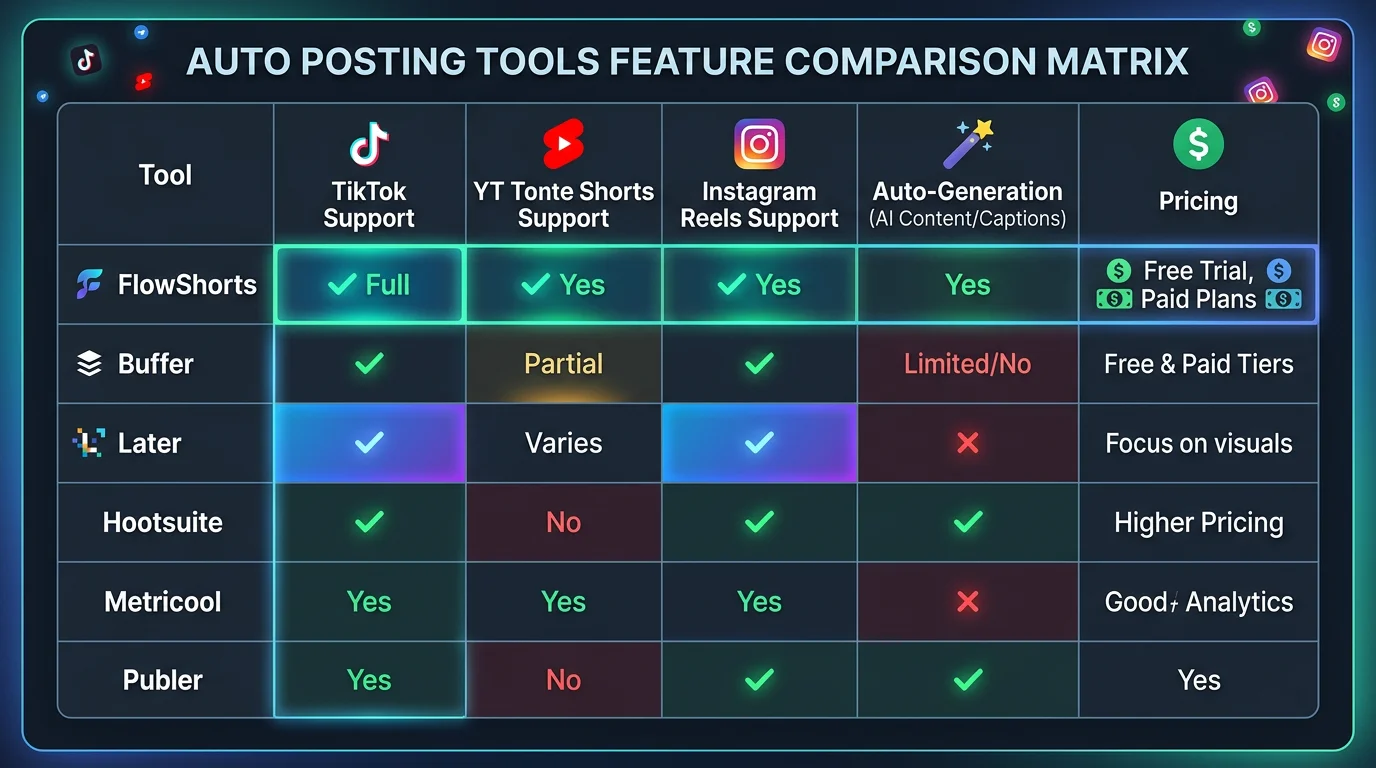
Auto Poster Comparison Table
| Tool | Content Generation | TikTok | YouTube Shorts | Instagram Reels | Starting Price | Best For |
|---|---|---|---|---|---|---|
| FlowShorts | Yes (AI video) | Yes | Yes | Yes | $19/mo | Full automation |
| Buffer | No | Yes | Yes | Yes | Free / $6/mo | Budget scheduling |
| Later | No | Yes | Yes | Yes | $25/mo | Instagram-first |
| Hootsuite | Caption AI only | Yes | Yes | Yes | $99/mo | Teams & agencies |
| Metricool | No | Yes | Yes | Yes | Free / $22/mo | Analytics-focused |
| Publer | No | Yes | Yes | Yes | Free / $12/mo | Bulk scheduling |
How to Choose the Right Auto Poster
The right tool depends on where you are in your content workflow and what problem you're actually trying to solve.
If you don't have video content yet — or you want to run channels without being on camera — FlowShorts is the clear choice. It eliminates the entire production workflow. You connect your accounts, pick a niche, and videos go out on schedule. The Starter plan at $19/month delivers 8 videos per month, which is 2 per week: a solid posting cadence for a new YouTube Shorts or TikTok channel. The Creator plan at $39/month delivers 30 videos — one per day — which is what most growth-focused creators target. See our guide on how to schedule Instagram Reels to understand what posting frequency works best on each platform.
If you already produce your own videos and just need a reliable way to schedule them across platforms, Buffer is hard to beat at its price point. The free plan is functional, and the paid plans are the cheapest in this comparison. If Instagram is your primary platform and you care about visual grid planning, Later is worth the slightly higher price. If you manage content for clients or a team, Hootsuite's collaboration features justify the premium.
If analytics matter more than anything else, Metricool offers the deepest data at a fair price — especially the competitor tracking feature, which lets you benchmark your growth against accounts in the same niche. Publer is the right pick if you have a large existing content library you want to drip out over time using bulk CSV imports and recurring post automation.
One practical test: check whether the tool supports true API-based posting (auto-delivery) for the platforms you need, not just push-notification reminders. Some tools still require you to manually confirm a post on your phone for TikTok and Instagram Reels — that's not an auto poster, it's a reminder app.
Frequently Asked Questions
The best autoposter for TikTok depends on whether you need content creation or just scheduling. FlowShorts is the best option if you want AI-generated faceless videos posted to TikTok automatically — no editing required. If you already have videos and just need scheduling, Buffer is the most affordable option with solid TikTok support starting from its free plan. Metricool is the best choice for TikTok creators who also want deep analytics and competitor tracking alongside their scheduling workflow.
Yes. Buffer offers a free plan that supports YouTube scheduling for up to 10 posts per channel. Metricool and Publer also have free tiers that include YouTube Shorts scheduling. YouTube Studio itself supports native scheduling at no cost — you upload the video and set a publish date and time directly in the dashboard. For fully automated YouTube Shorts generation and posting with no manual work, FlowShorts offers paid plans starting at $19/month.
Yes. Instagram opened its API to third-party scheduling tools for Reels in 2021, and all major auto posters now support true automatic publishing to Reels — no phone confirmation required. Tools including FlowShorts, Buffer, Later, Hootsuite, Metricool, and Publer all support direct Reels publishing via the Instagram Graph API. The key requirement is that your Instagram account must be a Professional account (Creator or Business) connected to a Facebook Page. Personal accounts cannot use third-party auto posting.
The best app to auto post to social media depends on your use case. For short-form video creators who want full automation — including content generation — FlowShorts is the strongest option in 2026. For general social media scheduling across all content types and platforms, Buffer is the best value for individuals and Hootsuite is the best option for teams and agencies. Metricool is the best choice if analytics and competitor benchmarking are priorities alongside scheduling.
Yes. YouTube officially allows scheduled and automated posting through YouTube Studio's native scheduler and through authorized third-party tools that use the YouTube Data API v3. There is no policy against using auto poster tools for YouTube Shorts as long as the content complies with YouTube's Community Guidelines and the tool is an authorized API partner. FlowShorts, Buffer, Later, Hootsuite, Metricool, and Publer are all authorized integrations that post to YouTube without violating platform terms.
The Bottom Line on Auto Posters in 2026
The best auto poster for you comes down to one question: do you have video content, or do you need it created too? If you're producing your own videos and just want reliable cross-platform scheduling, Buffer covers the basics at the lowest cost, Later is the cleanest option for Instagram-first creators, and Metricool gives you the deepest analytics of any tool at a fair price.
But if you want to run YouTube Shorts, TikTok, and Instagram Reels channels without filming, editing, or manually publishing a single video, FlowShorts is in a category of its own. It's the only auto poster that eliminates the production step entirely — just pick a niche, connect your accounts, and let the AI handle everything from script to posted video.
Posting consistently is the single biggest driver of short-form video growth. The right auto poster removes every excuse not to.
Start Posting Automatically with FlowShorts →