AutoClip Review 2026: Features, Pricing & Better Alternatives
An honest AutoClip review — what it does, how much it costs, and 5 better alternatives for creators who want truly automated short-form video.
FlowShorts Team
If you've been hunting for a tool that automatically turns your long-form content into viral-ready short clips, you've probably come across AutoClip. It's an AI-powered video clipping tool designed to extract the best highlights from podcasts, interviews, and YouTube videos — and package them into short-form content for TikTok, YouTube Shorts, and Instagram Reels. But is it actually worth it? This AutoClip review breaks down every feature, every pricing tier, and every limitation so you can make a fully informed decision in 2026. We'll also show you five stronger alternatives — including one that doesn't require you to have any existing long-form content at all.
Key Takeaways
- AutoClip is an AI video clipping tool that extracts highlights from long-form video — it does not create content from scratch, so you need existing footage to use it.
- Pricing is estimated at a free trial plus paid tiers around $29–$49/mo, but it lacks a transparent public pricing page, which frustrates many users.
- AutoClip has no native auto-posting: every clip still requires you to manually download and upload to each platform.
- For faceless creators who want to generate and auto-post short-form videos without any existing content, FlowShorts is the more complete solution — starting at just $19/mo.
What Is AutoClip?
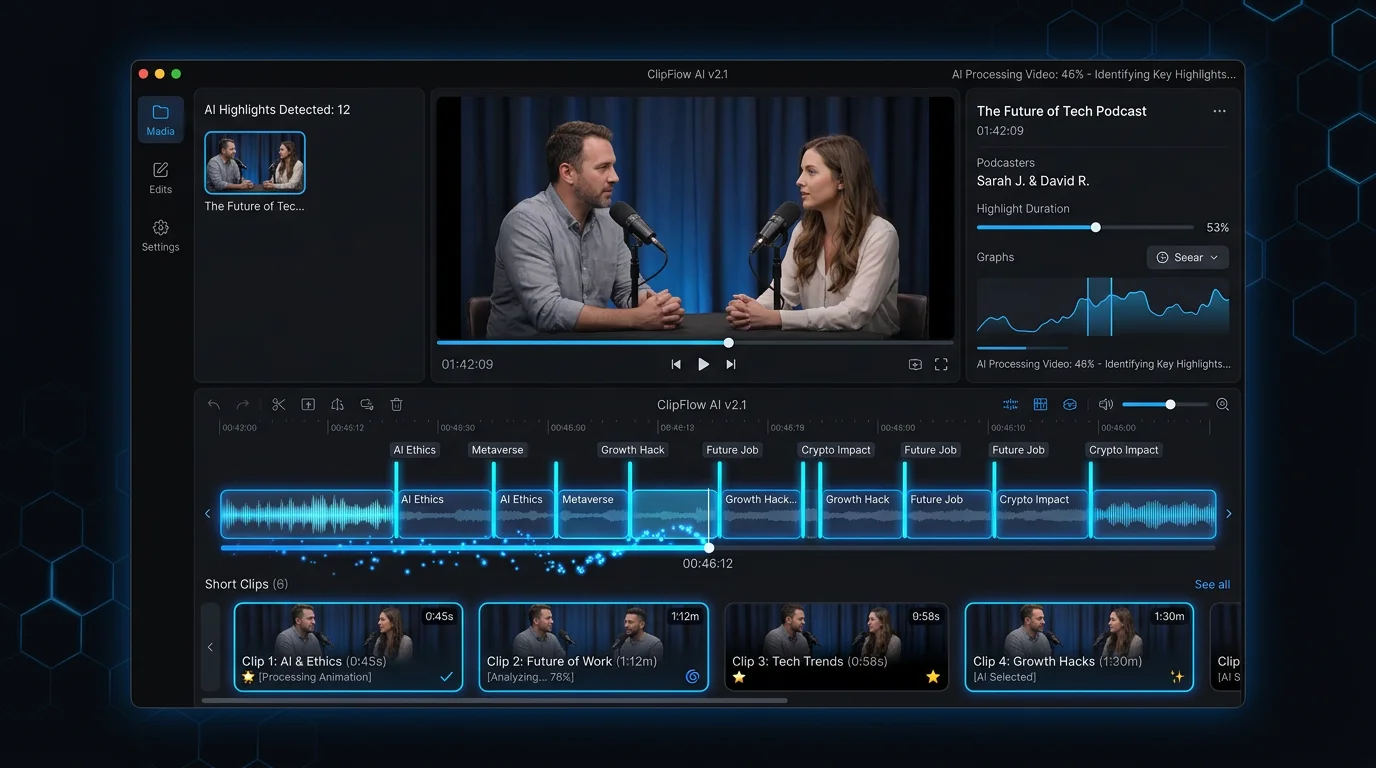
AutoClip is a web-based AI tool that analyzes long-form video content — think podcast recordings, YouTube videos, Zoom interviews, webinar recordings — and automatically identifies the most engaging moments. It then clips those moments into short-form vertical videos, resizes them to 9:16, adds captions, and prepares them for distribution on short-form platforms.
The tool sits in the same category as Opus Clip, Munch, and Vidyo.ai — all of which take the same fundamental approach: feed in a long video, get short clips out. AutoClip differentiates itself by targeting smaller creators and individual podcasters who find Opus Clip's pricing steep, positioning itself as a more accessible entry point into AI-powered clip generation.
The key thing to understand about AutoClip — and the thing that trips up most people searching for it — is that it is a repurposing tool, not a content creation tool. It cannot generate videos from scratch. It cannot create a faceless YouTube Shorts channel for you. It requires existing long-form video content as its raw input. If you don't already produce podcasts, long-form YouTube videos, or webinar content, AutoClip has nothing to work with. For creators looking to get clips from YouTube videos they've already published, it's a reasonable fit. For everyone else, you'll need to look elsewhere.
AutoClip Features
Here's a detailed breakdown of what AutoClip actually offers inside the platform:
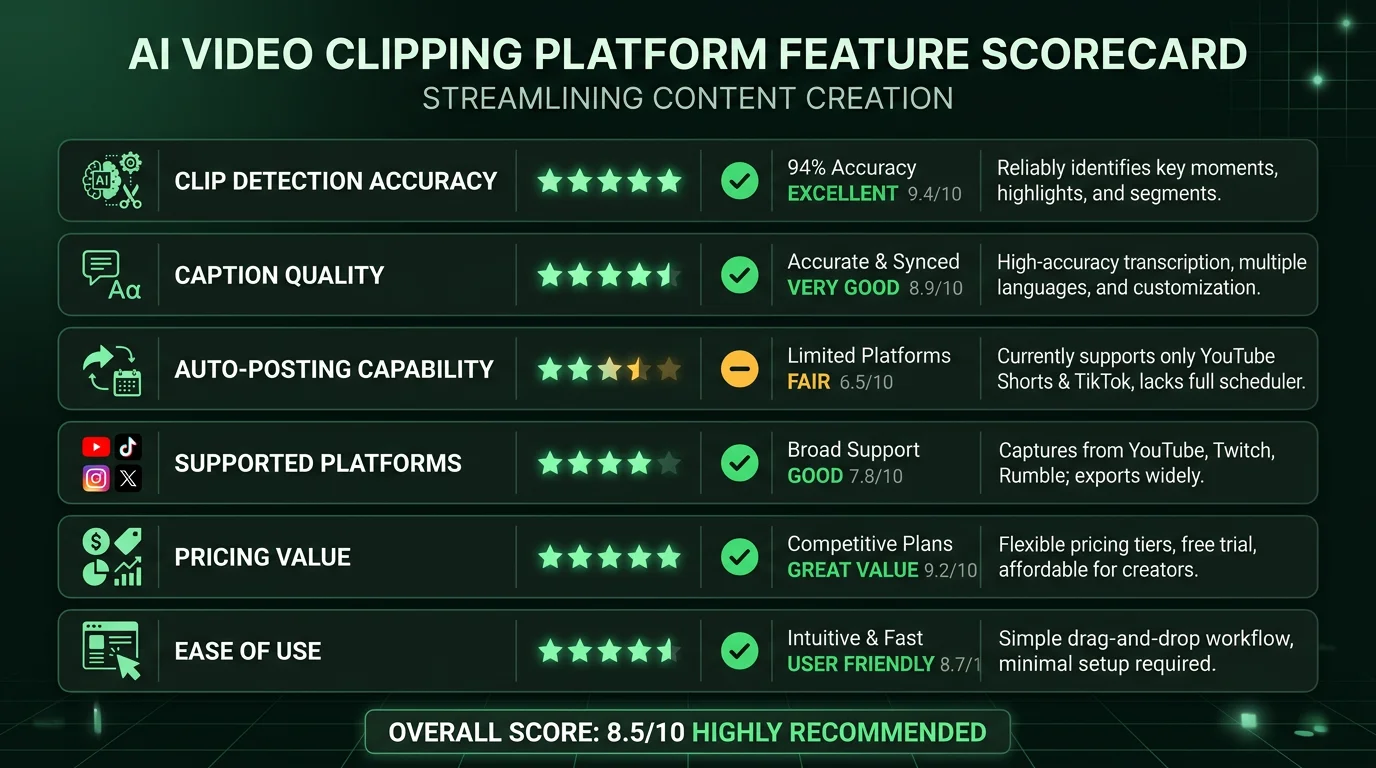
- AI clip detection: AutoClip's core feature scans your uploaded video and uses natural language processing to identify high-engagement moments — spikes in tone, quotable statements, story beats, or moments with strong emotional resonance. It typically surfaces 5–15 candidate clips per hour of source content, ranked by an engagement score. The quality of clip selection is decent but not infallible; you'll still want to review suggestions before publishing.
- Highlight scoring: Each clip is assigned an AI-generated virality or engagement score that estimates how well it might perform as a standalone short. Scores are based on factors like sentence completeness, emotional tone, and narrative arc. This helps you prioritize which clips are worth editing further and which can be discarded quickly.
- Aspect ratio conversion: AutoClip automatically reframes horizontal (16:9) footage to vertical (9:16) format using AI-powered reframing that attempts to keep the active speaker in frame. The reframing works reasonably well for talking-head content but can struggle with multi-person scenes or dynamic camera movements.
- Caption generation: Captions are auto-generated via speech recognition and overlaid on the video. You can adjust font, color, and basic positioning, but the styling options are more limited compared to tools like CapCut or dedicated caption editors. AutoClip offers only a handful of preset caption styles with no ability to create custom animated caption templates.
- Template library: A basic library of visual templates lets you add branded intros, outros, and lower-third text overlays to your clips. The template selection is modest — sufficient for simple branding but not a replacement for a full motion graphics workflow. Templates cannot be heavily customized.
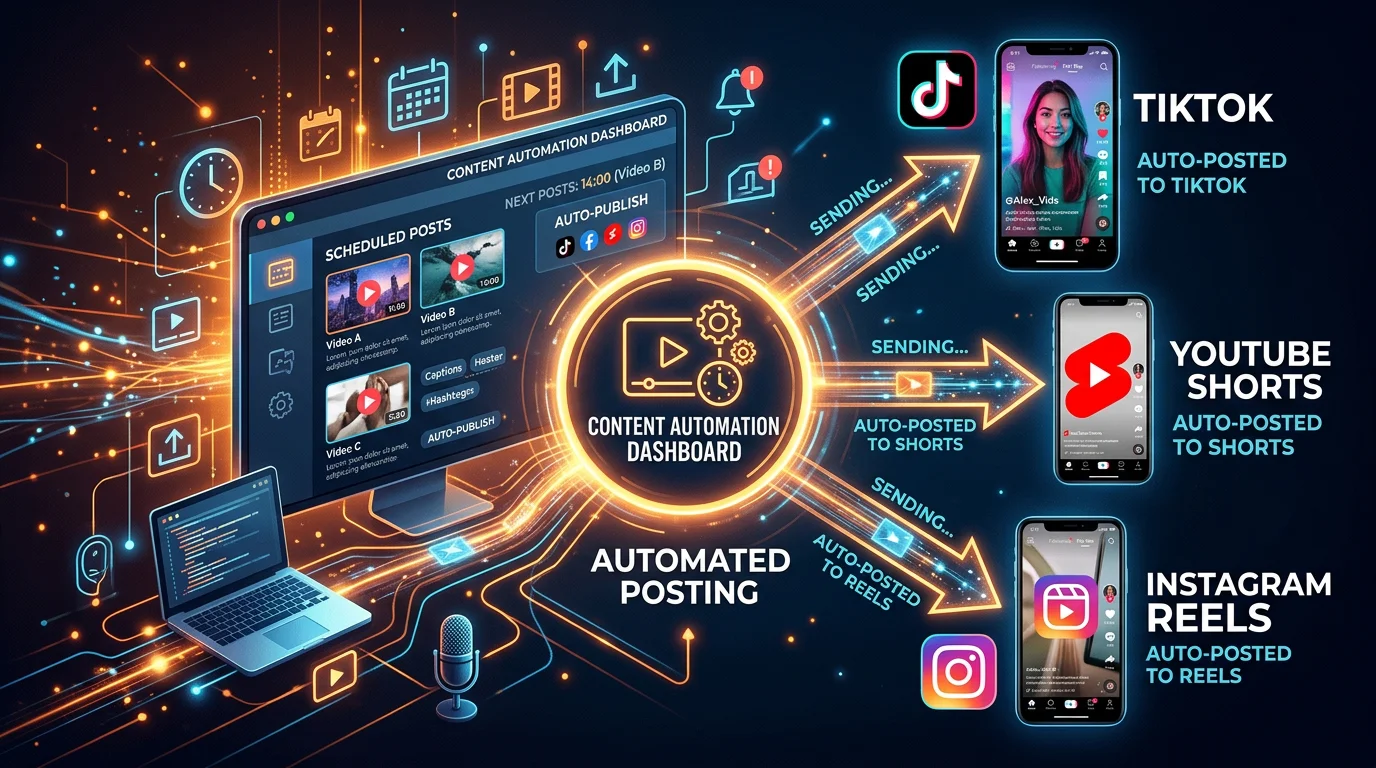
- Multi-platform export: Clips can be exported in formats optimized for TikTok, YouTube Shorts, and Instagram Reels. However, export is manual — AutoClip does not connect directly to your social media accounts and does not post on your behalf. You download the clip and upload it yourself to each platform.
AutoClip Pricing
AutoClip does not display a transparent pricing page prominently on its website, which is a recurring complaint in user communities. Based on publicly available information and user reports as of mid-2026, the pricing structure appears to be:
- Free trial: AutoClip offers a limited free trial that lets you process a small amount of video content — typically one or two videos — with watermarked output. It's enough to test the interface but not enough for any real content workflow.
- Starter plan (~$29/mo): Removes watermarks and increases the monthly upload limit. Access to basic templates and caption styles. Estimated to allow processing of 2–4 hours of source video per month, which translates to roughly 10–60 clips depending on clip length.
- Pro plan (~$49/mo): Higher upload limits, priority processing, and access to the full template and caption library. Estimated at 10+ hours of source video per month. Some users in creator communities have reported prices as high as $59/mo at this tier.
There is no advertised annual discount plan, and the lack of clear public pricing makes it difficult to compare value at a glance. For context, this puts AutoClip at a similar or higher price point than alternatives that offer more features and better automation.
AutoClip Pros & Cons
Pros
- Reasonably fast clip extraction — most videos are processed within 5–10 minutes
- AI highlight scoring helps prioritize clips without watching the full source video
- Automatic aspect ratio conversion with AI reframing works well for talking-head content
- Good fit for podcasters and YouTubers who already produce long-form content regularly
Cons
- Requires existing long-form content — useless for creators who don't already have a podcast or YouTube channel
- No auto-posting — you must manually download each clip and upload it to TikTok, YouTube Shorts, and Instagram separately
- Limited caption styles — no animated word-by-word captions or viral-style caption presets that audiences have come to expect
- Opaque pricing — no public pricing page makes it hard to evaluate before signing up
- No content creation from scratch — cannot generate scripts, voiceovers, or original video content, so it solves only half the short-form video problem
Looking for the Best Faceless Video Tool?
See why creators are switching to FlowShorts — AI video generation + auto-posting to 3 platforms from $19/mo.
Compare Plans →Who Is AutoClip Best For?
AutoClip is best suited for a specific type of creator: someone who already produces long-form video or audio content consistently and wants to repurpose that existing library into short-form clips with minimal manual editing effort.
The ideal AutoClip user is a podcaster who records weekly episodes and wants to pull shareable clips for social without hiring an editor, or a long-form YouTuber who wants to distribute highlights on YouTube Shorts and TikTok without watching hours of footage to find the good moments. It's also a reasonable option for course creators and coaches who record webinars and workshops and want to extract quotable moments for social proof content.
If you fall outside that profile — if you're a faceless creator who wants to build a YouTube Shorts or TikTok channel from scratch, or if you want a system that generates, publishes, and schedules videos on autopilot — AutoClip is not the right tool. Its dependency on pre-existing long-form footage is a hard constraint that no amount of feature updates can work around. For that use case, you need a tool that generates original short-form content and posts it for you automatically.
5 Best AutoClip Alternatives in 2026
#1 FlowShorts — Best for Faceless Creators Who Want Full Automation
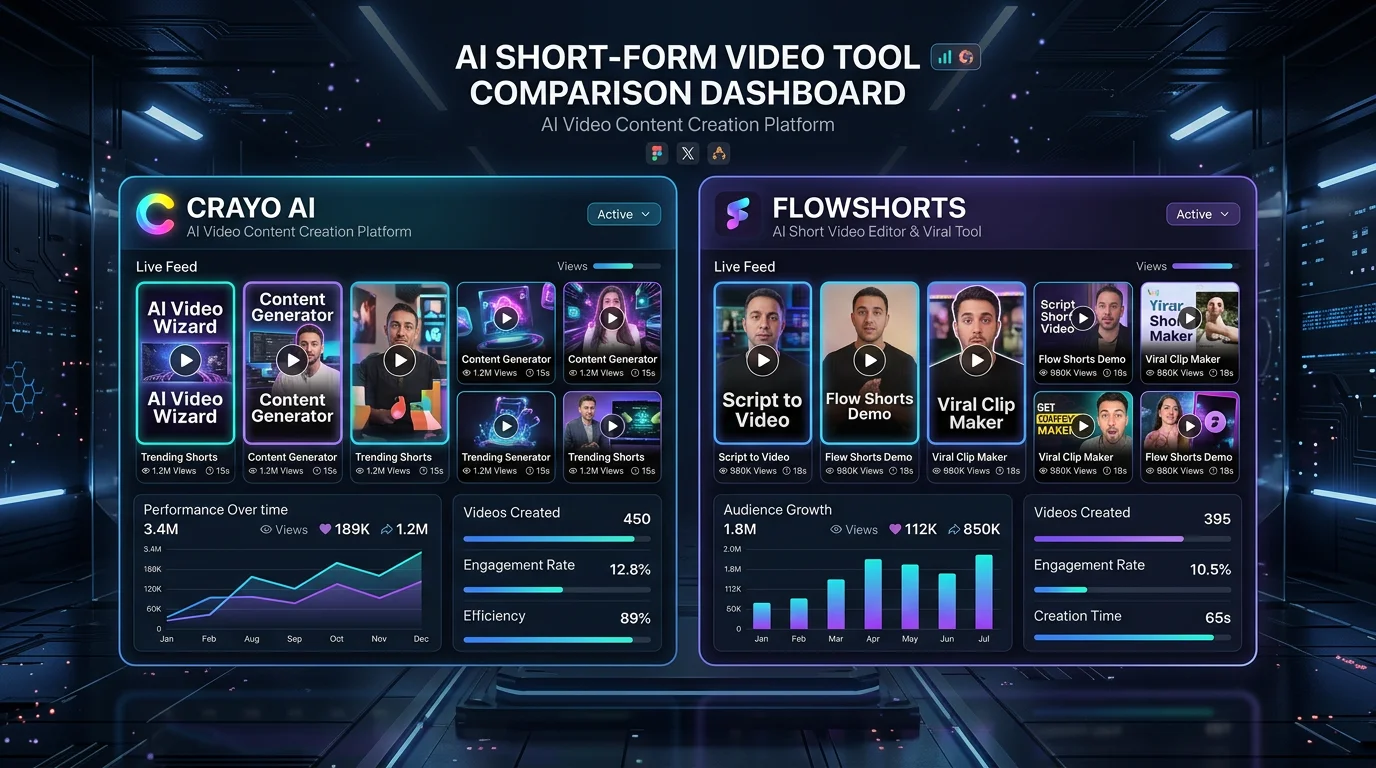
FlowShorts takes a fundamentally different approach from AutoClip. Instead of requiring you to upload existing long-form content, FlowShorts generates entirely new short-form videos from scratch using AI — then automatically posts them to YouTube Shorts, TikTok, and Instagram Reels on a schedule you set. You pick a niche, connect your social accounts, and FlowShorts handles everything: script writing, AI voiceover, image generation, captions, rendering, and cross-platform publishing.
This makes FlowShorts the standout option for faceless creators who want to build a presence on short-form platforms without appearing on camera, without recording anything, and without manually uploading videos. It's a true set-it-and-forget-it system — the kind of automation AutoClip simply doesn't offer.
- Starter: $19/mo — 8 videos/month, auto-posts Tue + Wed
- Creator: $39/mo — 30 videos/month, auto-posts daily
- Pro: $69/mo — 60 videos/month, auto-posts twice daily
If you've been reading reviews like this one because you want short-form videos publishing on autopilot — and not because you have a podcast to clip — FlowShorts is the tool you're actually looking for.
#2 Opus Clip — Best Pure AI Clipping Tool
Opus Clip is the most established and well-known AI video clipping tool on the market, and it outperforms AutoClip in nearly every dimension of the clipping workflow. Its AI clip scoring (called "Virality Score") is more sophisticated, its caption animation options are broader, and it has a more polished editing interface for refining clips before export.
Opus Clip also offers basic social media scheduling — a meaningful step up from AutoClip's download-and-upload-manually workflow. Pricing starts around $19/mo on the Starter plan, making it competitively priced against AutoClip while offering more features. The main downside is that it's still a repurposing tool: like AutoClip, it requires existing long-form video as input and cannot generate original content. You can read a full breakdown in our Opus Clip review.
#3 Vidyo.ai — Solid Clipping with Better Templates
Vidyo.ai is a direct AutoClip competitor that offers a stronger template library and a more flexible caption editor. Where AutoClip's templates feel sparse, Vidyo.ai provides more branded layout options and better control over how your clips look on different platforms. It also includes a basic social media scheduler for queuing clips to LinkedIn, Twitter, and YouTube — though TikTok and Instagram direct publishing remains limited.
Vidyo.ai is particularly popular among B2B content teams and marketers who repurpose webinar content, since its transcript editing tools make it easy to trim and clean up clips at the text level rather than scrubbing through video. Pricing starts at around $29/mo. Like AutoClip, it is a repurposing tool and cannot generate content from scratch.
#4 Descript — Best for Editing + Clipping Combined
Looking for the Best Faceless Video Tool?
See why creators are switching to FlowShorts — AI video generation + auto-posting to 3 platforms from $19/mo.
Compare Plans →If AutoClip's appeal is saving editing time, Descript takes that idea much further by letting you edit video by editing a text transcript — you delete words from the transcript and the corresponding video is cut automatically. This makes Descript an extremely efficient tool for cleaning up podcast clips and removing filler words, umms, and dead air before you publish the short.
Descript also includes an AI clip suggestion feature called "Underlord" that identifies highlight moments similar to AutoClip. The tradeoff is complexity and price: Descript has a steeper learning curve and its paid plans start at around $24/mo, climbing quickly for team features. It's overkill if you only want clip extraction, but it's the best option if you want deep editing control alongside AI clip selection. Worth comparing alongside the InVideo AI review if editing workflows are a priority for your team.
#5 Munch — AI-Powered Repurposing with Distribution
Munch positions itself as the most "strategy-aware" repurposing tool in the category. It doesn't just clip based on engagement signals — it also analyzes your content against trending topics on LinkedIn, Instagram, TikTok, and Twitter to surface clips that are more likely to resonate with what audiences are engaging with right now. This trend-alignment feature is genuinely useful for marketers and creators who want their repurposed content to feel timely, not evergreen.
Munch supports direct publishing to multiple social platforms and includes analytics to track how your clips perform post-publication. Pricing is on the higher end at around $49–$99/mo, making it better suited for agencies and brands than individual creators. Like all tools in this category except FlowShorts, Munch still requires existing long-form video as its source material.
AutoClip vs FlowShorts: Feature Comparison
| Feature | AutoClip | FlowShorts |
|---|---|---|
| Creates content from scratch | No — requires existing video | Yes — AI generates full videos |
| Auto-posts to social media | No — manual download & upload | Yes — YouTube, TikTok, Instagram |
| AI voiceover generation | No | Yes (ElevenLabs TTS) |
| AI image/scene generation | No | Yes (fal.ai) |
| Animated captions | Basic (limited styles) | Yes (6 styles incl. MrBeast, Hormozi) |
| Posting schedule automation | No | Yes — daily or twice-daily |
| Works for faceless creators | No (needs source footage) | Yes — fully faceless |
| Starting price | ~$29/mo | $19/mo (8 videos) |
| Best for | Podcasters, long-form YouTubers | Faceless creators, automation seekers |
Frequently Asked Questions About AutoClip
What is AutoClip used for?
AutoClip is used to automatically extract highlight clips from long-form videos such as podcasts, YouTube videos, webinars, and interviews. It uses AI to identify engaging moments, reframes the footage to vertical 9:16 format, and adds captions to prepare the clips for distribution on TikTok, YouTube Shorts, and Instagram Reels. It is a repurposing tool — it cannot generate new video content from scratch and requires existing footage as its source material.
Is AutoClip free?
AutoClip offers a limited free trial that lets you process a small number of videos with watermarked output — typically one or two uploads. It is not free for ongoing use. Paid plans are estimated to start around $29/mo for a Starter tier, rising to approximately $49/mo for the Pro tier with higher upload limits and full feature access. AutoClip does not publish a transparent pricing page publicly, which makes precise pricing difficult to confirm without signing up.
What is the best alternative to AutoClip?
The best alternative depends on your use case. If you already have long-form content and want a better AI clipping tool, Opus Clip is the strongest alternative with better clip scoring and direct social scheduling. If you want to build a short-form video presence without recording anything yourself, FlowShorts is the best alternative — it generates original AI videos from scratch and auto-posts them to YouTube Shorts, TikTok, and Instagram Reels starting at $19/mo, making it the ideal choice for faceless creators who want full automation.
Does AutoClip auto-post to social media?
No. AutoClip does not auto-post to social media platforms. After generating your clips, you must manually download each video file and upload it yourself to TikTok, YouTube Shorts, Instagram Reels, or any other platform. There is no native integration that publishes clips directly to your connected social accounts. This is one of AutoClip's most frequently cited limitations compared to alternatives like Opus Clip (which offers scheduling) and FlowShorts (which fully auto-posts on your behalf).
Is AutoClip better than Opus Clip?
In most meaningful comparisons, Opus Clip outperforms AutoClip. Opus Clip has more sophisticated AI virality scoring, a broader range of caption animation styles, a more refined clip editor, and native social media scheduling that AutoClip lacks entirely. Opus Clip also has a larger and more active user community with better support resources. AutoClip's main advantage is that it may have a slightly lower entry price point, but given Opus Clip's broader feature set, most creators find Opus Clip the better investment. For creators who don't need clipping at all and want AI-generated faceless content, FlowShorts is the better category choice entirely.
The Bottom Line on AutoClip
AutoClip is a competent AI video clipping tool that does what it advertises: it extracts highlights from long-form video content and packages them into short-form clips. For podcasters and long-form YouTubers who want to repurpose their existing content library without hiring an editor, it's a reasonable option — though Opus Clip and Vidyo.ai offer more features for similar or comparable pricing.
But AutoClip has a hard ceiling. It requires existing footage, it has no auto-posting, it has limited caption styles, and it cannot create a single frame of original content. If those limitations describe what you were hoping to avoid, AutoClip is the wrong tool for the job.
If you're a faceless creator who wants to build a growing YouTube Shorts, TikTok, or Instagram Reels channel on autopilot — without recording anything, without editing, and without logging into social apps every day to post — FlowShorts is the tool built for exactly that workflow. It generates AI videos from scratch, applies animated captions, and posts to all three platforms automatically on a daily schedule. Plans start at $19/mo for 8 videos a month.
Start Your FlowShorts Free Trial