Veed.io Review 2026: Online Video Editor for Creators? (Honest Take)
Honest Veed.io review for 2026. Covers auto-subtitles, eye contact AI, noise removal, pricing (Creator ~$6, Pro ~$13), enterprise adoption, and comparison to Kapwing, CapCut, and FlowShorts.
FlowShorts Team
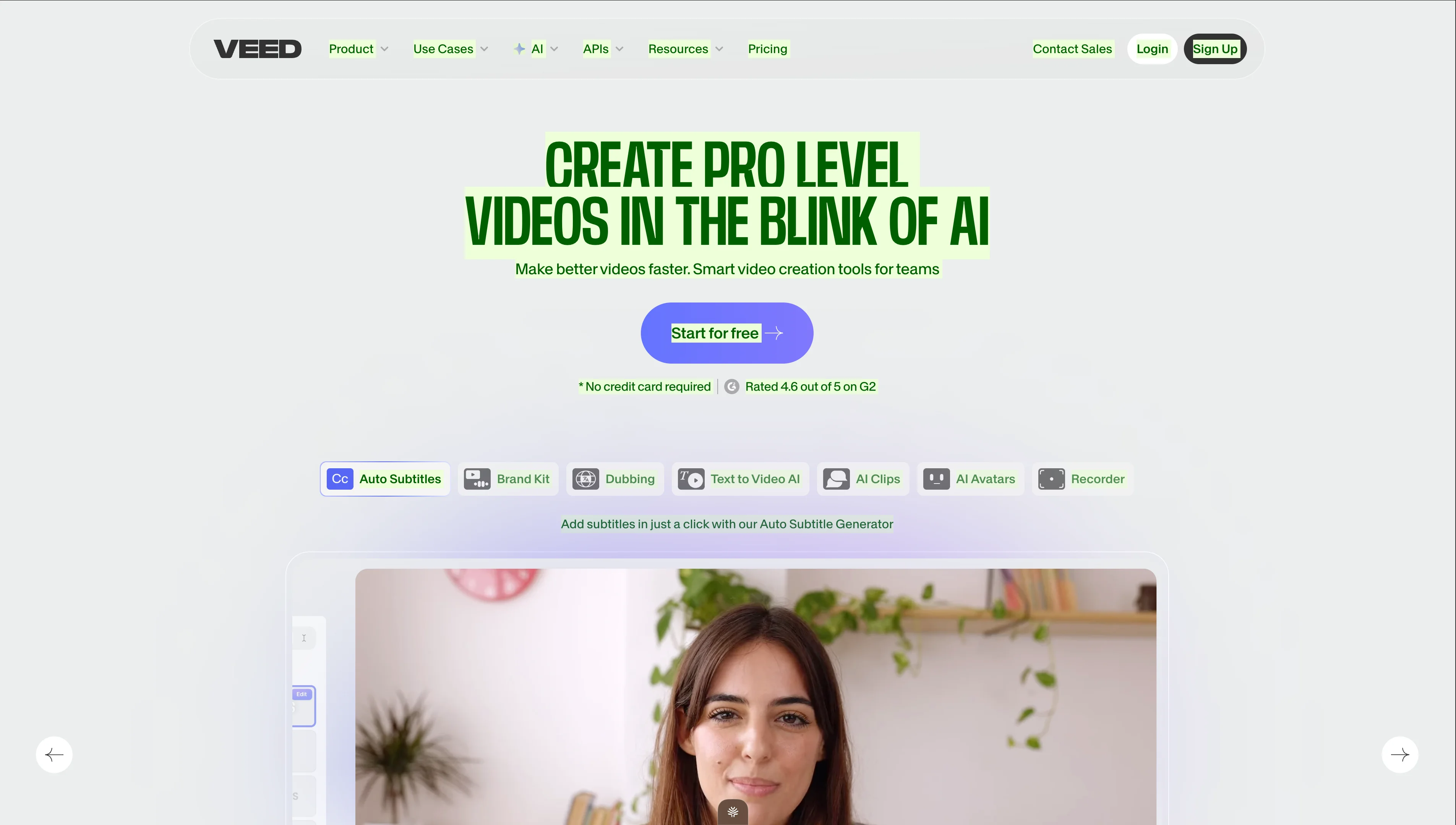
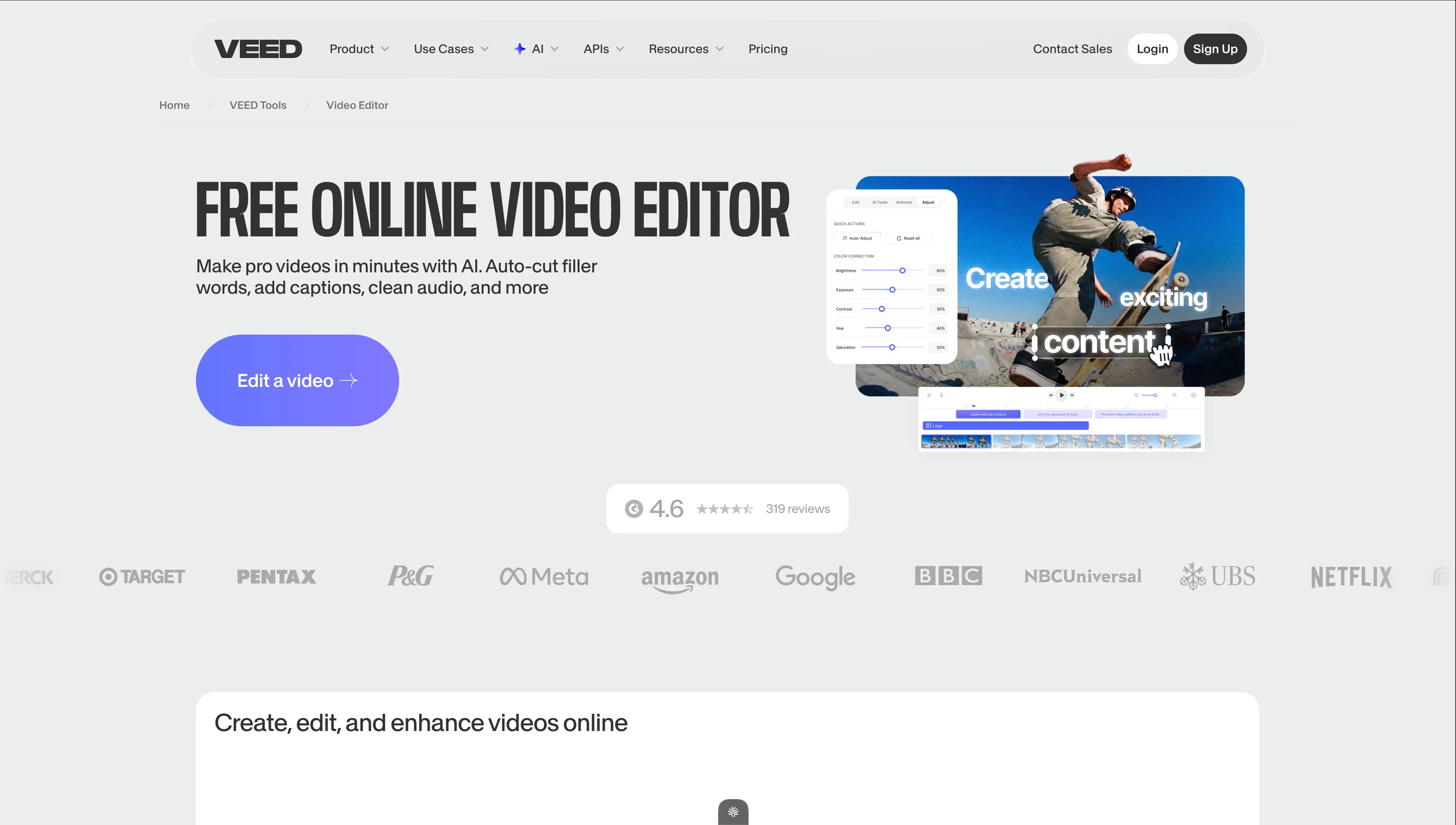
Veed.io is a browser-based video editor with a heavy focus on AI features — auto-subtitles, eye contact correction, background noise removal, AI avatars, text-to-video, and dubbing. It's used by enterprise teams (Target, Meta, Google, BBC, Netflix are listed as clients) and individual creators alike.
This review covers what Veed actually delivers, its pricing in 2026, where it excels, where it doesn't, and how it compares to alternatives for short-form video creators.
What Veed.io Does
Veed is a browser-based video creation and editing platform that combines a traditional timeline editor with a suite of AI tools. You can upload footage and edit it, or use AI to generate videos from text prompts.
Core Features
- Auto Subtitles — Veed's flagship feature. Generate word-by-word captions with 95%+ accuracy in 100+ languages. Multiple caption styles and customization. This is what Veed is best known for.
- Eye Contact Correction — AI adjusts the speaker's gaze to look directly at the camera, even when reading from a script off-screen. Unique feature few competitors offer.
- Clean Audio — One-click background noise removal. Eliminates fan hum, echo, keyboard clicks, and ambient noise from recorded audio.
- Text to Video AI — Generate videos from text prompts with stock footage, voiceover, and music.
- AI Avatars — AI-generated presenters that read your script with lip-sync.
- AI Clips — Automatically extract the best clips from long videos (similar to Opus Clip).
- Dubbing — AI translates and dubs your video into other languages with voice matching.
- Brand Kit — Save logos, colors, fonts, intros, and outros for consistent team output (Pro+).
- Screen Recorder — Built-in screen + webcam recorder directly in the browser.
- Timeline Editor — Multi-track editor with transitions, text, shapes, filters, and effects.
Veed.io Pricing (2026)
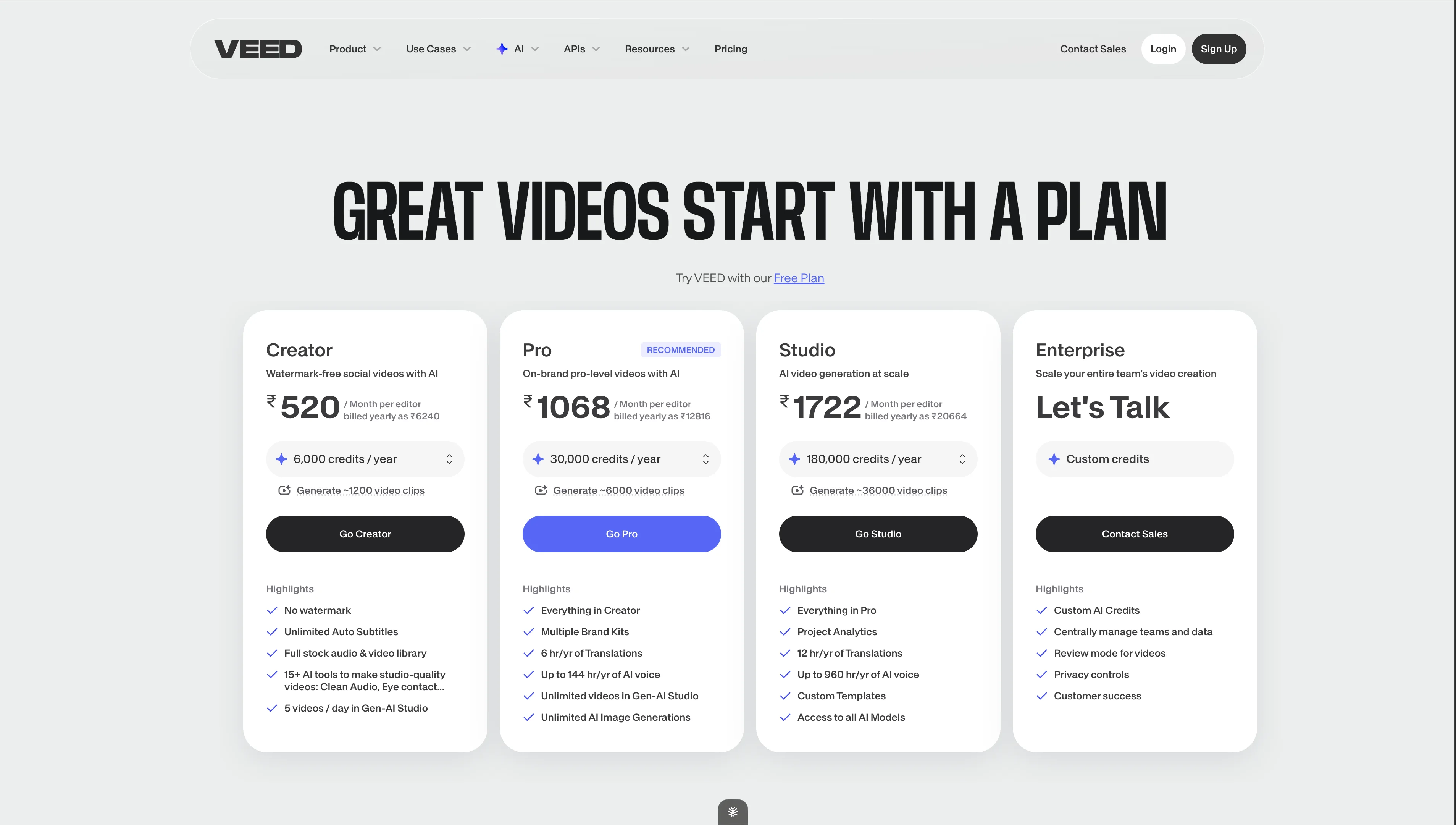
| Plan | Price (USD approx.) | Credits/yr | Key Features |
|---|---|---|---|
| Free | $0 | Limited | Watermarked exports, basic editor, limited AI features |
| Creator | ~$6/mo (annual) | 6,000/yr | No watermark, unlimited auto-subtitles, full stock library, 15+ AI tools, 5 Gen-AI videos/day |
| Pro | ~$13/mo (annual) | 30,000/yr | Everything in Creator + multiple brand kits, 6 hr/yr translations, 144 hr/yr AI voice, unlimited Gen-AI videos, unlimited AI image generations |
| Studio | ~$21/mo (annual) | 180,000/yr | Everything in Pro + project analytics, 12 hr/yr translations, 960 hr/yr AI voice, custom templates, all AI models |
| Enterprise | Custom | Custom | Everything in Studio + custom AI credits, review mode, privacy controls, dedicated support, SAML SSO |
Pricing Context
Veed's Creator plan at ~$6/mo is one of the most affordable paid video editors available. The Pro plan at ~$13/mo undercuts Kapwing ($16/mo) while offering more AI features. The pricing is aggressive — clearly designed to capture market share from CapCut Pro and Kapwing.
Note: Pricing shown on their site varies by region (the screenshot shows INR pricing for India). USD pricing may differ — check veed.io/pricing for your region.
What Veed.io Does Well
1. Auto-Subtitles Are Best-in-Class
Veed built its reputation on subtitles, and it shows. Accuracy is consistently 95%+ in English, with 100+ languages supported. Multiple caption styles (word-by-word highlight, full sentence, boxed, minimal), custom fonts and colors, and easy manual correction. For creators who add captions to every video (you should — 85% watch on mute), Veed's subtitles are the smoothest workflow available.
2. Eye Contact Correction Is Genuinely Impressive
This is Veed's most unique feature. If you record while reading notes off to the side, Eye Contact Correction adjusts your eyes to look directly at the camera. The result is surprisingly natural. For creators who use teleprompters or reference notes while filming, this eliminates the "looking away" problem without additional takes.
3. Clean Audio With One Click
Upload a video with fan noise, room echo, or keyboard sounds. Click "Clean Audio." Veed removes the background noise while preserving voice clarity. It's not studio-quality noise removal, but for home recordings and office environments, it's transformative — and takes 10 seconds.
4. Affordable Pricing
Looking for the Best Faceless Video Tool?
See why creators are switching to FlowShorts — AI video generation + auto-posting to 3 platforms from $19/mo.
Compare Plans →Creator at ~$6/mo and Pro at ~$13/mo significantly undercut competitors. You get unlimited auto-subtitles, full stock library, and 15+ AI tools at the Creator level. For the feature set, Veed is the best value in the browser-based editor category.
5. Enterprise Trust
Target, Meta, Amazon, Google, BBC, NBCUniversal, Netflix — these aren't aspirational logos. Veed genuinely serves enterprise teams. This means the platform is stable, secure, and unlikely to disappear. For creators evaluating reliability, enterprise adoption is a strong signal.
Where Veed.io Falls Short
1. Text-to-Video Output Is Mediocre
Veed's AI text-to-video generates videos from prompts, but the output quality lags behind InVideo AI. The stock footage matching is less precise, transitions feel more mechanical, and the overall "AI-generated" aesthetic is more obvious. It's usable for quick drafts but not ready to publish without significant manual editing.
2. Editor Performance on Complex Projects
Like Kapwing, being browser-based means performance degrades on complex timelines. Multiple video layers, effects, and long projects can cause lag, especially on mid-range hardware. For heavy editing, desktop tools (DaVinci Resolve, Premiere) are more stable.
3. Credit System Adds Complexity
AI features consume credits from your annual allocation. The Creator plan's 6,000 credits/year sounds generous, but heavy AI users (frequent dubbing, Gen-AI video generation, AI voice) can exhaust credits before renewal. Tracking credit usage requires attention.
4. Free Tier Is Very Limited
Free exports have watermarks and limited AI access. Unlike CapCut's genuinely useful free tier, Veed's free version is essentially a demo. You need at least the Creator plan ($6/mo) for production use.
5. No Auto-Posting to Social Platforms
You create and edit in Veed, then manually download and upload to YouTube, TikTok, Instagram, etc. No integrated scheduling or auto-posting. For creators posting daily across multiple platforms, this manual step multiplies.
Who Veed.io Is Best For
| Great Fit | Not a Great Fit |
|---|---|
| Creators who need auto-subtitles on every video | Creators wanting fully automated content generation |
| Anyone recording with a teleprompter (eye contact fix) | Complex multi-layer editing projects (use desktop editor) |
| Budget-conscious creators ($6/mo is hard to beat) | Faceless channel creators needing daily AI content |
| Teams needing brand consistency across videos | Creators needing auto-posting to social platforms |
| Multilingual creators needing dubbing | Creators who need more than 5 Gen-AI videos/day (Creator plan) |
Veed.io vs. FlowShorts
| Feature | Veed.io | FlowShorts |
|---|---|---|
| What it is | Browser-based editor with AI tools | Automated short-form video generator |
| Input | Your footage + manual editing | Topic/niche selection (auto-generates everything) |
| Creates content from scratch? | Partial — AI text-to-video is basic | Yes — full pipeline: script, images, voiceover, captions, music |
| Editing required? | Yes — you edit manually (AI assists) | No — fully automated |
| Best AI feature | Auto-subtitles + eye contact correction | Complete video generation + auto-posting |
| Auto-posting | No | Yes (YouTube Shorts, TikTok, Instagram Reels) |
| Best for | Editing existing footage with AI enhancements | Daily automated faceless short-form content |
| Starting price | ~$6/mo (Creator) | $19/mo (Starter — 8 videos + auto-post) |
When to choose Veed: You film your own content and need a capable, affordable browser editor — especially for subtitles, eye contact correction, and noise removal.
Looking for the Best Faceless Video Tool?
See why creators are switching to FlowShorts — AI video generation + auto-posting to 3 platforms from $19/mo.
Compare Plans →When to choose FlowShorts: You want AI-generated short-form content posted daily without filming or editing. For faceless channels on YouTube Shorts, TikTok, and Instagram Reels.
Veed.io vs. Other Editors
| Tool | Best Feature | Best For | Starting Price |
|---|---|---|---|
| Veed.io | Auto-subtitles + eye contact AI | Budget creators, subtitle-heavy content | ~$6/mo |
| Kapwing | Team collaboration + Smart Cut | Creative teams, talking-head content | Free / $16/mo |
| CapCut | Templates + TikTok integration | Short-form editing, trending templates | Free / $8/mo |
| InVideo AI | Prompt-to-video with stock footage | Marketing teams, multilingual video | $25/mo |
| Opus Clip | AI clipping from long-form | Podcasters, YouTubers repurposing | $15/mo |
| FlowShorts | Full automated pipeline + auto-post | Faceless channels, daily Shorts | $19/mo |
For full comparisons, see our best AI video generators of 2026, Opus Clip review, Kapwing review, and alternatives comparison page.
The Verdict
Veed.io is the best-value browser-based video editor in 2026. At ~$6/mo for the Creator plan, you get auto-subtitles, full stock library, 15+ AI tools, and no watermark — features that cost $16-25/mo elsewhere. Eye contact correction and one-click noise removal are genuinely unique differentiators that save time on every video.
It's primarily an editor, not a generator. The text-to-video AI is functional but basic. If you need to create original short-form content without filming — for faceless channels or automated daily Shorts — you need a dedicated generation tool like FlowShorts.
For creators who film their own content and want an affordable, AI-enhanced editing workflow: Veed Pro at ~$13/mo is hard to beat. For enterprise teams needing brand consistency, translations, and analytics: Veed Studio at ~$21/mo competes well with Kapwing Business ($50/mo) at less than half the price.
Frequently Asked Questions
Is Veed.io free?
Veed has a free tier but exports include a watermark and AI features are heavily limited. The Creator plan at ~$6/month (annual billing) removes the watermark and unlocks unlimited auto-subtitles and 15+ AI tools. It's the most affordable paid tier among browser-based editors.
Is Veed.io good for YouTube Shorts?
Yes. Veed can resize videos to 9:16, add auto-subtitles, clean audio, and export at up to 4K. The auto-subtitle feature is particularly valuable for Shorts since most are watched on mute. However, you need to upload and post manually — no auto-posting to YouTube.
Is Veed.io better than Kapwing?
For different strengths. Veed is better for: auto-subtitles, eye contact correction, noise removal, and pricing (cheaper at every tier). Kapwing is better for: team collaboration, Smart Cut for talking-head content, and slightly more robust timeline editing. Both are browser-based; neither requires downloads.
What is Veed's eye contact correction?
AI adjusts the speaker's eyes in video to look directly at the camera, even when they were reading from notes off to the side during recording. It produces surprisingly natural results and eliminates the need for re-takes when you break eye contact.
How does Veed compare to FlowShorts?
Different tools entirely. Veed is an editor — you bring footage and enhance it with AI tools (subtitles, noise removal, eye contact). FlowShorts is a generator — it creates complete videos from a topic (script, images, voiceover, captions, music) and auto-posts daily. Veed for editing, FlowShorts for automated content creation.
Related Guides
- Opus Clip Review
- Kapwing Review
- InVideo AI Review
- Best AI Video Generators of 2026
- 50 Video Editing Tips
- All Alternatives Compared
Create Videos Without Editing
Veed is great for editing. FlowShorts is for creating. AI scripts, images, voiceover, captions, and music — auto-posted daily to YouTube Shorts, TikTok, and Instagram Reels. No footage needed.


