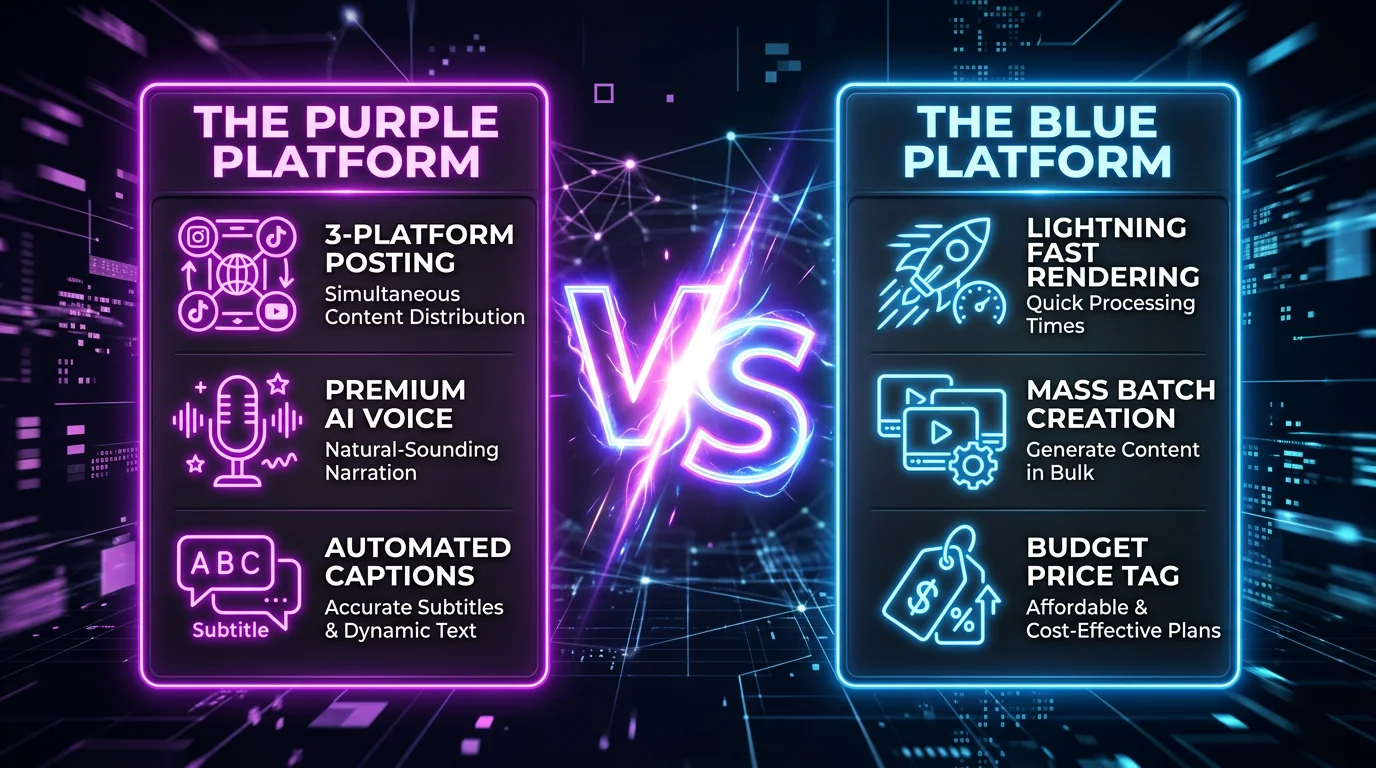
FlowShorts vs Every Competitor: Honest Comparison for Faceless Video Creators (2026)
We compared 12+ faceless video generators side by side — features, pricing, auto-posting, platforms, and who each tool is actually best for. No fluff, real data.
FlowShorts Team

The faceless video generator market has exploded. There are now 15+ tools that claim to auto-create and post short-form videos to YouTube Shorts, TikTok, and Instagram Reels. Some are great. Some are repackaged slideshow makers. And the marketing pages all look the same.
We've tested and reviewed the major ones. This page compares every faceless video generator and AI video tool side by side — with real pricing, honest pros and cons, and a clear breakdown of who each tool is actually best for. If you're looking for a FlowShorts alternative or trying to pick the right tool for your workflow, start here.
Master Comparison: Every Faceless Video Tool (2026)
Here's the full landscape. Tools are split into two categories: generators (create videos from scratch) and editors/repurposers (edit or clip existing footage).
| Tool | What It Does | Auto-Post? | Platforms | Price (from) | Best For | Our Review |
|---|---|---|---|---|---|---|
| FlowShorts | AI video generator + auto-poster | Yes (3 platforms) | YouTube, TikTok, Instagram | $19/mo | Hands-free faceless channels | How it works |
| AutoShorts.ai | AI video generator + auto-poster | Yes (YouTube) | YouTube only | $49/mo | YouTube-only creators | Review |
| BigMotion AI | AI video generator | No | Download only | $29/mo | One-off video creation | Review |
| ShortsFaceless | AI video generator + auto-poster | Yes (YouTube) | YouTube only | $34/mo | Reddit story videos | Comparison |
| Shortspilot | AI video generator + auto-poster | Yes (3 platforms) | YouTube, TikTok, Instagram | $37/mo | Per-series pricing model | Comparison |
| StoryShort AI | AI video generator | No | Download only | $15/mo | Budget-friendly creation | Review |
| SendShort | AI video generator + poster | Limited | YouTube, TikTok | $29/mo | Quick single videos | Review |
| ReVid AI | AI video generator | No | Download only | $19/mo | URL-to-video conversion | Review |
| InVideo AI | AI video editor + generator | No | Download only | $25/mo | Long-form + short-form editing | Review |
| Fliki AI | Text-to-video generator | No | Download only | $28/mo | Blog-to-video conversion | Review |
| Opus Clip | Long-to-short clipper | No | Download only | $19/mo | Repurposing podcasts/webinars | Review |
| Kapwing | Online video editor | No | Download only | $24/mo | Manual editing with AI assist | Review |
| Veed.io | Online video editor | No | Download only | $24/mo | Subtitle-heavy editing | Review |
For the ranked list of generators that also auto-post, see best faceless video generators that auto-post.
Faceless Video Generators (Create + Auto-Post)
These tools generate videos from scratch using AI and post them to your social accounts automatically. They're built for creators who want a hands-free content pipeline.
FlowShorts
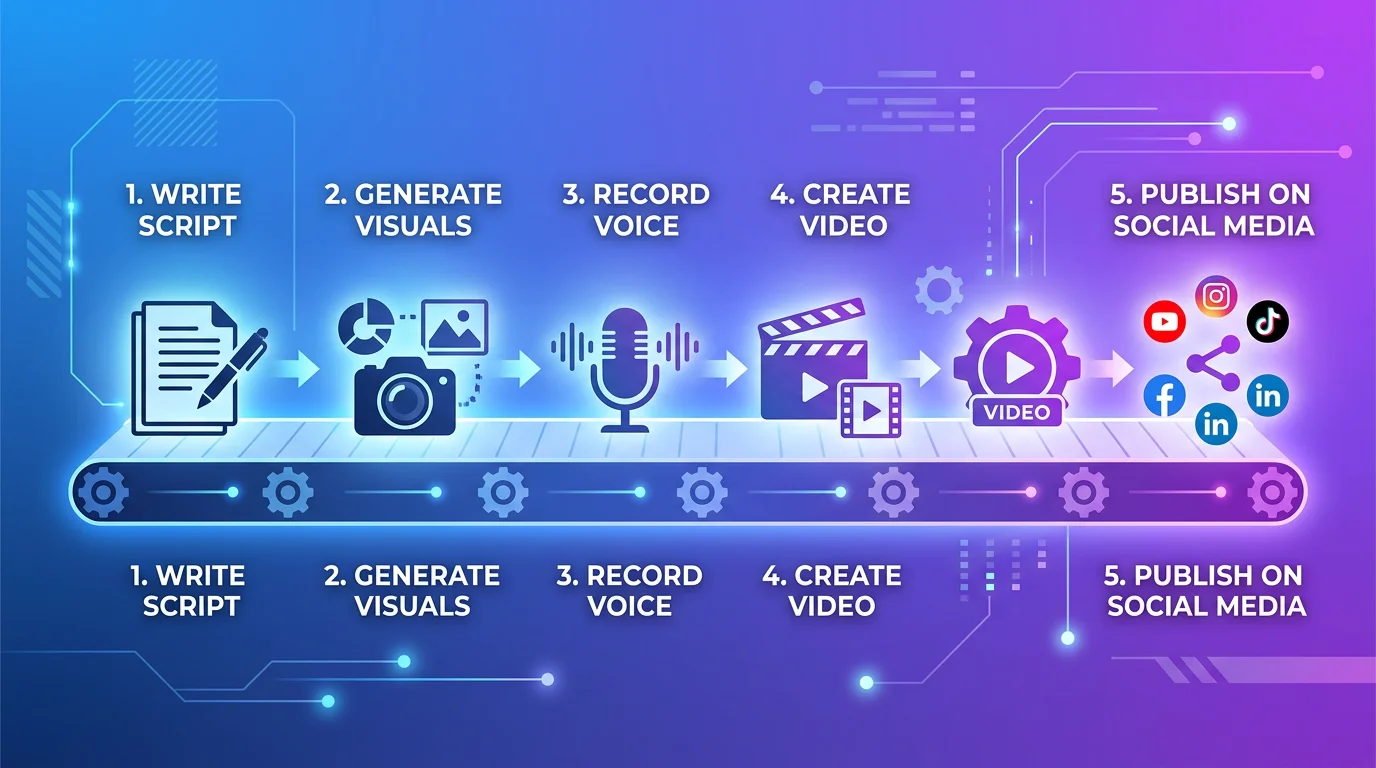
FlowShorts generates faceless videos end-to-end — AI writes the script, generates images, adds voiceover (ElevenLabs), renders with animated captions and music, then auto-posts to YouTube, TikTok, and Instagram on a daily schedule. You pick a niche, connect your accounts, and the system runs on autopilot.
Pricing: Starter $19/mo (8 videos), Creator $39/mo (30 videos), Pro $69/mo (60 videos).
Best for: Creators who want full automation across 3 platforms.
Limitations: No manual editing — you can't upload your own footage. Not for talking-head or avatar content.
How FlowShorts works →
AutoShorts.ai
AutoShorts generates faceless videos and posts them to YouTube automatically. It focuses exclusively on YouTube Shorts and offers a simple niche-based generation flow similar to FlowShorts.
Pricing: From $49/mo.
Best for: YouTube-only creators who don't need TikTok or Instagram.
Limitations: YouTube only — no TikTok or Instagram posting. Higher starting price than FlowShorts for fewer platforms.
Full AutoShorts review → | Side-by-side comparison →
BigMotion AI
BigMotion creates AI-generated videos with a focus on visual quality. It produces solid-looking content but lacks auto-posting — you download videos and upload manually.
Pricing: From $29/mo.
Best for: Creators who want high visual quality and don't mind manual posting.
Limitations: No auto-posting. No scheduling. Manual upload to each platform.
Full BigMotion review → | FlowShorts vs BigMotion →
ShortsFaceless
ShortsFaceless specializes in Reddit story-style videos — the format where a Reddit post is narrated over gameplay footage. It auto-posts to YouTube.
Pricing: From $34/mo.
Best for: Reddit story / gameplay overlay niche specifically.
Limitations: YouTube only. Very niche-specific format — not suitable for general faceless content.
FlowShorts vs ShortsFaceless →
Shortspilot
Shortspilot generates faceless videos and posts to YouTube, TikTok, and Instagram. It uses a per-series pricing model — you pay per content series rather than per video count.
Pricing: From $37/mo.
Best for: Creators who want per-series pricing flexibility and ElevenLabs voice options.
Limitations: Per-series model can get expensive if running multiple niches.
FlowShorts vs Shortspilot → | Side-by-side comparison →
StoryShort AI
StoryShort generates AI videos at a budget price point. Good for trying out faceless content without a big investment, but lacks auto-posting.
Pricing: From $15/mo.
Best for: Budget-conscious creators testing faceless content.
Limitations: No auto-posting. Lower video quality compared to premium tools.
Full StoryShort review → | Side-by-side comparison →
Looking for the Best Faceless Video Tool?
See why creators are switching to FlowShorts — AI video generation + auto-posting to 3 platforms from $19/mo.
Compare Plans →SendShort
SendShort creates AI videos with a focus on speed — you can generate a video in minutes. Limited auto-posting to YouTube and TikTok.
Pricing: From $29/mo.
Best for: Quick one-off video creation when you need something fast.
Limitations: Limited auto-posting. Not designed for daily automated workflows.
Full SendShort review → | Side-by-side comparison →
ReVid AI
ReVid converts URLs (articles, blog posts, tweets) into short-form videos. Good for repurposing existing written content, but no auto-posting.
Pricing: From $19/mo.
Best for: Creators with existing written content who want to convert it to video.
Limitations: No auto-posting. Relies on input URLs — not suited for original content creation.
Full ReVid review → | Side-by-side comparison →
AI Video Editors and Repurposing Tools
These tools don't generate faceless content from scratch — they edit existing footage, add effects, or clip long-form content into shorts. Different use case, different audience.
InVideo AI
InVideo is a full-featured AI video editor that handles both long-form and short-form. You describe what you want in a text prompt, and it generates a video draft you can edit manually. More flexible than pure faceless generators, but requires more hands-on work.
Pricing: From $25/mo. Best for: Creators who want AI-assisted editing with manual control.
Full InVideo AI review → | Side-by-side comparison →
Fliki AI
Fliki converts text to video with AI voiceover. Strong at blog-to-video conversion with a large stock media library. Clean interface, but output can feel template-heavy.
Pricing: From $28/mo. Best for: Converting blog posts and articles into video content.
Full Fliki review → | Side-by-side comparison →
Opus Clip
Opus Clip is a long-to-short clipper — it takes podcasts, webinars, or YouTube videos and automatically identifies the best moments to clip into Shorts/Reels/TikToks. Not a generator — it works with existing footage.
Pricing: From $19/mo. Best for: Podcasters and YouTubers repurposing long-form content.
Full Opus Clip review → | Side-by-side comparison →
Kapwing
Kapwing is an online video editor with AI-powered features (auto-subtitles, background removal, smart cut). It's a general-purpose editor, not a faceless video generator.
Pricing: From $24/mo. Best for: Manual video editing with AI-powered shortcuts.
Full Kapwing review →
Veed.io
Veed is an online video editor with excellent subtitle generation and translation features. Strong for creators who edit their own footage and need polished captions.
Pricing: From $24/mo. Best for: Subtitle-focused editing and video translation.
Full Veed review →
How to Choose the Right Tool
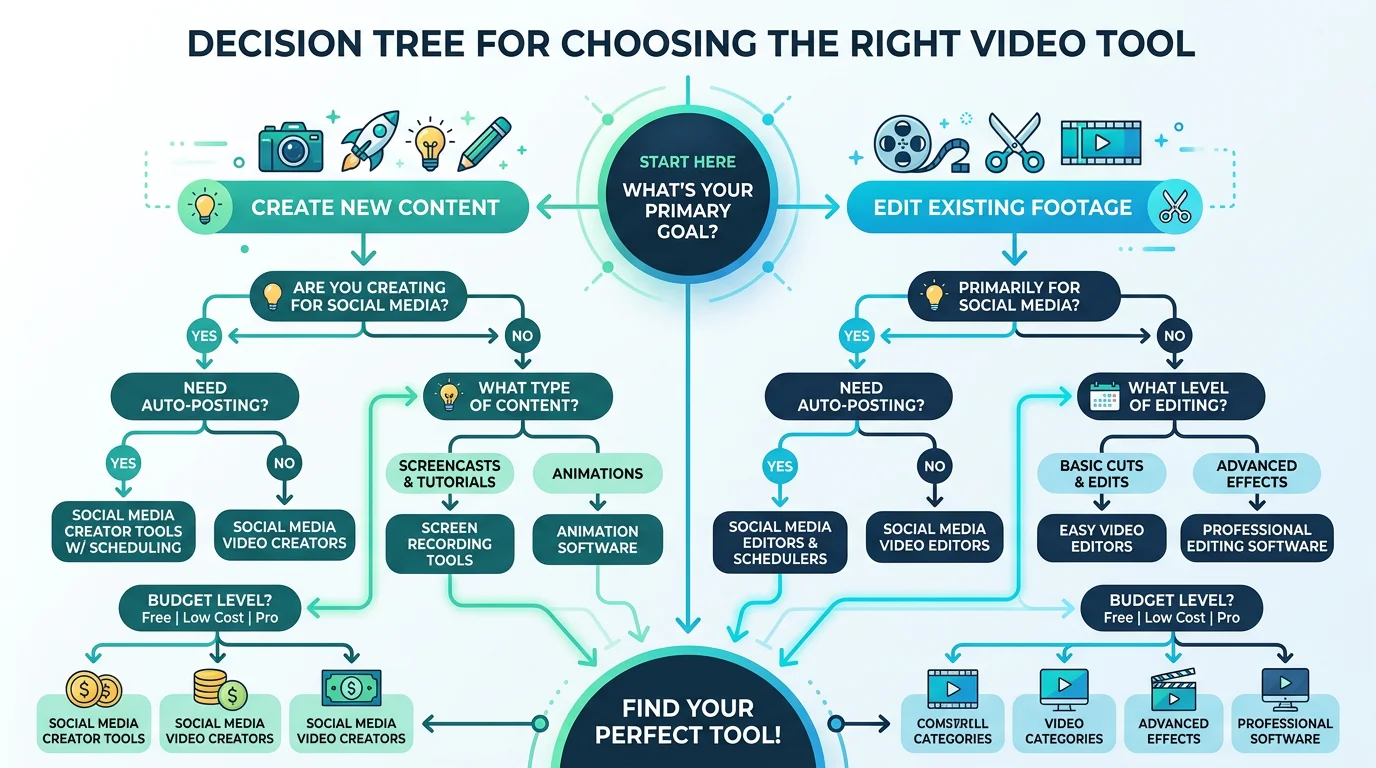
The right tool depends on your workflow, not which has the most features. Ask yourself these four questions:
Looking for the Best Faceless Video Tool?
See why creators are switching to FlowShorts — AI video generation + auto-posting to 3 platforms from $19/mo.
Compare Plans →1. Do you want to create from scratch or edit existing footage?
- Create from scratch → Faceless generators (FlowShorts, AutoShorts, Shortspilot, BigMotion)
- Edit existing footage → Editors (Kapwing, Veed, InVideo AI)
- Clip long-form into shorts → Repurposers (Opus Clip)
2. Do you need auto-posting?
- Yes, to 3 platforms → FlowShorts, Shortspilot
- Yes, YouTube only → AutoShorts, ShortsFaceless
- No, I'll post manually → Any tool works
3. What's your budget?
- Under $20/mo → StoryShort ($15), FlowShorts Starter ($19), ReVid ($19)
- $20-40/mo → Shortspilot ($37), SendShort ($29), BigMotion ($29)
- $40+/mo → AutoShorts ($49), FlowShorts Pro ($69)
4. Which platforms do you need?
- YouTube + TikTok + Instagram → FlowShorts, Shortspilot
- YouTube only → AutoShorts, ShortsFaceless
- Download and upload yourself → Any generator or editor
What Makes FlowShorts Different
We're biased — we built FlowShorts. But here's an honest assessment of where it fits and where it doesn't:
FlowShorts is the right choice if:
- You want fully automated faceless video creation + posting
- You need multi-platform posting (YouTube + TikTok + Instagram)
- You're running 1-3 niche-based faceless channels
- You want to set up a system and have videos posted daily without manual work
FlowShorts is NOT the right choice if:
- You want to edit your own footage — FlowShorts creates from scratch only
- You need avatar or talking-head videos — FlowShorts does faceless content only
- You want long-form videos — FlowShorts makes 30-90 second Shorts/Reels
- You need one-off videos for a specific project — FlowShorts is built for ongoing daily content
If FlowShorts fits your use case, explore how the pipeline works: how FlowShorts works. Plans start at $19/month with a free video to test.
Frequently Asked Questions
What's the best free faceless video generator?
Most faceless video generators don't have true free tiers — they offer free trials or single free videos. FlowShorts lets you generate 1 free video to test quality before subscribing. StoryShort has a limited free plan. For free editing tools, Kapwing and Canva offer free tiers with watermarks.
Can AI-generated videos get monetized on YouTube?
Yes. YouTube does not penalize AI-generated content as long as it provides value to viewers. AI-generated faceless videos can be monetized through the YouTube Partner Program just like any other content. What matters is watch time, retention, and engagement — not how the video was made.
What's the difference between a video editor and a video generator?
A video editor (Kapwing, Veed, InVideo) helps you edit footage you already have. A video generator (FlowShorts, AutoShorts, BigMotion) creates videos from scratch using AI — no existing footage needed. Some tools like InVideo AI blur the line by offering both.
Do auto-posted videos perform worse than manually posted ones?
No. Platform algorithms evaluate the content itself — watch time, engagement, retention — not how it was uploaded. Auto-posted videos perform identically to manually posted ones. What matters is the quality of the video, not the posting method.
Which tool is best for TikTok specifically?
For automated TikTok posting: FlowShorts or Shortspilot (both auto-post to TikTok). For manual creation + upload: InVideo AI or Fliki give you more editing control. For repurposing existing content to TikTok: Opus Clip or Repurpose.io.
Is FlowShorts worth it for beginners?
Yes — if you want faceless content specifically. The Starter plan ($19/mo for 8 videos) is a low-risk way to test automated faceless video. You don't need any video editing skills. Pick a niche, connect your YouTube/TikTok/Instagram, and the system creates and posts for you. Try the free video first to see if the quality matches your expectations.
Find the Right Tool for Your Workflow
The best faceless video tool is the one that matches your workflow — not the one with the longest feature list. If you want full automation across 3 platforms, FlowShorts is built for that. If you need editing control, InVideo or Kapwing are better fits. If you're repurposing existing content, Opus Clip is the move.
Use our Faceless Niche Finder to discover profitable niches, then try FlowShorts free to see if automated faceless video fits your goals.
For platform-specific guides, see our YouTube Shorts guide, Instagram guide, and TikTok guide.