Image to Video AI: 10 Best Tools to Turn Photos Into Videos (2026)
Compare the 10 best image to video AI tools in 2026. From cinematic motion generation to full automated video production for YouTube Shorts, TikTok, and Reels.
FlowShorts Team
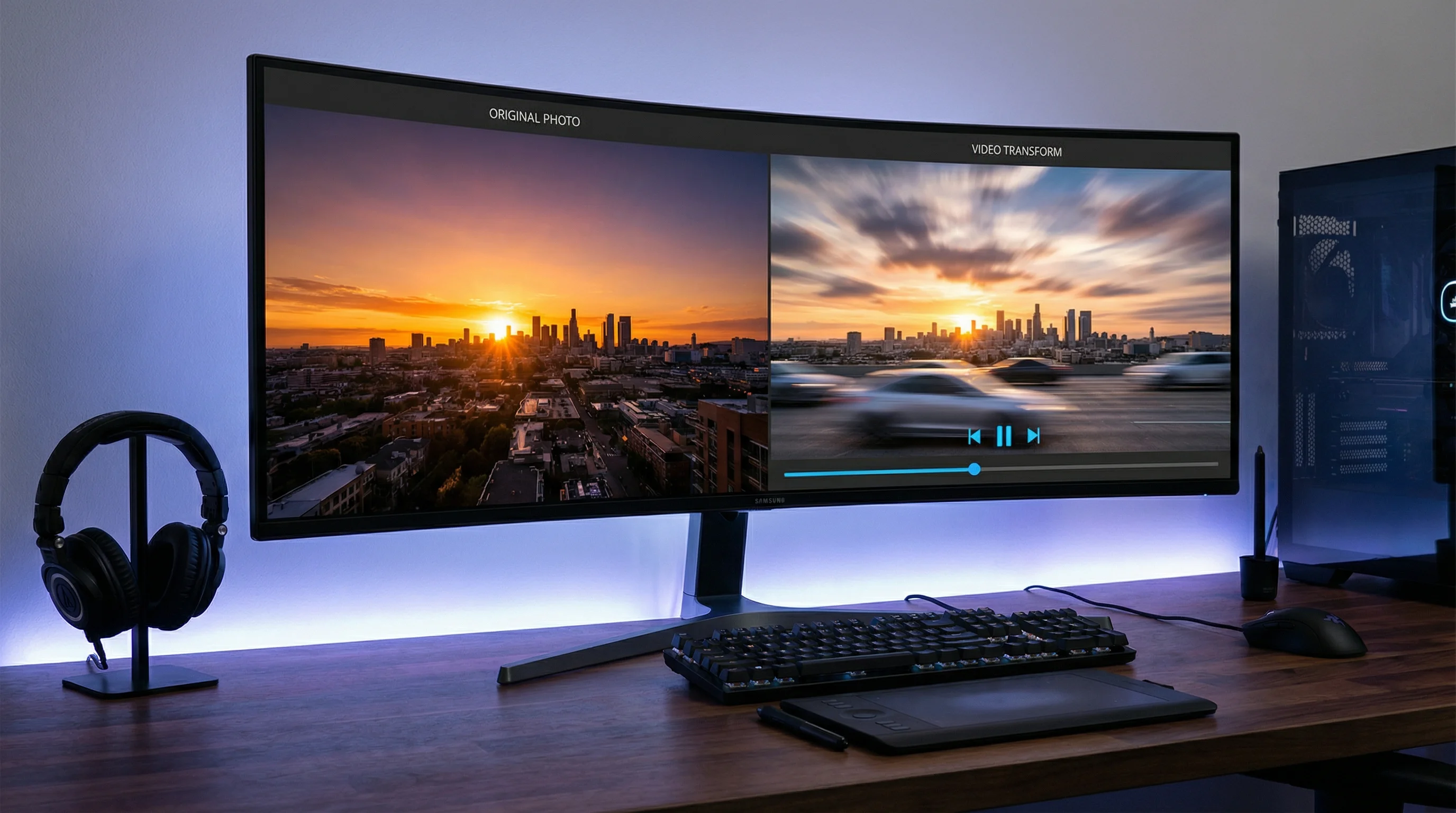
Image to video AI tools turn static photos, illustrations, and AI-generated images into moving video — complete with motion, transitions, voiceover, and music. In 2026, these tools range from simple Ken Burns animators to full production pipelines that generate entire videos from a single image prompt.
This guide covers the 10 best image-to-video AI tools, how the technology works, which tool fits which use case, and how creators use them to produce short-form content for YouTube Shorts, TikTok, and Instagram Reels at scale.
How Image to Video AI Works
Image-to-video AI uses one of three approaches to turn still images into video:
- Motion synthesis — AI analyzes the image and generates realistic motion. A photo of a waterfall gets flowing water. A portrait gets subtle head movement and blinking. Models like Stable Video Diffusion and Runway Gen-3 use this approach.
- Ken Burns + compositing — The AI applies camera movements (zoom, pan, parallax) to images and composites them with transitions, text overlays, captions, and music into a full video. This is how most short-form video generators work, including FlowShorts.
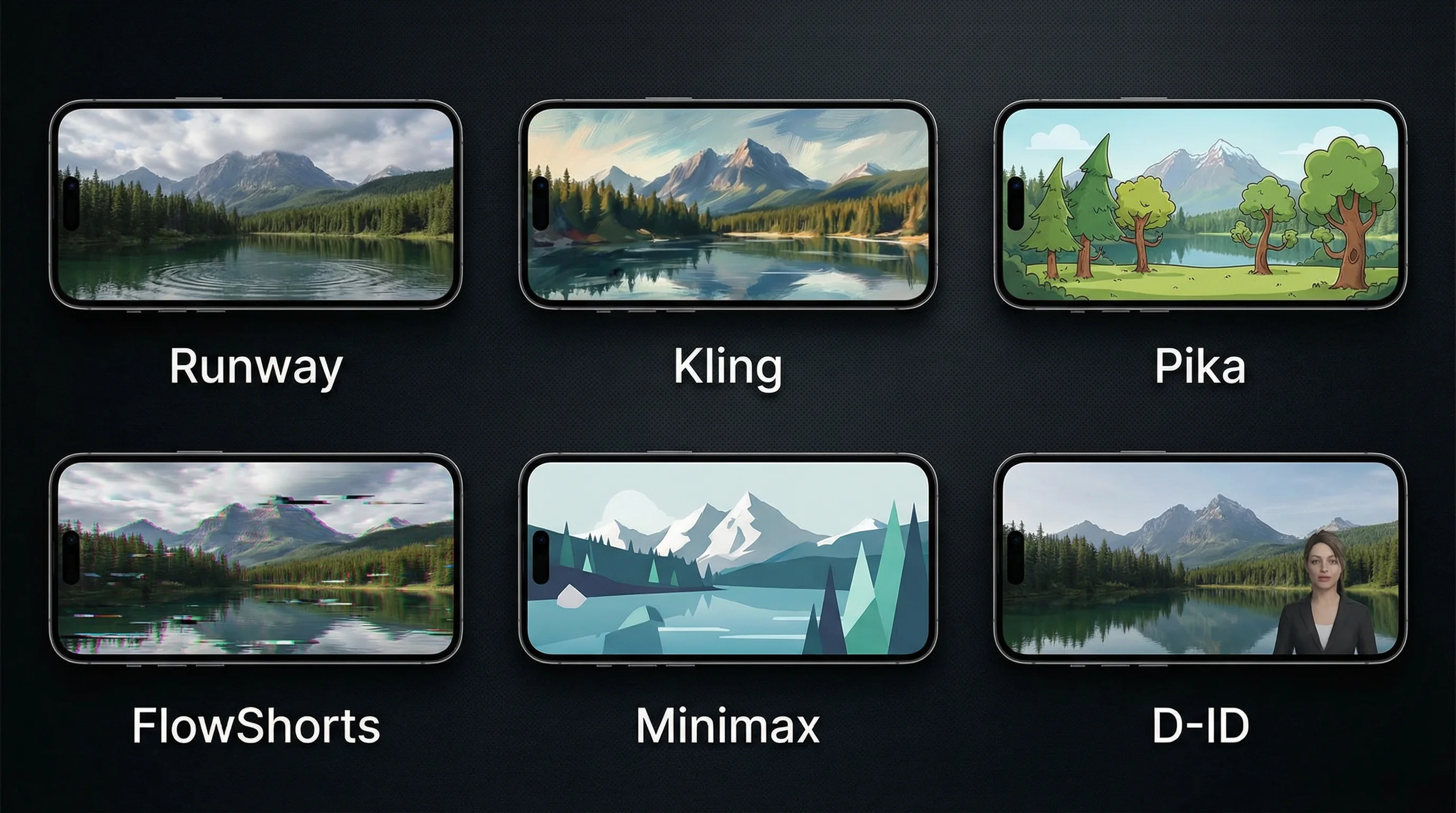
- Full scene generation — Given a single image as a reference, the AI generates entirely new frames that extend the scene into a video sequence. Tools like Kling, Pika, and Minimax use this approach.
For short-form content creation, the second approach (compositing with motion) produces the most reliable, controllable results. For cinematic or artistic content, motion synthesis and scene generation are more impressive but less predictable.
10 Best Image to Video AI Tools (2026)
1. FlowShorts — Best for Automated Short-Form Video at Scale
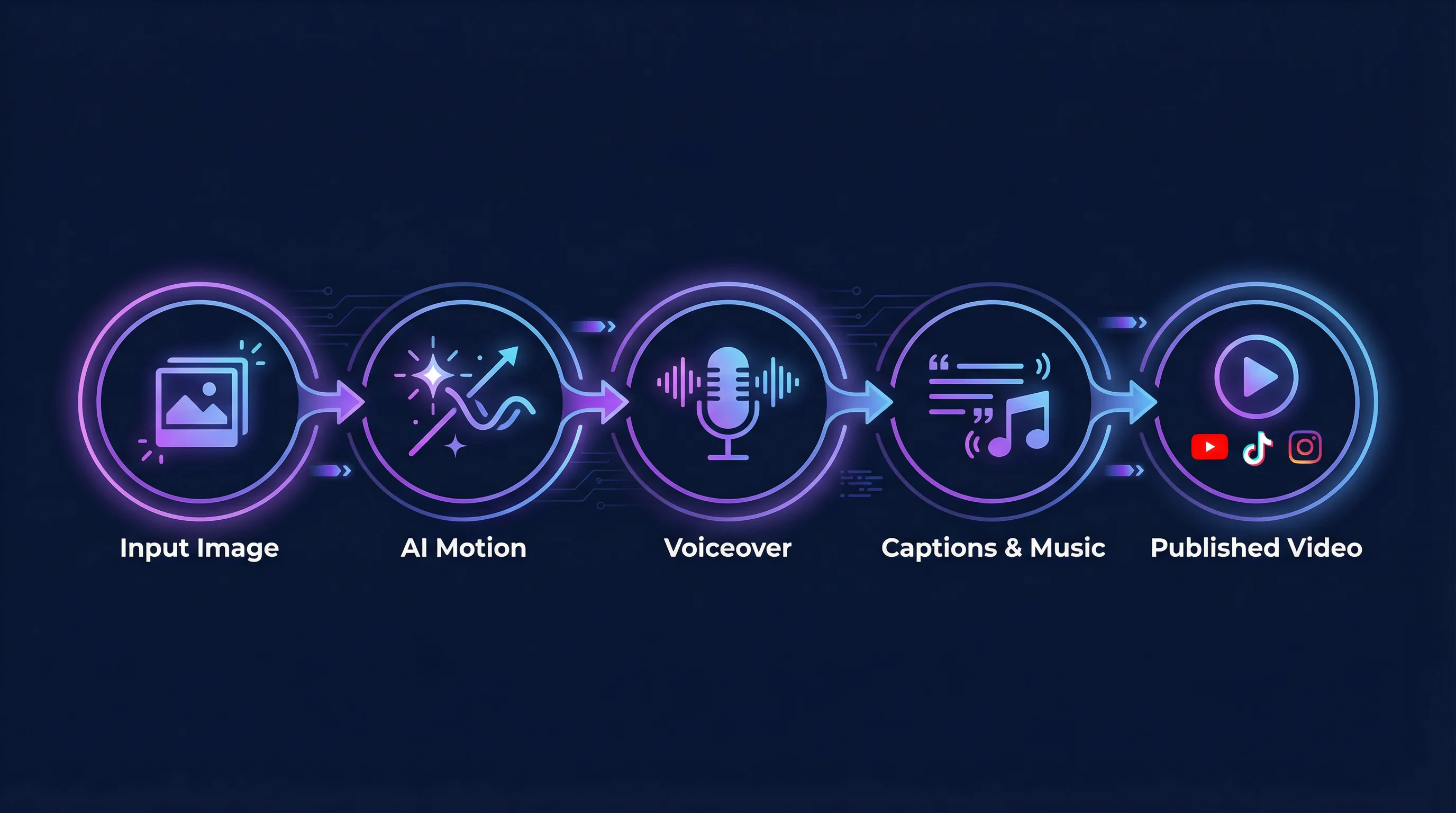
FlowShorts is a full-pipeline AI video generator designed specifically for faceless short-form content. It doesn't just animate images — it handles the entire production process: script generation, AI image creation, voiceover, animated captions, transitions, background music, and auto-posting to YouTube Shorts, TikTok, and Instagram Reels.
How images work in FlowShorts: The AI generates a script with scene descriptions, then creates custom images for each scene using AI image generation (not stock photos). Each image gets Ken Burns motion effects, and the scenes are composited with voiceover, TikTok-style captions, transitions, and music into a finished 1080×1920 video.
- Best for: Faceless YouTube channels, daily content posting, hands-off video production
- Output: 30-90 second vertical videos (9:16)
- Auto-posting: YouTube Shorts, TikTok, Instagram Reels
- Pricing: From $19/month (8 videos/month) to $69/month (60 videos/month)
2. Runway Gen-3 Alpha — Best for Cinematic Motion
Runway's Gen-3 produces the most cinematic image-to-video results in 2026. Upload a reference image and describe the motion you want — the AI generates 5-10 second clips with realistic camera movement, character animation, and scene dynamics.
- Best for: Cinematic B-roll, creative projects, music videos
- Output: 5-10 second clips per generation
- Limitation: Short clip length means you need to stitch multiple generations together for a full video
- Pricing: From $12/month
3. Kling AI — Best for Character Motion
Kling excels at generating realistic human and character motion from still images. Upload a portrait and it generates natural-looking head movements, expressions, and gestures. Popular for talking-head style content where you want a character to "speak" without filming a real person.
- Best for: Character animation, talking avatars, faceless content with human-like presenters
- Output: Up to 10 second clips
- Pricing: Free tier available, pro plans from $8/month
4. Pika — Best Free Option for Quick Animations
Pika turns images into short animated clips with a simple text prompt describing the desired motion. Its free tier is generous enough for casual creators who need occasional image-to-video conversions without a subscription.
- Best for: Quick image animations, social media clips, experimentation
- Output: 3-5 second animated clips
- Pricing: Free tier (limited generations), pro from $8/month
5. Synthesia — Best for AI Presenter Videos
Synthesia takes a different approach: instead of animating your images, it generates AI avatar presenters that read your script. You provide the text, choose an avatar, and get a professional-looking presenter video. Useful for training content, product demos, and explainer videos.
- Best for: Corporate training, product explainers, educational content
- Output: Full-length presenter videos
- Limitation: Avatar-based, not image-to-video in the traditional sense
- Pricing: From $22/month
6. Minimax (Hailuo) — Best for Cinematic Quality on Free Tier
Minimax's Hailuo model generates impressively cinematic video from images, with camera movements, depth effects, and natural motion. The free tier is unusually generous — many creators use it as their primary image-to-video tool without paying.
- Best for: High-quality short clips, cinematic content, creators on a budget
- Output: 5-6 second clips with strong cinematic quality
- Pricing: Generous free tier, paid plans available
Create Faceless Videos on Autopilot
FlowShorts generates and posts AI videos to YouTube, TikTok & Instagram while you sleep.
Try FlowShorts Free →7. LTX Studio — Best for Storyboard-to-Video
LTX Studio lets you upload a storyboard (a sequence of images) and turns each frame into a video scene with consistent characters and settings across scenes. This is closer to a full production tool — you control the visual narrative frame by frame.
- Best for: Storyboarded content, consistent character videos, multi-scene narratives
- Output: Multi-scene videos with character consistency
- Pricing: Free beta, paid plans coming
8. Canva AI Video Generator — Best for Non-Technical Users
Canva's AI video tools let you turn images into videos using templates, animations, and auto-generated transitions within the familiar Canva interface. It's the least "AI-native" tool on this list, but its drag-and-drop simplicity makes it accessible to anyone.
- Best for: Social media managers, small business owners, non-technical creators
- Output: Template-based videos with image animations
- Pricing: Free tier, Pro from $13/month
9. D-ID — Best for Talking Photo Videos
D-ID specializes in making photos "talk." Upload a portrait photo and a script — D-ID animates the face to match the audio with lip sync, head movement, and eye contact. Popular for creating spokesperson videos from a single headshot.
- Best for: Talking head from a photo, spokesperson videos, personalized video messages
- Output: Lip-synced talking portrait videos
- Pricing: Free trial, plans from $6/month
10. InVideo AI — Best for Text-to-Video with Stock
InVideo AI takes a text prompt and generates a full video using a combination of stock footage, images, AI voiceover, and music. While it's more text-to-video than image-to-video, it supports uploading your own images as source material for the video.
- Best for: Quick content creation from text prompts, marketing videos
- Output: Full-length videos with stock footage + images
- Pricing: Free tier, Plus from $25/month
For a broader comparison of AI video tools, see our complete guide to the best AI video generators in 2026 and our alternatives comparison page.
Comparison Table
| Tool | Best For | Clip Length | Auto-Post | Free Tier | Starting Price |
|---|---|---|---|---|---|
| FlowShorts | Automated short-form at scale | 30-90 sec full videos | Yes (YT, TT, IG) | No | $19/mo |
| Runway Gen-3 | Cinematic motion | 5-10 sec clips | No | Limited | $12/mo |
| Kling AI | Character motion | Up to 10 sec | No | Yes | $8/mo |
| Pika | Quick animations | 3-5 sec clips | No | Yes | $8/mo |
| Synthesia | AI presenter videos | Full length | No | No | $22/mo |
| Minimax | Cinematic quality (free) | 5-6 sec clips | No | Yes (generous) | Free |
| LTX Studio | Storyboard-to-video | Multi-scene | No | Yes (beta) | TBD |
| Canva | Non-technical users | Template-based | No | Yes | $13/mo |
| D-ID | Talking photos | Varies | No | Trial | $6/mo |
| InVideo AI | Text-to-video with stock | Full length | No | Yes | $25/mo |
Which Tool Should You Choose?
The right tool depends entirely on what you're trying to produce:
If you want automated daily content for social media
FlowShorts is the only tool that handles the full pipeline — from image generation to posting. You don't need to generate images separately, animate them, add voiceover, edit, and upload. The system does everything on autopilot. Best for faceless YouTube channels and creators who want to post daily across YouTube Shorts, TikTok, and Instagram Reels.
If you need cinematic B-roll or creative clips
Runway Gen-3 or Minimax. These produce the most visually impressive motion from still images. Use them for music videos, film projects, and high-quality social media content where each clip is individually crafted.
If you need a talking presenter from a photo
D-ID or Synthesia. Both animate faces to speak your script. D-ID works with any photo; Synthesia uses pre-built AI avatars with more natural-looking results.
If you're a beginner with no editing experience
Canva or Pika. Low learning curve, template-driven, and free tiers to start without commitment.
Use Cases for Image to Video AI
Create Faceless Videos on Autopilot
FlowShorts generates and posts AI videos to YouTube, TikTok & Instagram while you sleep.
Try FlowShorts Free →Faceless YouTube Channels
Faceless channels are the primary use case for image-to-video AI. Instead of filming, creators use AI-generated images as the visual layer for narrated content. Each scene's image gets motion effects and is composited with voiceover and captions. This is how channels in niches like motivation, history, science, and finance produce daily content without a camera. See our guide to how to make faceless YouTube videos.
Product Marketing and Ads
Product photos transformed into short video ads with motion, text overlays, and music. A single product image becomes a 15-second ad that performs better than static images in social feeds — video ads consistently outperform image ads in engagement and click-through rates.
Educational and Explainer Content
Diagrams, infographics, and illustrations animated into explainer videos. AI adds motion to static educational graphics, making them more engaging as Shorts or Reels than as static posts.
Social Media Content at Scale
Brands and agencies managing multiple accounts need high volume. Image-to-video AI turns a library of brand photos into a constant stream of social video content without a production team. Our video script generator can pair with these tools to create the narrative layer.
Tips for Better Results
- Use high-resolution source images. AI motion models produce better results with detailed, sharp input images. 1024×1024 or higher is ideal. Low-res, compressed images produce blurry, artifact-heavy video.
- Simple compositions work best. A clear subject with a clean background produces better motion than a busy, cluttered image. The AI has to decide what moves and what stays still — simpler scenes get better predictions.
- Describe the motion you want. When using tools that accept text prompts alongside images (Runway, Pika, Kling), be specific: "camera slowly zooms in while wind blows through hair" produces better results than "make it move."
- Expect to iterate. Image-to-video AI is not one-shot perfect. Generate 3-4 variants and pick the best one. Most tools make this easy with "regenerate" buttons.
- Combine with voiceover for short-form. Raw image-to-video clips rarely stand alone as content. Layer them with AI voiceover, captions, and music to create complete videos. Tools like FlowShorts automate this entire compositing step.
Image to Video AI vs. Text to Video AI
These terms are related but different:
| Feature | Image to Video AI | Text to Video AI |
|---|---|---|
| Input | Still images/photos | Text prompt or script |
| Visual control | High — you choose the exact images | Lower — AI interprets your text |
| Consistency | High — same image = same visual style | Variable — AI may interpret differently each time |
| Best for | Product videos, brand content, specific visuals | Quick content from ideas, faceless narration videos |
| Examples | Runway, Kling, Pika, D-ID | FlowShorts, InVideo AI, Synthesia |
Many tools (including FlowShorts) blend both approaches — generating images from text prompts internally, then converting those images into video scenes. The distinction matters less than the output quality and workflow efficiency.
Frequently Asked Questions
What is image to video AI?
Image to video AI uses artificial intelligence to turn still images and photos into moving video. The AI can generate realistic motion (a waterfall flowing, a person moving), apply camera effects (zoom, pan, parallax), or composite images with voiceover, captions, and music into complete video content.
What is the best free image to video AI tool?
Minimax (Hailuo) offers the most generous free tier for cinematic-quality image-to-video clips. Pika also has a solid free tier for quick animations. For complete video production (not just clips), most full-pipeline tools require a paid subscription.
Can I use image to video AI for YouTube Shorts?
Yes — this is one of the most common use cases. Tools like FlowShorts are built specifically for this: generating short-form vertical videos from AI images and auto-posting them to YouTube Shorts, TikTok, and Instagram Reels.
How long are AI-generated video clips?
Most image-to-video motion tools (Runway, Kling, Pika, Minimax) generate 3-10 second clips per image. Full-pipeline tools like FlowShorts compose multiple scenes into 30-90 second complete videos with narration, captions, and music.
Is AI-generated video content allowed on YouTube?
Yes. YouTube does not prohibit AI-generated content. YouTube's policies focus on whether content provides value to viewers, is original, and follows Community Guidelines — regardless of how it was produced. Channels using AI tools for video creation can qualify for the YouTube Partner Program and earn ad revenue.
What's the difference between image to video and text to video?
Image to video starts with existing images/photos and adds motion. Text to video starts with a text prompt and generates both the visuals and the video. Image to video gives you more visual control; text to video is faster for idea-to-content workflows. Many modern tools combine both approaches.
Related Guides
- Best AI Video Generators of 2026
- AI Faceless Video Generator Guide
- How to Make Faceless YouTube Videos
- YouTube Partner Program Guide
- 50 Video Editing Tips for Beginners & Pros
Turn Images Into Videos on Autopilot
FlowShorts generates AI images, adds motion, voiceover, captions, and music — then auto-posts finished videos to YouTube Shorts, TikTok, and Instagram Reels daily. No editing required.


