How to Make AI Videos in 2026: Complete Beginner Guide
Learn how to make AI videos in 2026 — three approaches from manual (30-60 min) to one-tool generators (10-20 min) to full automation (0 min). Complete guide with tools, workflows, and tips for TikTok, YouTube Shorts, and Reels.
FlowShorts Team
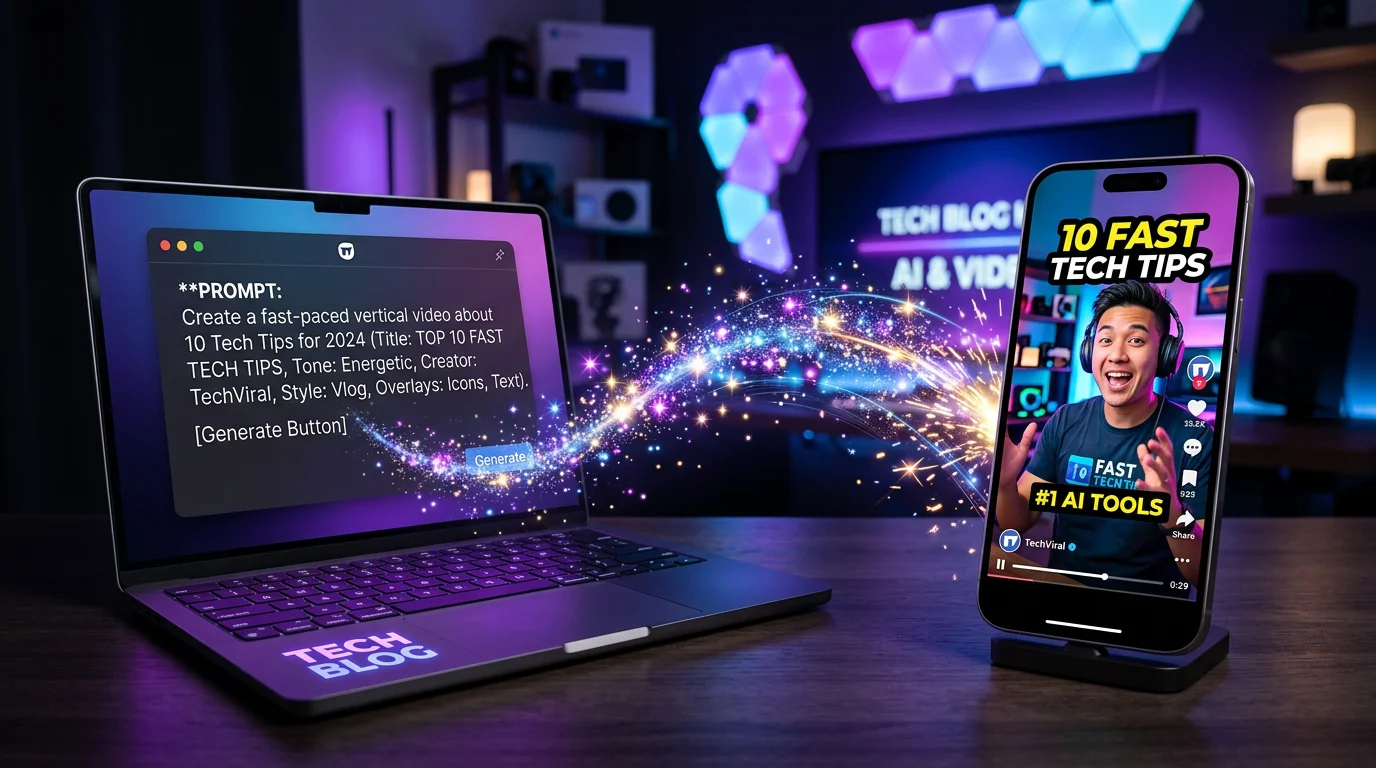
AI video creation has exploded in 2026. What used to require a camera, editing software, and hours of work can now be done with a text prompt in minutes. Whether you want to create faceless YouTube Shorts, TikTok content, Instagram Reels, or marketing videos — AI handles the heavy lifting.
This guide covers three approaches, from manual (most control) to fully automated (zero effort).
The 3 Ways to Make AI Videos
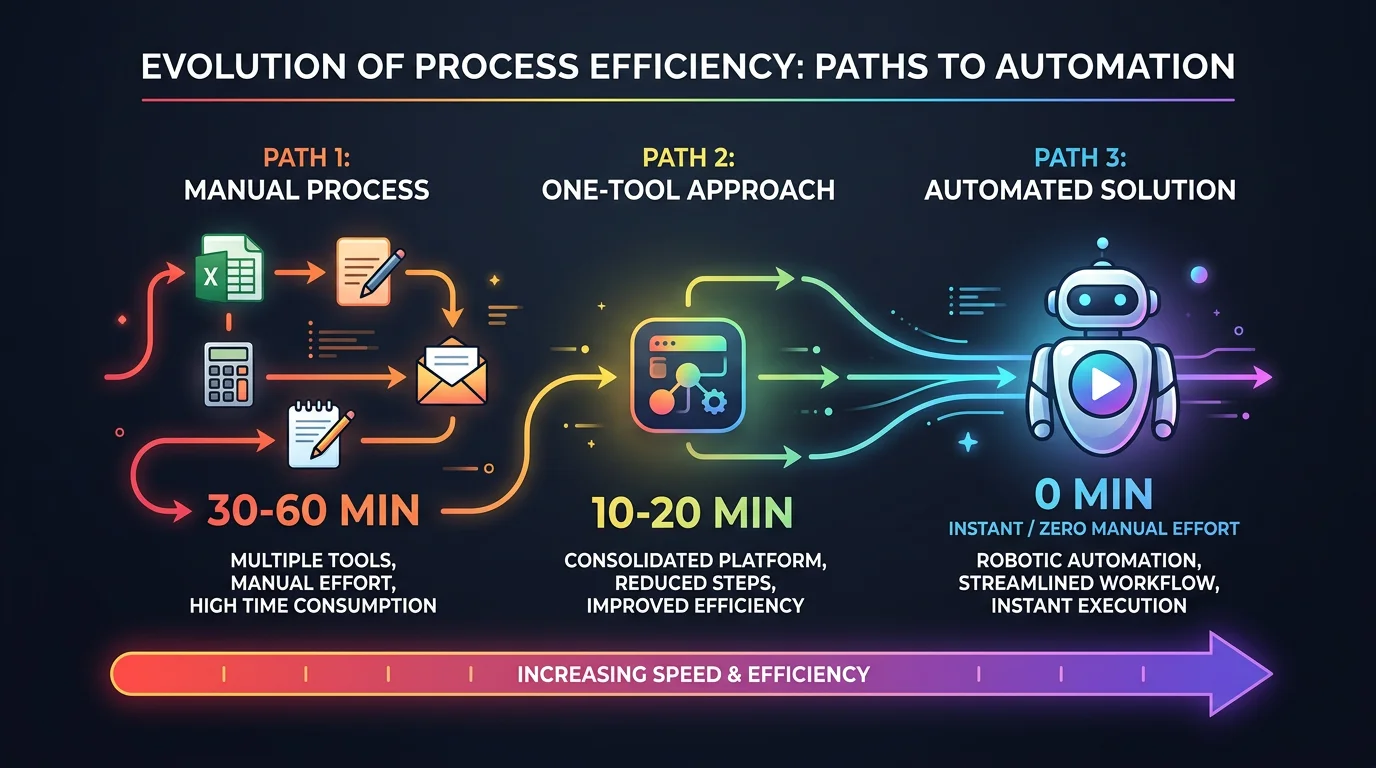
| Approach | Tools Needed | Time Per Video | Control Level | Best For |
|---|---|---|---|---|
| Manual AI stack | 3-5 separate AI tools | 30-60 min | High | One-off projects, custom work |
| AI video generators | 1 tool (InVideo, Descript) | 10-20 min | Medium | Regular content with some customization |
| Full automation | FlowShorts | 0 min (auto) | Niche-level | Daily content at scale |
Approach 1: Manual AI Tool Stack
This gives you the most creative control but requires the most time. You'll use separate AI tools for each step.
Step 1: Write a Script with AI
Use ChatGPT, Claude, or Gemini to generate your video script.
Prompt example for a 60-second short:
Write a 60-second video script about [topic]. Structure: attention-grabbing hook in the first sentence, then 3-5 key points, ending with a call to action. Keep it conversational and use short sentences. Target word count: 150-180 words.
Tips for better AI scripts:
- Specify the platform (TikTok scripts need faster pacing than YouTube)
- Include the target audience ("for beginner investors" vs. "for finance professionals")
- Request a hook that creates a curiosity gap ("Most people don't know this about...")
- Keep it under 200 words for a 60-second video
Or use our free Video Script Generator which is already optimized for short-form content.
Step 2: Generate Visuals
You have several options for AI visuals:
AI Image Generators (for faceless/slideshow-style videos):
- Midjourney, DALL-E, or Stable Diffusion generate images per scene
- Generate 1 image per script "scene" or key point
- Prompt tip: be specific about style ("photorealistic", "cinematic", "flat illustration")
AI Video Generators (for motion):
- Runway Gen-4, Kling AI, or Google Veo 3 generate short video clips
- Best for: product demos, b-roll, cinematic shots
- Keep clips short (3-5 seconds) — quality degrades in longer generations
Stock Footage + AI Enhancement:
- Use stock footage sites (Pexels, Pixabay) for base footage
- AI tools can upscale, reframe, and add effects
Step 3: Add Voiceover
Create Faceless Videos on Autopilot
FlowShorts generates and posts AI videos to YouTube, TikTok & Instagram while you sleep.
Try FlowShorts Free →AI Voiceover Tools:
- ElevenLabs — most natural-sounding, multiple voice styles
- OpenAI TTS — good quality, affordable
- Murf AI — business-focused voices
Paste your script, select a voice that matches your niche (authoritative for finance, warm for motivation, energetic for fitness), and download the audio.
Important for YouTube: Under the 2026 Mandatory Disclosure Policy, you must mark AI-generated voices. Failing to disclose can result in community strikes.
Step 4: Add Captions
85% of social media video is watched with sound off. Captions are not optional.
Caption tools:
- CapCut — free auto-captions with animation styles
- Descript — transcript-based editing with captions
- VEED — web-based caption generation
Use word-by-word animated captions (TikTok style) for short-form content. They keep viewers engaged even on mute.
Step 5: Edit and Render
Combine visuals, voiceover, captions, and background music in an editor:
- CapCut (free, mobile + desktop)
- Descript (text-based editing)
- DaVinci Resolve (professional, free tier)
Export at 1080x1920 (9:16) for vertical short-form, or 1920x1080 (16:9) for horizontal long-form.
Step 6: Upload and Post
Upload manually to each platform, adding titles, descriptions, hashtags, and cover images.
Time estimate for this approach: 30-60 minutes per video.
Approach 2: AI Video Generators (One-Tool)
These tools combine multiple steps into one interface, reducing the number of tools you need.
Popular Options in 2026
| Tool | Starting Price | Best For |
|---|---|---|
| InVideo AI | $35/mo | General video creation from prompts |
| Descript | $24/mo | Editing existing footage with AI |
| Pictory | $23/mo | Blog/article to video conversion |
| HeyGen | $24/mo | AI avatar presenter videos |
| Synthesia | $29/mo | Corporate training, multilingual |
How They Work
- Enter a prompt or paste a script
- The tool generates visuals, selects music, and creates a rough cut
- You customize — swap clips, adjust timing, change voiceover
- Export the final video
- Upload to your platforms manually
Pros: Faster than the manual stack, fewer tools to manage.
Cons: Still requires prompting, customization, and manual uploading. Most don't support auto-posting.
Create Faceless Videos on Autopilot
FlowShorts generates and posts AI videos to YouTube, TikTok & Instagram while you sleep.
Try FlowShorts Free →Time estimate: 10-20 minutes per video.
Approach 3: Full Automation (FlowShorts)
If you want AI videos created AND posted without any manual work, fully automated tools handle the entire pipeline.
How FlowShorts Works
- Pick a niche — Choose from 13+ niches (finance, motivation, psychology, tech, horror, etc.)
- AI creates everything automatically:
- Generates a topic from your niche's content bank
- Writes a hook-driven script optimized for short-form retention
- Generates unique AI visuals for each scene
- Records professional voiceover via ElevenLabs
- Adds word-by-word animated captions (6 styles)
- Renders a 1080x1920 vertical video
- Auto-posts on schedule — Videos publish to TikTok, YouTube Shorts, and Instagram Reels at your chosen frequency
You don't write prompts, choose footage, edit anything, or upload to any platform. The system runs on complete autopilot after a 5-minute setup.
Time estimate: 0 minutes per video (after initial setup).
| Plan | Videos/Month | Price |
|---|---|---|
| Starter | 8 | $19/mo |
| Creator | 30 (daily posting) | $39/mo |
| Pro | 60 (twice daily) | $69/mo |
All plans include scripts, visuals, voiceover, captions, and auto-posting to 3 platforms. Start creating AI videos on autopilot.
Which Approach Should You Choose?
| Question | Manual Stack | One-Tool Generator | FlowShorts |
|---|---|---|---|
| How much time do you have? | 30-60 min/video | 10-20 min/video | 0 min/video |
| Do you need creative control? | Full control | Some control | Niche-level control |
| How often do you post? | 2-3x/week max | 4-5x/week | Daily or twice daily |
| Do you enjoy editing? | Yes | Somewhat | No |
| Budget | $50-200/mo (multiple tools) | $23-35/mo | $19-69/mo |
Tips for Better AI Videos (Any Approach)
1. Hook in the First Second
The first second determines if someone watches or scrolls. Start with a question, shocking statement, or visual pattern interrupt. Never start with a logo or intro.
2. Keep It Short (for Short-Form)
30-60 seconds is the sweet spot for TikTok, Reels, and Shorts. Longer videos can work but need stronger hooks and pacing.
3. Use Captions Always
85% of social video is watched muted. Animated word-by-word captions (TikTok style) boost watch time significantly.
4. Post to All 3 Platforms
The same vertical video works on TikTok, YouTube Shorts, and Instagram Reels. Posting to one platform when you could reach three is leaving audience on the table.
5. Consistency Beats Quality
Posting one decent video daily beats posting one perfect video weekly. Algorithms reward consistency. This is why automation tools like FlowShorts exist — they maintain consistency that humans can't sustain manually.
6. Choose High-RPM Niches
If you're creating content to earn money, pick niches where advertisers pay premium rates: finance ($15-30 RPM), tech ($10-25 RPM), horror ($12+ RPM), or business content.
Related Tools & Guides
- Free Video Script Generator — Write short-form video scripts with AI
- Video Hook Generator — Create scroll-stopping opening lines
- Faceless Videos — Create AI videos without showing your face
- AI Image to Video — Turn photos into animated video clips
- Best AI Video Generators — Full tool comparison
- Best Software for Faceless Channels — Complete toolkit guide
Related: AI Cat Video Generator: Tools & Monetization Guide
Explore by niche: AI Video Generator by Niche — find topics, formats, and CPM data for your niche.


