How to Make Gameplay Videos with AI: Subway Surfers, Minecraft & More (2026)
Gameplay background videos are the secret behind viral TikTok and YouTube Shorts content. Learn why they work, how to make them with AI, and which gameplay footage performs best for different niches.
FlowShorts Team
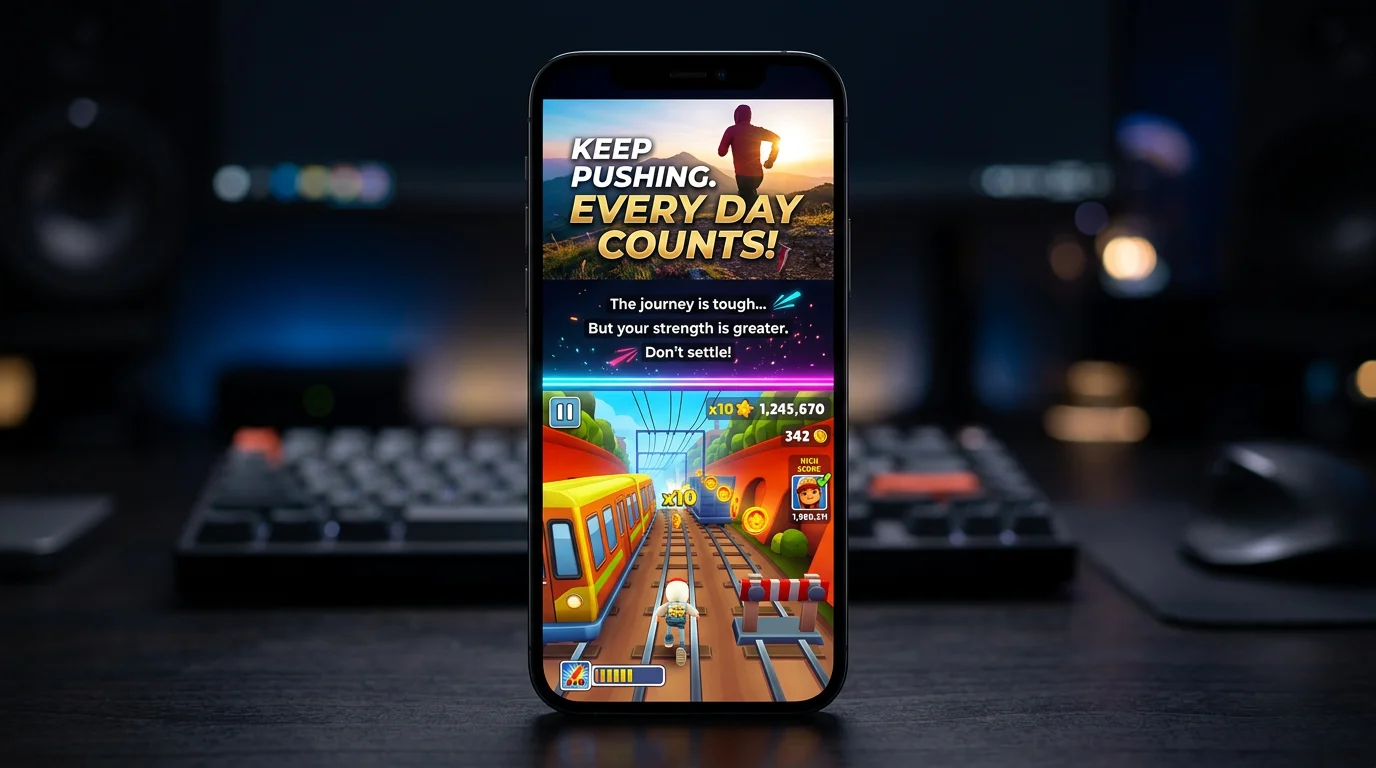
Gameplay background videos — Subway Surfers running, Minecraft parkour, GTA stunts — have become one of the most effective retention hacks on TikTok and YouTube Shorts. Pair any content (stories, facts, motivation) with gameplay footage on the bottom half of the screen, and watch time goes up dramatically.
This isn't a gimmick. There's actual psychology behind why it works, and in 2026 AI tools can generate these videos in minutes. Here's the complete guide.
Why Gameplay Backgrounds Increase Retention
The format is called "sludge content" — split-screen videos where one panel delivers the main content and the other shows mesmerizing, repetitive footage to keep eyes on screen.
Why it works:
- Visual tactility — Psychologist Natalie Coyle found that engaging visual stimuli alongside spoken content increases receptiveness. The gameplay creates a "visual anchor" that prevents the viewer from scrolling away while the voiceover delivers the actual message.
- Dual stimulation — The viewer's brain processes two streams simultaneously: the intellectual content (voiceover/captions) and the satisfying visual content (gameplay). This dual engagement makes the experience more rewarding than either alone.
- Completion rate boost — TikTok's algorithm heavily rewards completion rate (% of viewers who watch to the end). Gameplay backgrounds consistently push completion rates higher because viewers stay to see both the content resolution AND the gameplay progress.
- Scroll-stop power — Colorful, fast-moving gameplay catches the eye during the critical first 0.5 seconds of the scroll. Even if someone doesn't care about the topic, the movement hooks them long enough for the voiceover to engage them.
The data backs this up: creators report that adding gameplay backgrounds to the same voiceover content increases average watch time by 40-80% compared to static image backgrounds.
Best Gameplay Footage for Each Niche
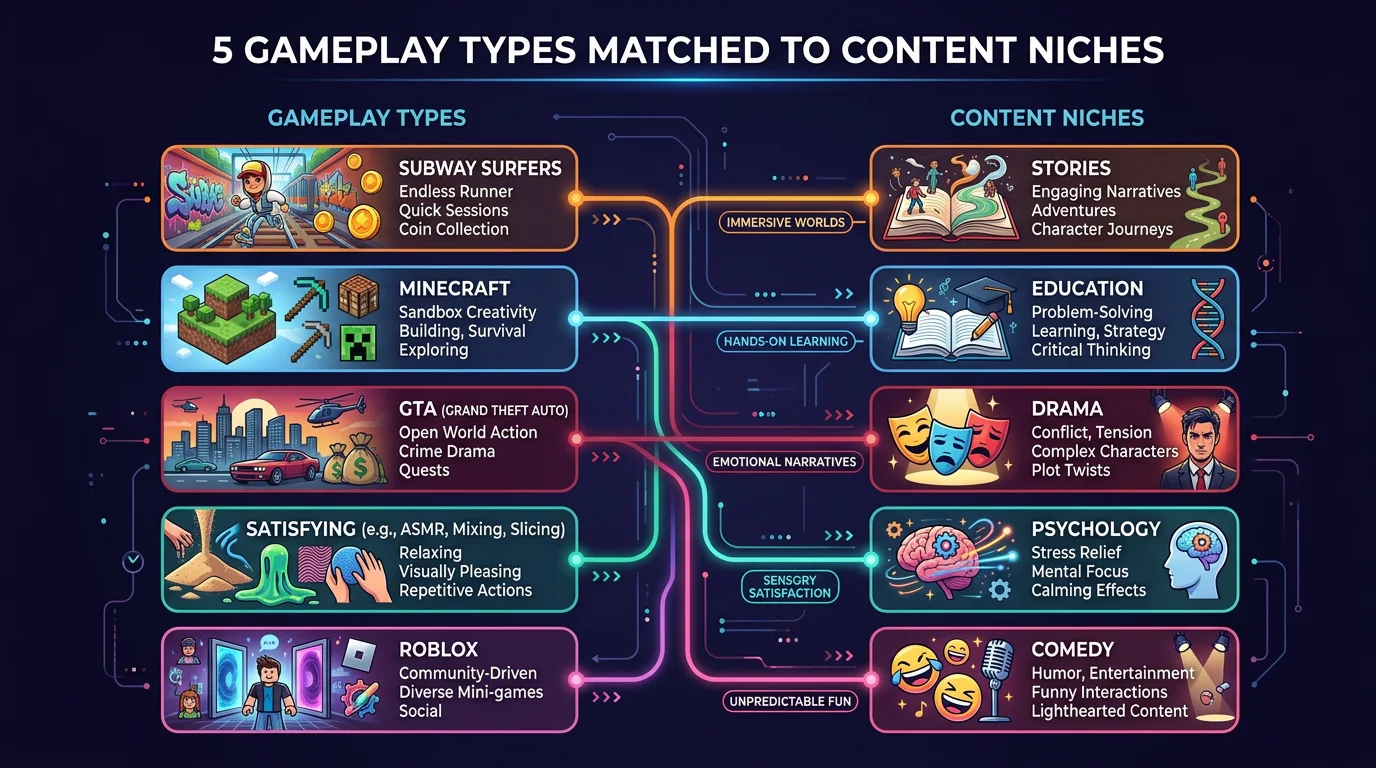
Not all gameplay works equally well for all content. Here's what performs best by niche, based on what top creators use:
| Gameplay | Best For | Why It Works | Vibe |
|---|---|---|---|
| Subway Surfers | Stories, Reddit reads, motivation | Constant forward motion mirrors narrative progress. Colorful and familiar. | Energetic, casual |
| Minecraft Parkour | Facts, education, history | Rhythmic jumping creates satisfying pattern. Neutral palette doesn't distract from complex content. | Calm, focused |
| GTA 5 Stunts | Drama, controversy, hot takes | High-energy crashes and stunts match intense content. Male-skewing audience alignment. | High energy, chaotic |
| Satisfying/ASMR | Relaxation, psychology, self-improvement | Slow, methodical visuals complement reflective content. Calming color palettes. | Peaceful, mesmerizing |
| Roblox Parkour | Gen Z content, humor, memes | Roblox aesthetic signals "not taking itself seriously." Appeals to younger audiences. | Playful, ironic |
The golden rule: The gameplay energy should match the content energy. Calm voiceover + chaotic GTA stunts creates a disconnect. Intense story + peaceful satisfying clips wastes the visual stimulus.
How to Make Gameplay Videos with AI (3 Methods)
Create Faceless Videos on Autopilot
FlowShorts generates and posts AI videos to YouTube, TikTok & Instagram while you sleep.
Try FlowShorts Free →Method 1: Fully Automated (Fastest — 2-3 Minutes)
AI tools like FlowShorts, ReVid.ai, and StoryShort.ai handle the entire pipeline:
- Enter your script — Paste 100-200 words of text (a story, facts, motivational content, etc.)
- Choose gameplay background — Select from Subway Surfers, Minecraft, GTA, Roblox, or Satisfying clips
- Pick voice + caption style — Select an AI voice and caption animation (Bold, Minimal, Hormozi, etc.)
- Generate — The AI creates voiceover, syncs word-by-word captions, overlays on gameplay, renders 1080x1920 MP4
- Post — Download or auto-post to TikTok/YouTube/Instagram
Total time: 2-3 minutes. Best for daily posting at scale.
Method 2: Semi-Automated (CapCut + AI Voice — 15-20 Minutes)
- Source gameplay footage — Download copyright-free gameplay from YouTube (search "Subway Surfers gameplay no copyright vertical") or record your own
- Generate AI voiceover — Use ElevenLabs, OpenAI TTS, or a free TTS tool to generate narration from your script
- Combine in CapCut — Import gameplay + voiceover. Use CapCut's auto-caption feature for animated text. Trim to 45-60 seconds.
- Add music — Layer a low-volume trending sound or instrumental underneath
- Export and post — 1080x1920, 30fps, MP4
Total time: 15-20 minutes. Good balance of control and speed.
Method 3: Fully Manual (Maximum Control — 30-60 Minutes)
- Record or download gameplay — Screen record your own gameplay for unique footage, or source copyright-free clips
- Record voiceover — Use your own voice or hire someone on Fiverr
- Edit in Premiere/DaVinci/CapCut — Full split-screen layout, custom captions, transitions, sound effects
- Fine-tune timing — Align caption highlights with key moments. Add zoom effects on important words.
Total time: 30-60 minutes. Only worth it for creators building a premium brand or learning the craft.
Where to Find Copyright-Free Gameplay Footage
Using copyrighted footage can get your videos taken down. Safe sources:
- Record your own — Play Subway Surfers/Minecraft/GTA on your phone, screen record. The safest option.
- YouTube "no copyright" channels — Search "[game] gameplay no copyright vertical 1080p". Many channels upload footage specifically for creators to use.
- AI generation tools — Tools like FlowShorts include pre-licensed gameplay clips as backgrounds. No copyright risk because the footage is licensed for this purpose.
- Stock footage sites — Some stock video sites have generic gameplay-style footage, though it won't be from specific popular games.
Create Faceless Videos on Autopilot
FlowShorts generates and posts AI videos to YouTube, TikTok & Instagram while you sleep.
Try FlowShorts Free →Important: Most actual game footage falls under a legal gray area. Game publishers have different policies — Mojang (Minecraft) is generally permissive, while other studios may not be. Using pre-licensed clips from AI tools is the safest approach for creators who want to avoid any copyright issues.
Optimization Tips for Maximum Views
Hook in the First 1 Second
Your first caption should be on screen before the viewer can even think about scrolling. Start with a question, a shocking statement, or "POV:" framing. The gameplay catches the eye, but the caption hooks the brain.
Keep It Under 60 Seconds
The sweet spot for gameplay background videos is 45-55 seconds. Long enough to tell a complete story, short enough to get high completion rates. Going over 60 seconds means you're competing with long-form content where gameplay backgrounds are less effective.
Match Audio Energy to Gameplay
If your voiceover is calm and reflective, use Minecraft parkour or satisfying clips. If it's fast and energetic, use Subway Surfers or GTA. The audio-visual harmony makes the difference between a 40% completion rate and a 70% completion rate.
Use Bold, Large Captions
Captions should be impossible to miss — large text, high contrast, word-by-word animation. The caption is doing the same job as the voiceover but for the 80% of viewers who start watching without sound. Many top creators use yellow or white text on a dark shadow for maximum readability.
Post to All 3 Platforms
The same gameplay background video works on TikTok, YouTube Shorts, and Instagram Reels. Triple your reach by posting to all three. FlowShorts auto-posts to all platforms, or you can manually upload the same file to each.
Related Tools & Guides
- FlowShorts — Create gameplay background videos with AI
- Best AI Brainrot Generators — Full tool comparison
- Italian Brainrot Explained — Character guide and origin story
- Best AI Brainrot Video Generators — Full tool comparison
- Italian Brainrot Explained — Character guide and origin story
- Video Hook Generator — Write scroll-stopping opening lines
- Best Time to Post Calculator — Optimal posting times for all platforms