7 Best AI Tools for Faceless Instagram Reels in 2026 (Ranked by Output Quality)
An honest comparison of 7 AI tools for creating faceless Instagram Reels in 2026. Covers features, auto-posting, voiceover quality, pricing, pros, cons, and which tool is best for different creator needs.
FlowShorts Team
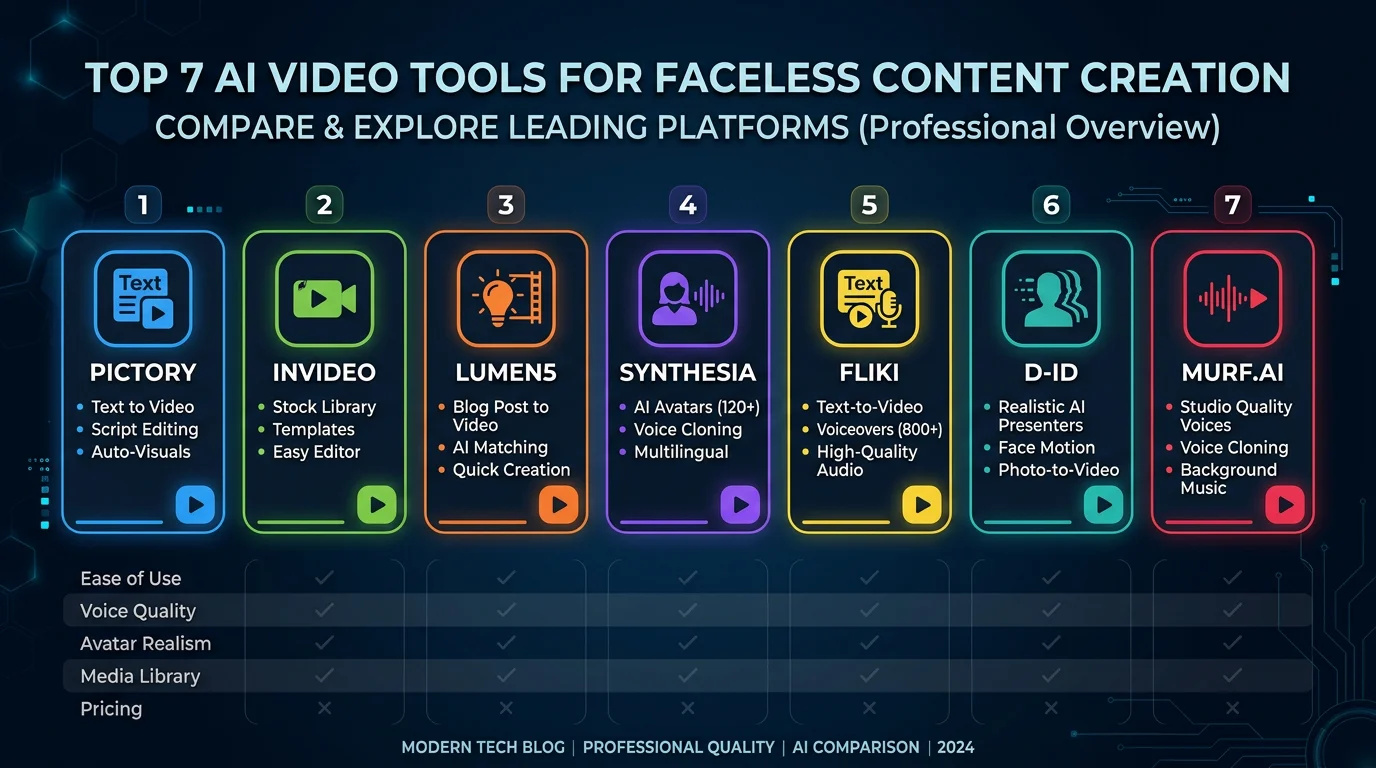
There are dozens of AI video tools that claim they can make faceless reels for you. Most of them are either glorified video editors with an "AI" label slapped on, or overpriced wrappers around the same stock footage libraries. A few actually deliver something useful.
We tested 7 of the most popular AI tools for faceless reels and compared them on the things that actually matter: video quality, automation level, voiceover, auto-posting, and price per video. No affiliate deals influenced this list. We paid for every tool ourselves.
If you're new to faceless content, start with our full guide on how to make faceless reels first. This post assumes you already know what faceless reels are and want to pick the right tool.
What to Look For in a Faceless Reels Tool
Before you compare tools, you need to know what separates a good faceless reel generator from a mediocre one. Here are the five criteria we used to evaluate each tool:
- Does it write scripts? Some tools generate a full script from a topic or prompt. Others expect you to write the script yourself or paste one in from ChatGPT. This matters because script quality drives everything downstream.
- Voiceover quality. There's a massive gap between premium text-to-speech (like ElevenLabs) and the robotic-sounding voices you get from free TTS engines. Viewers scroll past bad voiceovers instantly.
- Visual approach. Does the tool use AI-generated images, stock footage, or templates? AI images are more unique but sometimes inconsistent. Stock footage looks polished but generic.
- Auto-posting. Can it post directly to Instagram, TikTok, and YouTube Shorts? Or do you have to download each video and upload it manually? True automation means you don't touch the video after generation.
- Price per video. A $39/month plan that gives you 30 videos is $1.30 per video. A $25/month plan that gives you 5 is $5.00 per video. Always do this math.
The 7 Best AI Tools for Faceless Reels
Here's our honest breakdown of each tool, listed in no particular ranking order. Each one has a different sweet spot.
1. FlowShorts
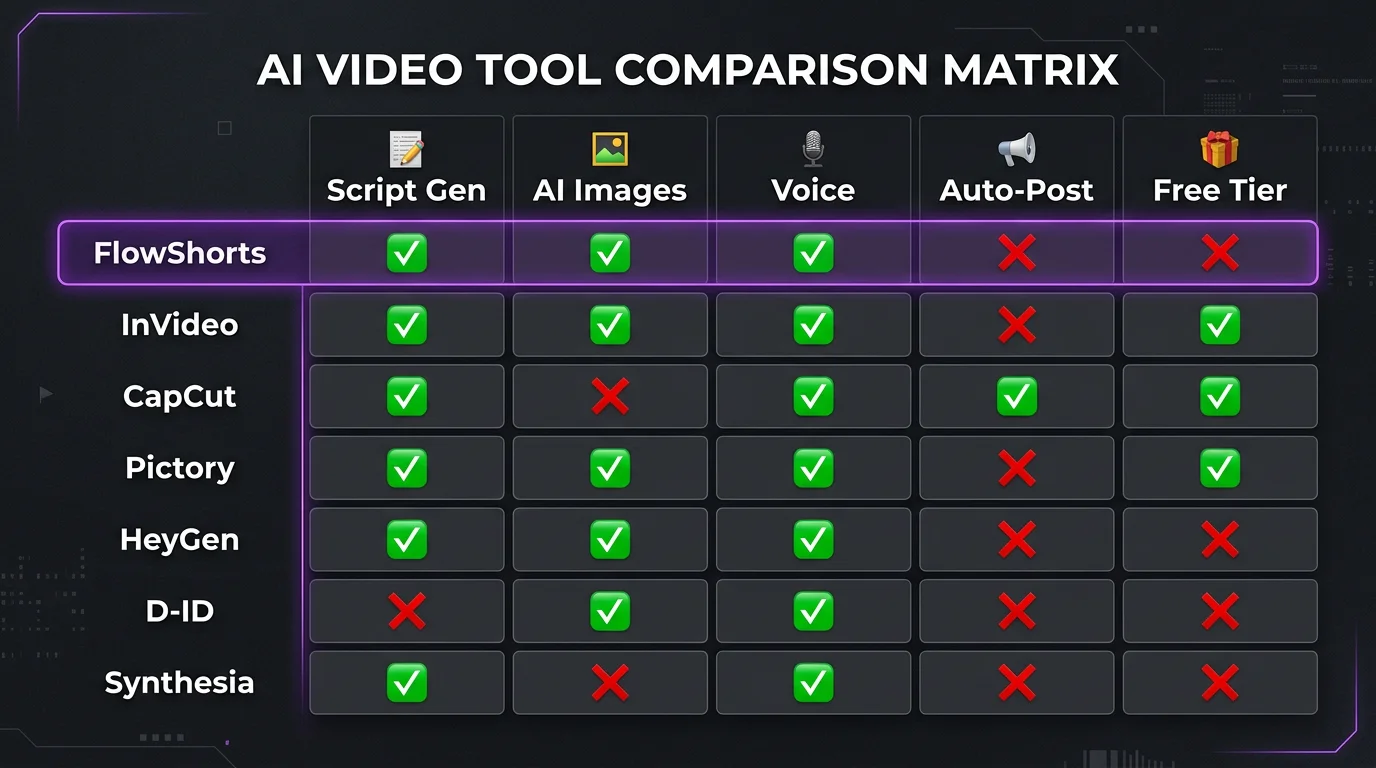
FlowShorts is a fully automated faceless video pipeline. You pick a niche, connect your social accounts, and it handles everything: script generation, AI image creation, ElevenLabs voiceover, animated captions, background music, rendering, and auto-posting. There's no editor because there's nothing to edit — it runs on autopilot.
Best for: Creators who want complete hands-off automation with zero editing.
Pros:
- Only tool that auto-posts to all three platforms (Instagram, TikTok, YouTube Shorts)
- Premium ElevenLabs voices — noticeably better than competitors' built-in TTS
- AI-generated images instead of stock footage, so your content looks unique
- Six caption styles including trending formats like Hormozi and MrBeast
Cons:
- No frame-by-frame editing — you can't tweak individual scenes after generation
- Limited to faceless content niches (not a general-purpose video editor)
- No free tier — cheapest plan starts at $19/month
Pricing: $19/mo (8 videos), $39/mo (30 videos), $69/mo (60 videos)
Auto-posts to: Instagram, TikTok, YouTube Shorts
Voiceover: ElevenLabs (premium quality)
2. Canva
Canva is primarily a design tool, but its video features have gotten surprisingly good. The bulk create feature lets you generate text-based reels from a spreadsheet, and there are thousands of short-form video templates. It won't generate scripts or AI visuals for you, but if you want creative control, it's hard to beat the template library.
Best for: Creators who want full manual creative control over every frame.
Pros:
- Generous free tier — you can make faceless reels without paying anything
- Massive template library specifically designed for Reels and Shorts
- Bulk create feature works well for text-overlay style faceless content
- Interface most people already know how to use
Cons:
- No AI script generation — you write everything yourself
- Built-in voiceover is basic and sounds robotic
- Every single video requires manual work from start to finish
- Only scheduling, no true auto-posting to platforms
Pricing: Free / $13/mo (Canva Pro)
Auto-posts to: Scheduling only — no direct auto-post
Voiceover: Basic built-in TTS
3. CapCut
CapCut is the go-to editor for short-form video creators, and for good reason. It has the best auto-caption feature of any tool on this list, a massive library of trending audio, and a mobile-first workflow that feels natural. But it's an editor, not a generator. You're doing everything manually — there's no AI pipeline creating videos for you.
Best for: Creators who want professional-quality editing with AI-powered assists.
Pros:
Create Faceless Videos on Autopilot
FlowShorts generates and posts AI videos to YouTube, TikTok & Instagram while you sleep.
Try FlowShorts Free →- Free tier is genuinely powerful — most features don't require payment
- Best auto-caption feature available (accurate, stylish, customizable)
- Mobile-first workflow is ideal for editing on the go
- Trending audio library synced with TikTok trends
Cons:
- Entirely manual — no automation, no AI generation pipeline
- No script generation whatsoever
- No auto-posting to any platform
Pricing: Free / $8/mo (CapCut Pro)
Auto-posts to: None
Voiceover: Built-in TTS (decent quality)
4. InVideo AI
InVideo AI takes a different approach: you type a prompt describing the video you want, and it generates a full video using stock footage, transitions, voiceover, and captions. The AI is good at assembling coherent videos, and the stock library is extensive. The downside is that stock-footage-based videos tend to look similar across creators using the same tool.
Best for: Creators who want AI-generated videos from a single text prompt.
Pros:
- Generates a complete video from one text prompt — genuinely impressive
- Huge stock footage and music library
- Multi-language support for international audiences
Cons:
- Relies heavily on stock footage — your videos won't look unique
- No auto-posting to any platform (download and upload manually)
- Free tier adds a watermark to every video
Pricing: Free (with watermark) / $25/mo (Business)
Auto-posts to: None
Voiceover: Built-in AI voices (good quality)
5. faceless.video
faceless.video is built specifically for faceless content creators. Its standout feature is series-based content planning — you set up themed series (like "Daily Finance Tips" or "History Facts") and it generates episodes within that series. It's a newer platform, so the community and documentation are still growing.
Best for: Creators who want to organize content into themed series.
Pros:
- Series-based approach keeps your content organized and consistent
- Auto-posting available to major platforms
- Purpose-built for faceless content (not a general editor repurposed)
Cons:
- Newer platform with fewer user reviews and community resources
- Limited customization options compared to more mature tools
- Higher starting price point at $29/month
Pricing: $29/mo (Starter)
Auto-posts to: YouTube, TikTok, Instagram (limited)
Voiceover: AI-generated
6. BigMotion AI
BigMotion is one of the few faceless video generators that offers a free tier. It covers the basics — script generation, stock-footage-based videos, voiceover, and auto-posting. The free plan is limited but functional enough to test the workflow. The tradeoff is that voice quality and visual uniqueness are a step below premium tools.
Best for: Budget-conscious creators who want basic automation without paying upfront.
Pros:
- Free tier lets you test the full workflow before committing
- Auto-posts to all three major platforms
- Simple setup — you can be generating videos within minutes
Create Faceless Videos on Autopilot
FlowShorts generates and posts AI videos to YouTube, TikTok & Instagram while you sleep.
Try FlowShorts Free →Cons:
- Uses stock footage, not AI-generated images — videos look generic
- Voice quality is noticeably more robotic than ElevenLabs-tier tools
- Lower-tier plans have fixed UTC posting schedules (no timezone control)
Pricing: Free / $19/mo (Launch)
Auto-posts to: YouTube, TikTok, Instagram
Voiceover: Basic AI voices
7. Syllaby
Syllaby positions itself as an all-in-one content platform with AI scripts, avatar-based videos, scheduling, and multiple art style options. It's the most feature-rich tool on this list, which is both its strength and its weakness — the interface can feel overwhelming. It's best suited for teams and agencies managing content across multiple accounts.
Best for: Teams and agencies managing multiple social media accounts.
Pros:
- AI script generation based on trending topics in your niche
- Multiple content types including avatar videos and text-based reels
- Calendar-based scheduling for organized content planning
- Several art style options for visual variety
Cons:
- Complex interface with a steep learning curve
- Still requires manual assembly — not truly automated end-to-end
- Avatar focus doesn't suit every niche (especially nature, history, science)
Pricing: $29/mo (Starter)
Auto-posts to: Scheduling via calendar
Voiceover: AI-generated
Side-by-Side Comparison Table
| Tool | Script Gen | AI Images | Voice Quality | Auto-Post | Price/mo | Best For |
|---|---|---|---|---|---|---|
| FlowShorts | ✓ | ✓ | Premium (ElevenLabs) | IG, TikTok, YT | $19–$69 | Full automation |
| Canva | ✗ | ✗ | Basic | Schedule only | Free–$13 | Creative control |
| CapCut | ✗ | ✗ | Decent | ✗ | Free–$8 | Professional editing |
| InVideo AI | ✓ | ✗ (stock) | Good | ✗ | Free–$25 | Prompt-to-video |
| faceless.video | ✓ | ✓ | Good | YT, TT, IG | $29 | Series-based content |
| BigMotion AI | ✓ | ✗ (stock) | Basic | YT, TT, IG | Free–$19 | Budget creators |
| Syllaby | ✓ | ✗ | Decent | Schedule only | $29 | Teams & agencies |
Which Tool Should You Pick?
There's no single "best" tool — it depends entirely on how you work and what you're optimizing for. Here's a quick decision guide:
- You want full automation with no editing? FlowShorts is the only tool that handles the entire pipeline from script to auto-post without you touching anything.
- You want creative control and a free option? Pair CapCut (for editing) with a separate AI voice tool like ElevenLabs. More work, but total creative freedom.
- You want AI-generated video from a single prompt? InVideo AI does prompt-to-video better than most. Just know the output uses stock footage.
- You're on a tight budget? BigMotion's free tier or Canva's free plan will get you started without spending anything. Upgrade later when you see results.
- You manage multiple accounts or work with a team? Syllaby's calendar and multi-account features are built for agencies.
- You want series-based, themed content? faceless.video's series approach keeps your channel focused and organized.
Still figuring out your niche? Our free niche finder tool can help you pick a profitable faceless content niche before you commit to any tool.
Frequently Asked Questions
What is the best free AI tool for faceless reels?
CapCut offers the most capable free tier for editing faceless reels. If you want automation with a free plan, BigMotion AI has a limited free tier that includes auto-posting. Canva's free plan also works well for template-based faceless content. Keep in mind that free tiers always come with limitations — fewer exports, watermarks, or lower video quality.
What is the best faceless reels app?
It depends on what you mean by "best." For full automation, FlowShorts handles everything from script to posting. For editing quality, CapCut is hard to beat. For AI generation from prompts, InVideo AI is the strongest. There's no single app that's best for every workflow — check the comparison table above to match your specific needs.
Can I make faceless reels without any AI tools?
Yes. You can write scripts manually, record voiceovers with your phone, source free stock footage from Pexels or Pixabay, and edit everything in a free editor like CapCut or DaVinci Resolve. Many successful faceless channels were built this way. AI tools save time, but they're not required. Our guide on how to make faceless reels covers both manual and AI-assisted workflows.
Which tool has the best voiceover quality?
FlowShorts uses ElevenLabs, which is widely considered the highest-quality AI text-to-speech available. InVideo AI also has good built-in voices. CapCut and BigMotion use more basic TTS engines that sound noticeably more robotic. If voiceover quality is your top priority and you're using a tool without premium voices, you can always generate audio separately in ElevenLabs and import it.
Final Thoughts
The "best" AI tool for faceless reels is the one that fits how you actually work. If you hate editing and want everything automated, go with a full-pipeline tool. If you love the creative process and want control over every cut, a powerful editor with AI assists will serve you better. If you're just starting out and not ready to pay, the free tiers from CapCut, Canva, or BigMotion are perfectly fine for testing the waters.
What matters more than the tool is consistency. Posting regularly in a well-chosen niche will always outperform sporadic posting with a fancier tool. Pick one, commit to it for 30 days, and evaluate from there.
For more faceless content strategies, check out our guides on faceless reels ideas and how to monetize faceless reels.
Free Tools to Help You Get Started
- Faceless Niche Finder — Discover profitable faceless content niches
- Video Script Generator — Generate short-form video scripts for free
- Faceless Reels Generator — Create faceless Instagram Reels with AI
Related Guides
- How to Make Faceless Reels (Complete Guide)
- Best Niches for Faceless Reels
- Best AI Video Generators
- Faceless YouTube Channel Software
The Complete Faceless Reels Guide Series
- How to Make Faceless Reels with AI (Pillar Guide)
- 30 Faceless Reels Ideas That Get Views
- Best Niches for Faceless Reels (with CPM Data)
- Faceless Reels vs YouTube Shorts: Which Pays More?
- How to Monetize Faceless Reels
- Best AI Tools for Faceless Reels
- Faceless Reels Script Templates
- Faceless Reels Posting Schedule


