AI Generated Videos: The Complete Guide for Creators (2026)
A complete guide to AI generated videos in 2026. Covers the 5 types of AI video generation, best tools for each approach, quality comparison, legal considerations, and practical workflows for content creators.
FlowShorts Team
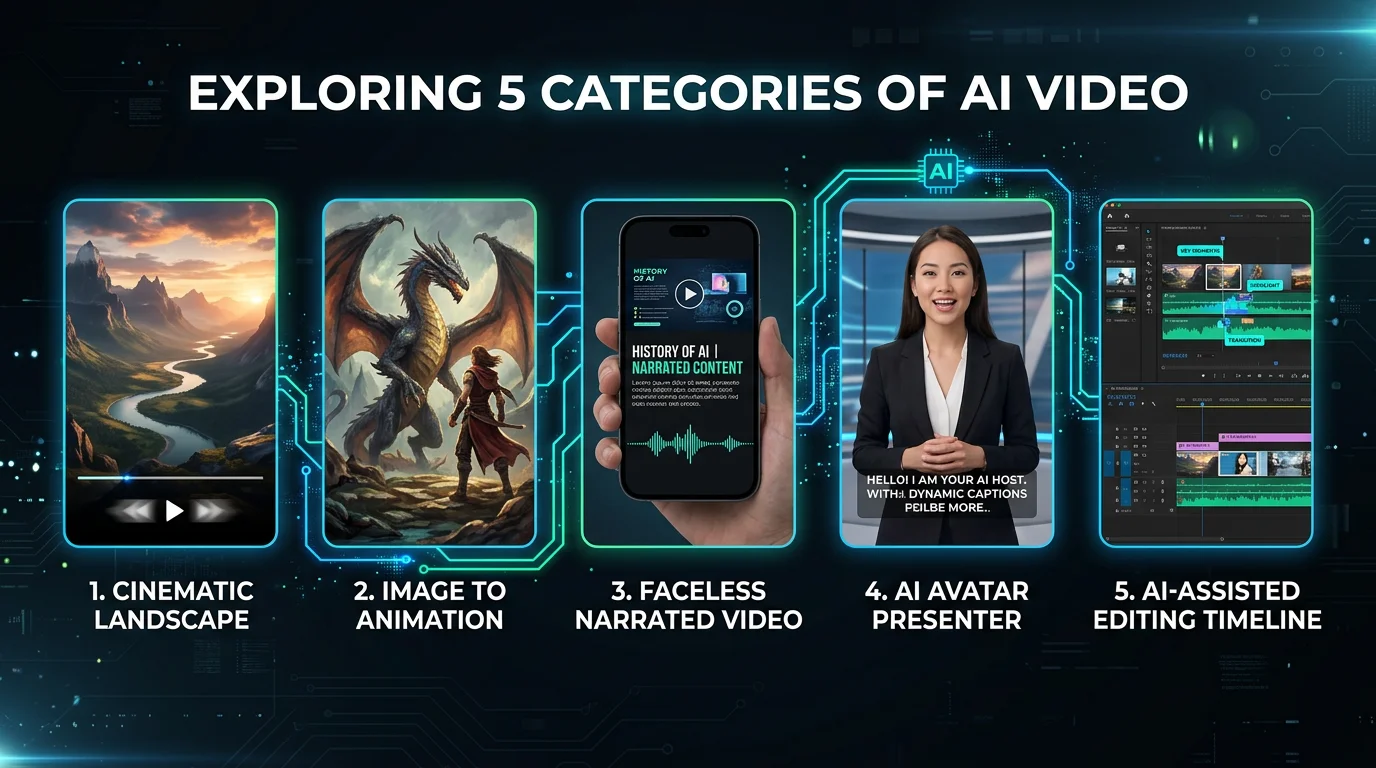
"AI generated video" used to mean awkward, uncanny clips that fooled nobody. Choppy faces, warped hands, movements that looked like a fever dream. That was 2023.
In 2026, AI generated videos mean cinematic shorts indistinguishable from real footage, automated YouTube channels posting daily, photorealistic product demos, and faceless content empires generating real revenue on autopilot.
The technology has matured and split into 5 distinct categories, each with different tools, costs, quality levels, and use cases. If you''re a creator trying to figure out where AI video fits into your workflow, this guide breaks down all of them — so you can pick the right approach for your content goals.
What Are AI Generated Videos?
AI generated videos are videos where some or all elements — script, visuals, voiceover, editing — are created or assisted by artificial intelligence. They range from fully AI-produced (you type a text prompt and get a complete video) to AI-assisted (you direct the creative vision while AI handles the heavy production work).
The common thread across every type: dramatically faster and cheaper than traditional video production. What used to take a videographer, editor, and voice actor several days can now happen in minutes — often for under $1 per video.
The 5 Types of AI Video Generation
Not all AI video is the same. Understanding these five categories will save you from picking the wrong tool for your goals.
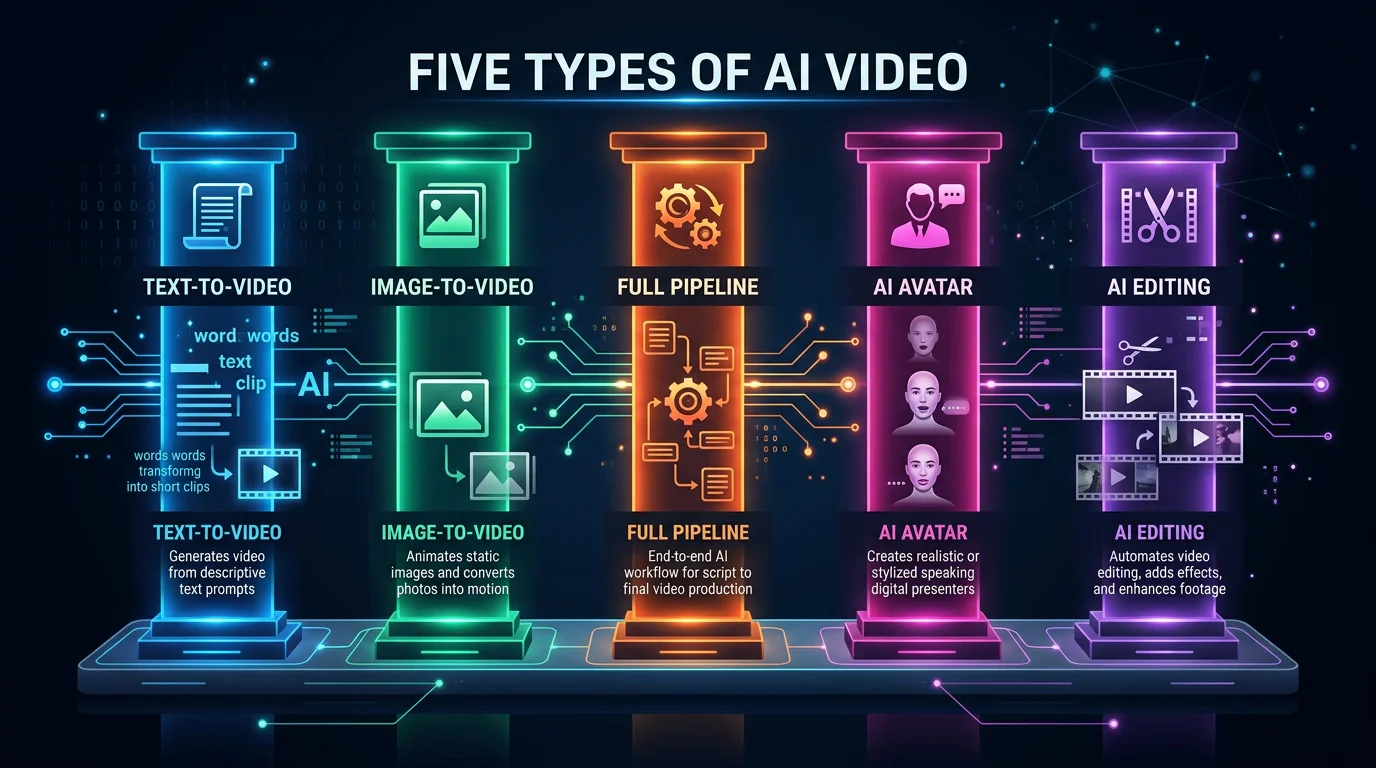
1. Text-to-Video (Cinematic Clips)
This is the category that makes headlines. You type a text prompt — "a golden retriever running through autumn leaves in slow motion, cinematic lighting" — and the AI generates a photorealistic video clip.
How it works: Diffusion-based models (similar to how Midjourney generates images) create video frame-by-frame, producing 5 to 15-second clips with stunning visual quality.
Top tools:
- Google Veo 3 — currently the quality leader, generates up to 8-second clips with native audio
- Kling AI 2.0 — strong motion quality, up to 10-second clips
- Runway Gen-3 Alpha Turbo — fastest generation speed, popular with filmmakers
- Pika 2.0 — best for stylized and creative effects
Best for: filmmakers, VFX artists, creative projects, b-roll footage
Cost: $12–$100/mo depending on tool and volume
Limitation: These generate short clips only — not complete videos with narration, structure, or captions. You still need to edit them together yourself.
For a deeper look at this category, read our complete text-to-video AI guide.
2. Image-to-Video (Animation)
Instead of generating visuals from scratch, image-to-video tools turn still images into motion. This includes Ken Burns effects (zoom and pan), parallax animation, and full AI-driven motion where characters and objects actually move.
How it works: The AI analyzes depth, objects, and composition in your image, then generates believable motion between frames. Some tools create subtle camera movement; others generate entirely new frames to animate the scene.
Top tools:
- Kling AI — best overall quality for image animation
- Runway Gen-3 — reliable, fast processing
- LTX Video — open-source option with good results
- Pika — creative animation effects
Best for: faceless content creators, product showcases, social media posts, educational videos
Cost: free with some tools, up to $50+/mo for premium options
This approach is popular because AI-generated images are already very high quality, and adding motion makes them video-ready. Learn more in our AI image-to-video guide.
3. Automated Full-Pipeline (Faceless Content)
This is the fastest-growing category in AI video, and it''s the one most relevant to content creators looking for scale.
Full-pipeline tools handle everything: script generation, image or clip creation, AI voiceover, animated captions, background music, video rendering, and even auto-posting to social platforms. You pick a topic (or let the AI choose), and a complete, ready-to-publish video appears.
Top tools:
Create Faceless Videos on Autopilot
FlowShorts generates and posts AI videos to YouTube, TikTok & Instagram while you sleep.
Try FlowShorts Free →- FlowShorts — generates and auto-posts faceless Shorts, Reels, and TikToks on a schedule
- BigMotion — AI video creation with templates
- AutoShorts — automated short-form video generation
- faceless.video — faceless content with AI narration
Best for: creators who want daily content without spending hours editing
Quality: optimized for social media — not cinematic, but effective for engagement
Cost: $19–$69/mo typically
For a comparison of tools in this category, see our guide to the best AI tools for faceless Reels.
4. AI Avatar / Presenter Videos
AI avatar tools generate realistic talking-head videos from a script. You choose a digital presenter (or create a custom avatar from your own likeness), paste your script, and the AI generates a video of that person delivering it with lip-synced speech and natural gestures.
Top tools:
- Synthesia — the market leader, 230+ avatars, 140+ languages
- HeyGen — strong avatar quality, popular for marketing
- D-ID — real-time avatar interactions, good API
Best for: corporate training, product demos, educational content, internal communications
Quality: increasingly realistic but still detectable as AI under close inspection — lip sync and micro-expressions give it away
Cost: $22–$60/mo
5. AI-Assisted Editing
This category doesn''t generate video from scratch. Instead, AI handles specific production tasks that used to take hours: auto-captioning, smart clip selection from long videos, background removal, audio enhancement, and video upscaling.
Top tools:
- CapCut — auto-captions, effects, templates (free tier available)
- Descript — edit video by editing text, AI filler word removal
- Opus Clip — automatically extracts the best clips from long-form video
- Riverside — AI-powered recording and editing for podcasters
Best for: creators who film themselves but want faster, cheaper post-production
Quality: professional-grade — the AI editing is often indistinguishable from manual work
Cost: free to $30/mo
AI Video Tools Comparison Table
Here''s a side-by-side look at the leading tools across all five categories:
| Category | Tool | What It Creates | Auto-Post | Starting Price |
|---|---|---|---|---|
| Text-to-Video | Google Veo 3 | Cinematic clips (5–8s) | No | $20/mo |
| Text-to-Video | Kling AI 2.0 | Cinematic clips (5–10s) | No | $12/mo |
| Text-to-Video | Runway Gen-3 | Cinematic clips (5–15s) | No | $15/mo |
| Text-to-Video | Pika 2.0 | Stylized clips (3–8s) | No | $10/mo |
| Image-to-Video | Kling AI | Animated images (5–10s) | No | $12/mo |
| Image-to-Video | LTX Video | Animated images (5s) | No | Free (open-source) |
| Full-Pipeline | FlowShorts | Complete faceless videos (30–60s) | Yes | $19/mo |
| Full-Pipeline | BigMotion | Complete videos from templates | No | $29/mo |
| Full-Pipeline | AutoShorts | Automated short-form videos | Yes | $25/mo |
| AI Avatar | Synthesia | Talking-head presenter videos | No | $22/mo |
| AI Avatar | HeyGen | Avatar marketing videos | No | $24/mo |
| AI Avatar | D-ID | Interactive avatar videos | No | $25/mo |
| AI Editing | CapCut | Auto-captions, effects, templates | No | Free |
| AI Editing | Descript | Text-based video editing | No | $24/mo |
| AI Editing | Opus Clip | Auto-clips from long video | Yes | $19/mo |
For a more detailed breakdown of each tool, check our best AI video generators roundup.
How Creators Are Actually Using AI Video in 2026
Theory is one thing. Here''s how creators are actually putting these tools to work:
Faceless YouTube channels posting daily Shorts. This is by far the most common use case. Creators pick a niche — motivation, finance, history, science — and use full-pipeline tools to generate and post one or two Shorts per day. Many of these channels reach monetization within 3–6 months without the creator ever appearing on camera.
Marketers creating product demos with AI avatars. SaaS companies and e-commerce brands use Synthesia or HeyGen to create product walkthroughs in multiple languages without hiring actors or renting studios.
Filmmakers using Veo and Kling for b-roll. Independent filmmakers supplement their footage with AI-generated establishing shots, transitions, and visual effects — saving thousands on production costs.
Podcasters auto-generating video clips. Tools like Opus Clip analyze hour-long podcast episodes and extract the 10 most engaging moments as vertical video clips, ready for social media distribution.
Create Faceless Videos on Autopilot
FlowShorts generates and posts AI videos to YouTube, TikTok & Instagram while you sleep.
Try FlowShorts Free →Educators building training libraries. Corporate trainers use AI avatars to create hundreds of training modules without scheduling filming sessions every time content needs updating.
Brands auto-posting across platforms. Marketing teams use automated pipelines to maintain a consistent posting schedule across YouTube Shorts, TikTok, and Instagram Reels — without dedicating a full-time social media manager to video production.
AI Video Quality: Can People Tell?
This is the question everyone asks, and the honest answer depends entirely on which category you''re talking about.
Cinematic clips (Veo, Kling): Increasingly hard to distinguish from real footage in short clips. Motion, lighting, and physics are remarkably accurate. Most viewers scrolling through social media would not notice. Longer clips and complex human movements still show artifacts.
Faceless narrated content: Here''s the thing — viewers don''t care if it''s AI. They care about whether the content is interesting, informative, or entertaining. A well-scripted faceless video with quality AI voiceover and clean captions performs just as well as one made manually. The format itself (images + narration + captions) doesn''t trigger "AI detection" in viewers'' minds.
AI avatars: Still somewhat detectable. Micro-expressions, blinking patterns, and lip sync aren''t perfect. Corporate and educational audiences are generally more forgiving; consumer audiences on social media are more critical.
AI-assisted editing: Completely indistinguishable from manual work. Auto-generated captions, smart cuts, and background removal are now production-standard.
The bottom line: the quality bar depends on your use case. Social media has different standards than film. A faceless YouTube Short doesn''t need to look like a Pixar movie — it needs to hook viewers in the first second and deliver value. AI video is already well past that bar.
Legal Considerations for AI Generated Videos
AI video creation is moving faster than legislation, but here''s where things stand in 2026:
Copyright: The copyright status of AI-generated content is still evolving globally. In the US, purely AI-generated works without meaningful human creative input may not qualify for copyright protection. Adding your own creative direction strengthens your claim.
Disclosure: YouTube, TikTok, and Instagram all have AI content labels. YouTube requires disclosure for realistic synthetic content. Best practice: use the disclosure labels — platforms reward transparency, and non-disclosure can get your content flagged.
Deepfakes: Using AI to create non-consensual likenesses of real people is illegal in a growing number of jurisdictions. Don''t do it.
Music: Use royalty-free music libraries to avoid copyright claims. Most full-pipeline tools include licensed music.
General advice: Create original content, don''t impersonate real people, disclose AI usage when platforms require it, and you''ll be fine.
Frequently Asked Questions
What is the best AI video generator in 2026?
It depends on your goal. For cinematic clips, Google Veo 3 leads in quality. For faceless social media content, full-pipeline tools like FlowShorts handle everything end-to-end. For presenter-style videos, Synthesia is the industry standard. See our full best AI video generators comparison.
Are AI generated videos free?
Some tools offer free tiers. CapCut''s AI editing features are free. Kling AI and Pika offer limited free credits. Most full-featured tools cost $10–$70/mo. The real question is cost per video — automated pipelines can produce videos for under $1 each, which is dramatically cheaper than any alternative.
Can YouTube detect AI generated videos?
YouTube has AI content detection systems but primarily focuses on realistic synthetic content that could mislead viewers (deepfakes, fake news). Faceless narrated content, AI voiceovers, and AI-generated images in educational or entertainment videos are not flagged. YouTube''s policy requires disclosure for realistic AI content — use the label and you''re compliant.
Do AI generated videos get monetized on YouTube?
Yes. YouTube''s monetization policies do not prohibit AI-generated content. Channels using AI video tools are monetized through the YouTube Partner Program like any other channel. The requirements are the same: 1,000 subscribers and 10 million Shorts views (or 4,000 watch hours for long-form). What matters is that your content provides value and isn''t purely repetitive or spam.
What happened to Sora AI?
OpenAI shut down Sora in March 2026, citing deepfake concerns and unsustainable operating costs (reportedly over $1 million per day). The text-to-video space quickly consolidated around Google Veo 3, Kling AI, and Runway. For a full breakdown of what replaced it, read our guide to Sora AI alternatives.
The Bottom Line
AI video generation has matured into five distinct categories, each solving a different problem. Cinematic clip generators create stunning visuals. Image-to-video tools add motion to stills. Full-pipeline platforms automate entire content workflows. Avatar tools replace studio shoots. And AI editing tools accelerate post-production.
The right choice depends on what you''re building. If you want daily social media content without the editing grind, automated full-pipeline tools are the clear winner. If you need cinematic b-roll for a film project, text-to-video models are the way to go.
Whatever your goal, the technology is ready. The creators who win in 2026 aren''t the ones debating whether AI video is "good enough" — they''re the ones already using it to publish consistently while everyone else is still editing.
For detailed tool recommendations, check our full best AI video generators list.
Free Tools for Creators
- AI Video Script Generator — Generate ready-to-use video scripts for any niche
- How to Make AI Videos (Step-by-Step)
- Image-to-Video AI: Complete Guide


