Your Guide to Repurposing YouTube to Facebook Video Content
Learn how to effectively repurpose your YouTube to Facebook video content. This guide covers optimization, formatting, and automation for maximum engagement.
FlowShorts Team
You can share a YouTube video on Facebook two ways: paste the YouTube link as a post, or download the video and upload it directly to Facebook. The second method (native upload) performs significantly better because Facebook's algorithm prioritizes video that keeps users on the platform.
This guide covers both methods, plus how to reformat your video for Facebook's different placements.
Link Share vs. Native Upload
Posting a YouTube link on Facebook is fast, but it comes with trade-offs. Facebook de-prioritizes posts that send users to external sites. Native uploads get autoplay in the feed, better reach, and full analytics.
| Feature | YouTube Link Post | Native Upload |
|---|---|---|
| Algorithm priority | Low (external link) | High (keeps users on Facebook) |
| Autoplay | No (static thumbnail) | Yes (plays silently in feed) |
| User experience | Opens new tab or app | Plays in-feed, no redirect |
| Reach | Lower | Higher |
| Customization | YouTube's thumbnail and title | Full control over thumbnail, title, description |
| Analytics | Basic (clicks, reactions) | Full Creator Studio insights |
If you want engagement and reach, native upload is the better option for most use cases. Link shares are only useful when you specifically want to drive traffic to your YouTube channel.
How to Share a YouTube Video on Facebook (Link Method)
This is the simpler approach:
- Copy the YouTube video URL from your browser or the YouTube app's share button.
- Go to Facebook and create a new post.
- Paste the URL into the post text. Facebook will auto-generate a preview with the video thumbnail.
- Add your own caption above the link (don't rely on the auto-generated preview text).
- Post.
This works for sharing other people's public videos or when you want viewers to watch on YouTube specifically (to boost YouTube watch time).
How to Upload a YouTube Video Natively to Facebook
Step 1: Download Your Video
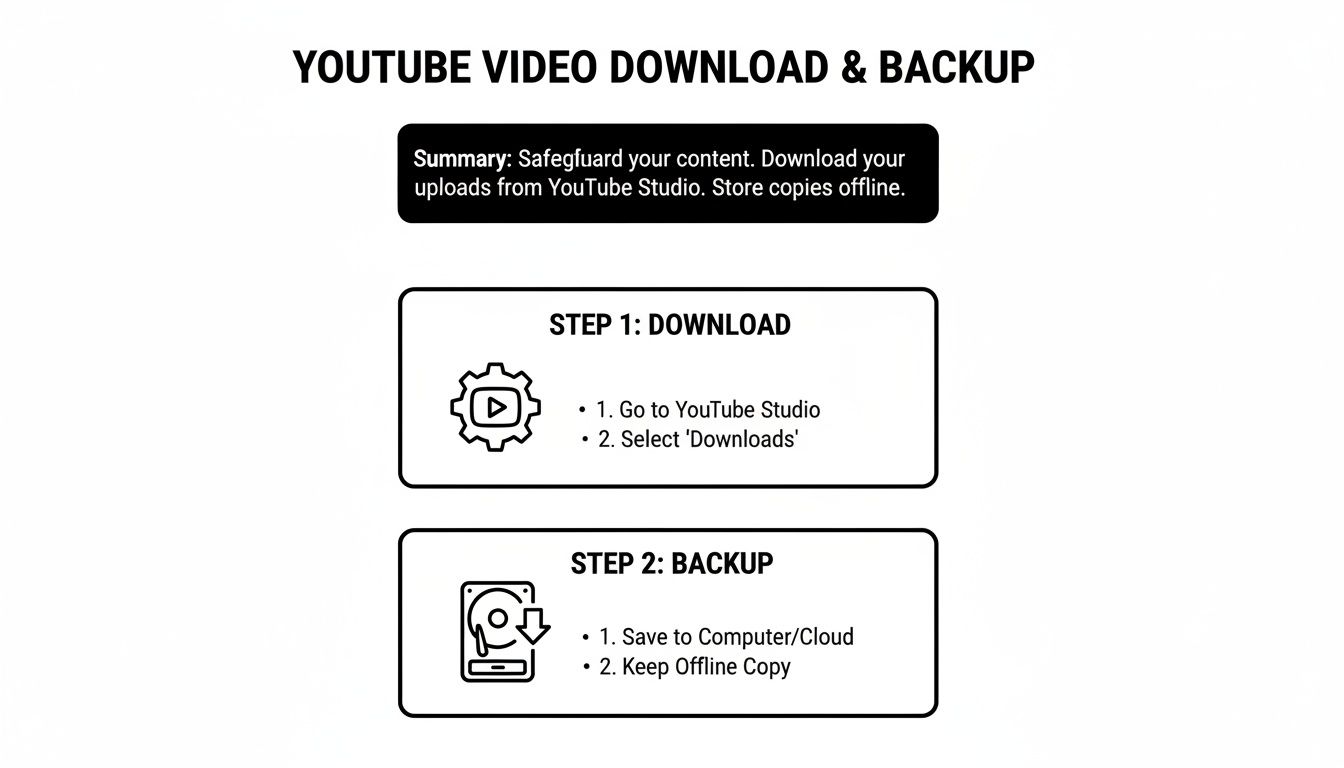
If it's your own video, download the original file from YouTube Studio: go to Content > hover over the video > click the three-dot menu > Download. This gives you the highest quality source file.
Better practice: save your final edited file to cloud storage (Google Drive, Dropbox) before uploading to YouTube. That way you always have the master file available.
Create Faceless Videos on Autopilot
FlowShorts generates and posts AI videos to YouTube, TikTok & Instagram while you sleep.
Try FlowShorts Free →Step 2: Reformat for Facebook's Specs
YouTube videos are 16:9 (horizontal). Facebook's most engaging formats are vertical or square. Here are the specs for each placement:
| Placement | Aspect Ratio | Resolution | Max Length |
|---|---|---|---|
| Feed video | 1:1 (square) or 4:5 (portrait) | 1080x1080 or 1080x1350 | 240 minutes |
| Facebook Reels | 9:16 (vertical) | 1080x1920 | 90 seconds |
| Facebook Stories | 9:16 (vertical) | 1080x1920 | 60 seconds |
Use MP4 or MOV format, 1080p resolution, 30fps. These are the safe defaults for all Facebook placements.
Step 3: Reframe the Video
Don't just center-crop your horizontal video. Important visual information at the edges of the frame will get cut off. Two better approaches:
- Auto-reframe: Use your editor's auto-reframe tool (available in Premiere, DaVinci Resolve, CapCut) to track the main subject and adjust the crop dynamically.
- Split-screen layout: Place the original video in the top portion and add bold captions or a headline below. This preserves the full frame while filling the vertical space.
Step 4: Add Captions
Most Facebook users watch video with sound off. Add burned-in captions so your message reaches them regardless. You can auto-generate captions in most editors, but review them for accuracy before exporting.
Step 5: Upload and Optimize
- Go to your Facebook Page and click "Create post" or go to Creator Studio.
- Upload the video file.
- Write a caption with a hook in the first line (this is all that's visible before "See more").
- Upload a custom thumbnail (bright, clear, with bold text).
- Add a clickable link in the description if you want to drive traffic back to YouTube or your site.
- Schedule or publish.
Getting More From Each Video
One YouTube video can produce multiple Facebook posts:
Create Faceless Videos on Autopilot
FlowShorts generates and posts AI videos to YouTube, TikTok & Instagram while you sleep.
Try FlowShorts Free →- Full-length version (trimmed slightly) as a feed video
- 2-3 short clips (15-60 seconds) as Facebook Reels
- Key moment clips as Stories
This gives you a week of Facebook content from a single YouTube upload. For the full approach to automated cross-platform posting, see our guide on how to automate social media posts.

Common Questions
Will I Get a Copyright Strike for Uploading My Own Video?
No. You own the content and can distribute it on any platform. The one risk area is music licensing. Some tracks from the YouTube Audio Library are licensed for YouTube only. Check the license terms, or use royalty-free music with a multi-platform license from the start.
What Length Works Best on Facebook?
It depends on the placement:
- Feed: 2-5 minutes (condensed version of your YouTube video)
- Reels: 15-60 seconds (one key moment or takeaway)
- Stories: Under 60 seconds (casual, in-the-moment feel)
A good strategy: post the longer version to your feed, then cut a short teaser as a Reel that drives viewers to the full video.
Should I Schedule or Post Manually?
Schedule whenever possible. Use Meta Business Suite (free) or a third-party scheduler to post during peak hours for your audience. Manual posting is fine for time-sensitive content, but a consistent schedule performs better with the algorithm. If you're managing multiple channels, see our guide on managing multiple social media accounts.
Can I Add a Clickable Link to a Facebook Video Post?
Yes. Paste the full URL in your post description. Facebook automatically makes it clickable. No follower minimum or special account type required.
Related Guides
- How to Post a YouTube Video on Instagram
- How to Post on YouTube From Start to Finish
- How to Automate Social Media Posts
- How to Manage Multiple Social Media Accounts
Related: Download YouTube Shorts for Repurposing
Free tools: YouTube Tags Generator · YouTube Description Generator · YouTube Hashtag Generator


