YouTube Tags List 2026: 1,000+ Copy-Paste Tags by Niche
Get the ultimate YouTube tags list and discover 7 powerful tools to generate tags for Shorts, tutorials, and more. Boost your discoverability and grow faster.
FlowShorts Team

YouTube tags help the algorithm understand what your video is about and who to show it to. They're not the strongest ranking factor (title and description carry more weight), but they still matter for discovery, especially for misspellings, abbreviations, and niche terms the algorithm might not pick up from your title alone.
This guide includes ready-to-use tag lists for 12 popular niches, a breakdown of how tags actually affect ranking, and a comparison of the best tag research tools. To generate custom tags for any video topic, use our free YouTube Tags Generator. Updated September 2026.
How YouTube Tags Work
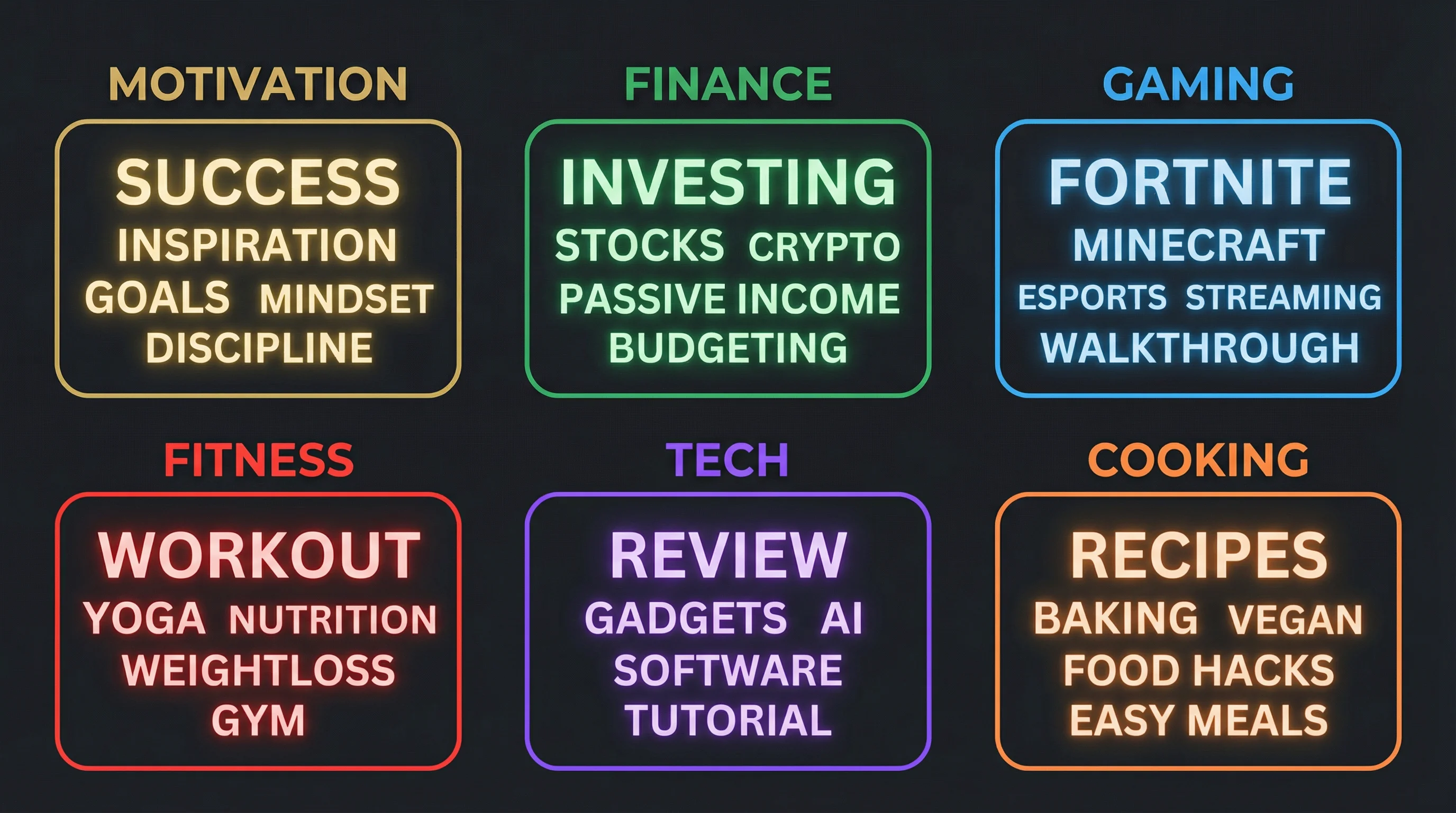
Tags are hidden keywords you add during upload. Viewers don't see them, but YouTube's algorithm reads them to:
- Classify your content into the right topic and category
- Surface your video in search results for relevant queries
- Suggest your video alongside similar content in the sidebar and "Up Next" feed
- Handle misspellings and alternate phrasings viewers might search for
According to YouTube's own creator documentation, tags are most useful when your content covers topics that are commonly misspelled. For everything else, your title and description do most of the heavy lifting.
Tag Structure That Works
YouTube gives you 500 characters for tags. Use them strategically with this structure:
| Tag Type | What It Does | Example (Cooking Niche) |
|---|---|---|
| Exact match | Matches the specific query a viewer types | easy pasta recipe |
| Broad topic | Connects your video to a wider category | cooking, recipes, Italian food |
| Long-tail | Targets specific, lower-competition searches | 15 minute dinner recipes for beginners |
| Misspelling/alternate | Catches common search errors | recepie, receipe |
Order matters. YouTube gives more weight to your first few tags. Put your primary keyword first, followed by close variations, then broader terms.
Copy-and-Paste YouTube Tags by Niche
Each tag set below follows the structure above: exact match first, then variations, long-tail phrases, and broad category tags. Copy the full set and adjust the specific terms to match your video's topic.
Gaming
gaming, gameplay, [game name], [game name] gameplay, [game name] tips, [game name] walkthrough, [game name] guide, best [game name] settings, [game name] for beginners, gaming tips, how to get better at [game name], [game name] 2026, let's play [game name]
Beauty and Makeup
makeup tutorial, beauty, makeup for beginners, [product name] review, everyday makeup routine, natural makeup look, drugstore makeup, how to apply foundation, makeup tips and tricks, beauty hacks, skincare routine, get ready with me, GRWM
Fitness
workout, home workout, [workout type] workout, full body workout, workout for beginners, no equipment workout, 10 minute workout, how to lose weight, exercise at home, fitness motivation, gym workout, HIIT workout, ab workout
Finance and Investing
personal finance, how to invest, investing for beginners, stock market, passive income, how to save money, budgeting, money tips, financial freedom, side hustle, how to make money online, investing 2026, index funds for beginners
Cooking
recipe, easy recipe, [dish name] recipe, how to cook [dish], cooking for beginners, quick dinner ideas, meal prep, healthy recipes, 15 minute meals, budget cooking, one pot meals, [cuisine] food, what to cook for dinner
Tech Reviews
Create Faceless Videos on Autopilot
FlowShorts generates and posts AI videos to YouTube, TikTok & Instagram while you sleep.
Try FlowShorts Free →tech, [product name] review, [product name] unboxing, best [product category] 2026, tech review, is [product] worth it, [product] vs [product], tech deals, gadgets, best budget [product], [brand name], technology
Education and Study
study tips, how to study, study with me, [subject] explained, [subject] for beginners, study motivation, exam tips, how to get good grades, note taking, study techniques, productivity tips for students, [subject] tutorial
Travel
travel vlog, [destination] travel guide, things to do in [destination], [destination] tips, travel tips, budget travel, solo travel, travel 2026, [destination] food, best places to visit, travel itinerary, [country] travel
Music
[song name], [artist name], [genre] music, music cover, [instrument] tutorial, how to play [song], [genre] playlist, music 2026, [instrument] for beginners, learn [instrument], music theory, songwriting
Pets and Animals
[pet type], [breed name], [pet type] care, how to train a [pet], [pet type] tips, funny [pet type] videos, [breed] puppy, [pet] grooming, best [product] for [pet], [pet] health, cute [pet] compilation, first time [pet] owner
Productivity and Self-Improvement
productivity, how to be productive, morning routine, productivity tips, time management, self improvement, habits, how to stop procrastinating, goal setting, daily routine, life advice, motivation, minimalism
YouTube Shorts (General)
#Shorts, short, youtube shorts, viral shorts, funny shorts, [niche] shorts, trending, [topic] in 60 seconds, quick tips, facts you didn't know, did you know, daily [topic]
Tagging Best Practices
These rules apply regardless of your niche:
- Use all 500 characters. More relevant tags give the algorithm more signals to work with. Don't leave the field half-empty.
- Put your primary keyword first. The first 2-3 tags carry the most weight.
- Mix specific and broad. Specific tags help you rank for targeted searches. Broad tags connect you to larger topic clusters.
- Include your channel name. This helps your videos appear as suggested content alongside your own other videos.
- Don't use misleading tags. YouTube's policies on misleading metadata can result in your video being removed or your channel penalized.
- Update tags on older videos. If a video isn't getting search traffic, revisit its tags. Swap underperforming terms for ones with better search volume.
Best YouTube Tag Research Tools
Free tag generators give you a starting point. Paid tools add search volume data so you can prioritize which tags to use. Here's how the main options compare.
| Tool | Type | Best For | Price |
|---|---|---|---|
| TubeBuddy | Browser extension | Managing tag templates inside YouTube Studio | Free tier; paid from $4.99/mo |
| vidIQ | Browser extension | Seeing competitor tags and keyword scores | Free tier; paid from $7.50/mo |
| Rapidtags | Web tool | Generating a quick tag list with no signup | Free |
| KeywordTool.io | Web tool | Finding long-tail keyword variations from autocomplete | Free (limited); Pro from $69/mo |
| Ahrefs | SEO suite | Search volume data and keyword difficulty scores | From $99/mo |
| KeySearch | SEO tool | Budget-friendly keyword research with rank tracking | From $17/mo |
TubeBuddy
TubeBuddy works as a browser extension that lives inside YouTube Studio. Its Tag Lists feature lets you save groups of tags and apply them to new uploads with one click. The Keyword Explorer shows search volume and competition for any term. Most useful for creators who upload frequently and want to reuse tag templates across similar videos.
Standout feature: Saved tag lists that auto-apply to new uploads.
vidIQ
Create Faceless Videos on Autopilot
FlowShorts generates and posts AI videos to YouTube, TikTok & Instagram while you sleep.
Try FlowShorts Free →vidIQ also runs as a browser extension, but its strength is competitive intelligence. While watching any YouTube video, vidIQ's overlay shows you that video's tags, SEO score, and view velocity. You can copy competitor tags directly. The Keyword Inspector scores terms by search volume versus competition, helping you find tags worth targeting.
Standout feature: Inline competitor tag visibility on any video page.
Rapidtags
Rapidtags does one thing: you enter a keyword, it generates a tag list, you copy it. No account needed. The suggestions pull from YouTube's current ranking data, so they're relevant but lack search volume or competition metrics. Use it as a starting point, then refine with a more data-driven tool.
Standout feature: Zero-friction tag generation with no login.
KeywordTool.io
KeywordTool.io scrapes YouTube's autocomplete suggestions to generate hundreds of long-tail keyword ideas from a single seed term. It supports filtering by country and language, which is useful for channels targeting non-English audiences. The free version shows keywords but hides search volume; the paid Pro plan unlocks full data.
Standout feature: 750+ long-tail suggestions per keyword from YouTube autocomplete.
Ahrefs
Ahrefs is a full SEO suite, but its Keywords Explorer includes a YouTube search engine mode. It provides search volume estimates based on clickstream data, keyword difficulty scores, and related keyword reports. The most reliable data source on this list, but also the most expensive. Best suited for creators or agencies who already use Ahrefs for web SEO and want to extend it to YouTube.
Standout feature: Clickstream-based YouTube search volume estimates.
KeySearch
KeySearch offers YouTube-specific keyword research at a lower price point than Ahrefs or Semrush. It includes search volume, competition scoring, and rank tracking. You can save keywords into lists and export them as CSV files. A good middle ground between free generators and enterprise SEO tools.
Standout feature: YouTube rank tracking included at budget pricing.
Common Questions
How Many Tags Should I Use Per Video?
Use as many relevant tags as fit within the 500-character limit. Most well-tagged videos use 8-15 tags. Avoid filling the space with irrelevant terms just to hit the limit; every tag should relate directly to your video's content.
Do Tags Still Matter for YouTube in 2026?
Tags are a minor ranking factor compared to title, description, watch time, and engagement. But they still help with discovery, especially for misspelled searches and niche topics where the algorithm needs extra context. There's no downside to using them properly.
Should I Use Hashtags or Tags?
Both. Tags (added in the upload form) are hidden metadata. Hashtags (added in your title or description) are visible and clickable. They serve different purposes. Tags help the algorithm classify your video. Hashtags help viewers browse related content. Use your primary keyword as both a tag and a hashtag.
Can Tags Get My Video Removed?
Misleading tags can. YouTube's metadata policies prohibit using tags that don't relate to your video's content. Using a popular creator's name or trending topic as a tag when your video has nothing to do with it can result in removal or a strike.
What's the Difference Between Tags for Shorts and Long-Form Videos?
The tagging mechanics are the same. Shorts benefit from including #Shorts as a tag and hashtag. Because Shorts are shorter, the algorithm relies more on watch completion and engagement than metadata. Tags still help with search discovery, but they're less influential for Shorts feed placement. For more on optimizing Shorts, see our guide on getting more views on YouTube Shorts.
Related Guides
- How to Get More Views on YouTube Shorts
- How to Post YouTube Shorts
- How to Grow a YouTube Channel Fast
Generate Tags Automatically
Skip the manual research — generate optimized tags in seconds:


