YouTube Automation Tool: 10 Best Options for Creators (2026)
The 10 best YouTube automation tools compared by category — content creation, SEO, distribution, and analytics. Includes recommended tool stacks for faceless channels, long-form creators, and scaling operations, plus a buyer's evaluation framework.
FlowShorts Team
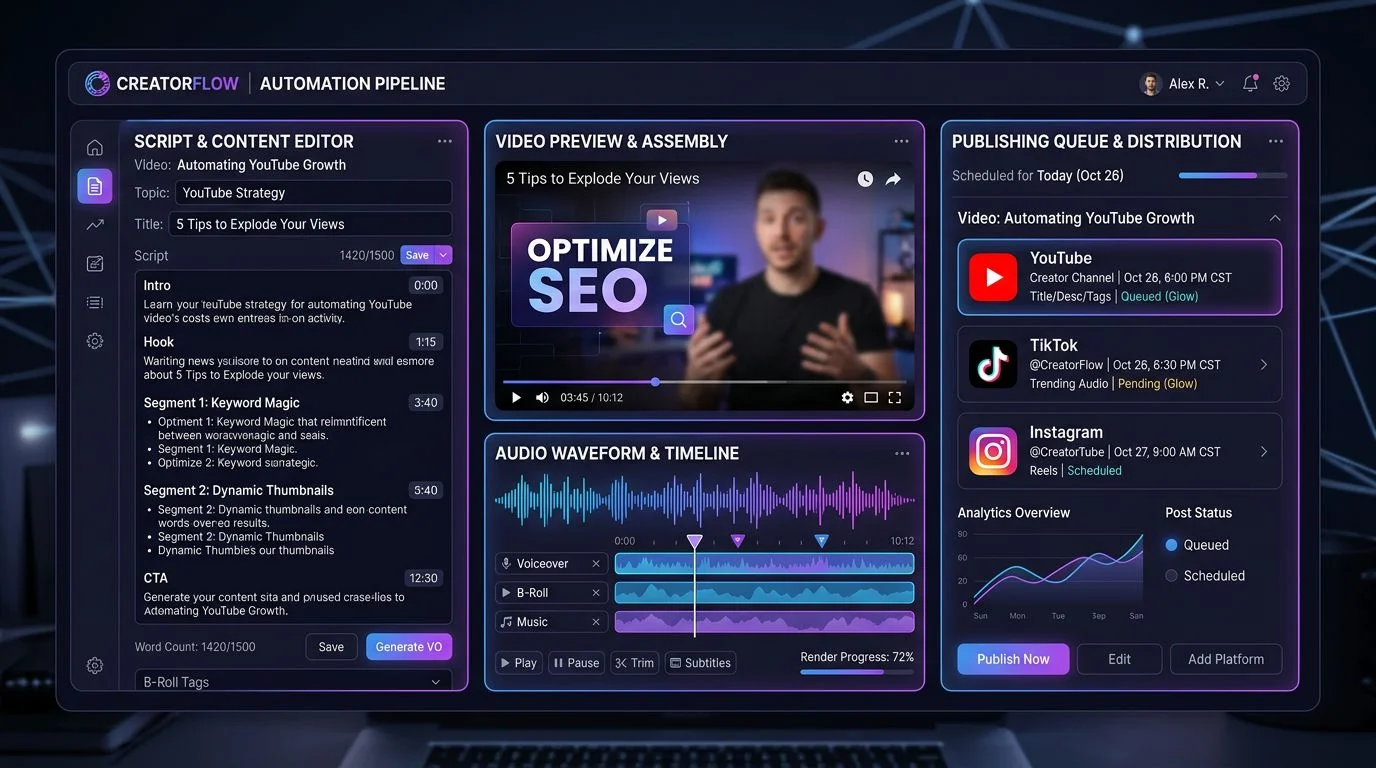
A YouTube automation tool handles the repetitive parts of running a channel: scriptwriting, voiceover, editing, SEO, uploading, or analytics. The right tool depends on which part of your workflow takes the most time.
This guide compares 10 YouTube automation tools across four categories, with recommended tool stacks for different creator types.
Four Categories of YouTube Automation
Most tools fall into one of four categories. Most creators need tools from at least two.
| Category | What It Automates | Example Tools |
|---|---|---|
| Content creation | Scripts, voiceover, visuals, rendering | FlowShorts, InVideo AI, Fliki |
| SEO and optimization | Keywords, tags, thumbnails, titles | TubeBuddy, vidIQ |
| Distribution | Scheduling, cross-posting, auto-uploading | Repurpose.io, Hootsuite |
| Analytics | Performance tracking, topic suggestions | Morningfame, YouTube Studio |
The highest-leverage combination is content creation paired with SEO: that covers both the production bottleneck and discoverability. For a deeper look at what can and can't be automated, see our guide on how to automate a YouTube channel.
10 Best YouTube Automation Tools (2026)
| Tool | Category | Best For | Auto-Posting | Starting Price |
|---|---|---|---|---|
| TubeBuddy | SEO | Bulk metadata updates, A/B thumbnail testing | No | Free / $7.50/mo |
| vidIQ | SEO | Keyword research, trending topic alerts | No | Free / $16.50/mo |
| InVideo AI | Content creation | Long-form AI video from text prompts | No | $25/mo |
| FlowShorts | Content creation | Faceless Shorts with multi-platform auto-posting | Yes (YouTube, TikTok, Instagram) | $19/mo |
| ElevenLabs | Voice | AI voiceover and voice cloning | No | Free / $5/mo |
| Opus Clip | Repurposing | Clipping long videos into Shorts | No | $19/mo |
| Fliki | Content creation | Text-to-video with 2,000+ AI voices | No | $28/mo |
| Repurpose.io | Distribution | Automated cross-platform posting | Yes | $25/mo |
| Hootsuite | Scheduling | Multi-platform content calendar for teams | Yes | $99/mo |
| Morningfame | Analytics | Simplified YouTube analytics with action items | No | $4.90/mo |
Content Creation Tools
InVideo AI generates full-length videos from text prompts. It handles stock footage selection, voiceover, transitions, and basic editing. You can refine output through conversational editing. Best suited for long-form (5-15 minute) videos. No auto-posting; requires manual upload.
FlowShorts generates faceless short-form videos end-to-end: script, voiceover, visuals, captions, and music. It auto-posts to YouTube Shorts, TikTok, and Instagram Reels on a set schedule. Built for creators who want daily Shorts without manual production.
Fliki converts blog posts, articles, or scripts into videos with AI voiceover. Its library includes 2,000+ voices across 80 languages, making it strong for multilingual channels. No auto-posting; visual matching sometimes requires manual swaps.
SEO and Optimization Tools
TubeBuddy is a browser extension that integrates into YouTube Studio. Its core strengths are bulk metadata updates across your entire video library and A/B thumbnail testing through the "Click Magnet" feature. Also includes keyword research, tag suggestions, and best-time-to-publish analysis. Free tier available.
vidIQ combines channel analytics with AI-powered content recommendations. The keyword research tool shows search volume, competition scores, and related terms specific to YouTube. The AI Coach feature suggests video topics based on your channel's performance and trending searches. Free tier available.
Voice, Repurposing, and Distribution
ElevenLabs is the leading AI voiceover tool. Features include voice cloning, 30+ languages, and fine-grained control over pacing and emphasis. Free tier provides 10 minutes per month. Useful as a standalone tool or as part of a DIY video workflow.
Automate Your Entire Video Workflow
FlowShorts generates scripts, creates videos, and posts to YouTube, TikTok & Instagram on autopilot.
Start Automating Free →Opus Clip uses AI to identify the most engaging moments in long-form videos and clip them into vertical Shorts with captions. Requires existing video as input. Best for podcast hosts and long-form creators who want to extract clips from YouTube videos.
Repurpose.io automatically reformats and cross-posts videos from YouTube to TikTok, Instagram, Facebook, LinkedIn, and Twitter. Set rules once (platform, format, caption template) and it runs in the background.
Hootsuite is a social media management platform that supports YouTube scheduling alongside other platforms. Designed for teams and agencies managing multiple accounts. At $99/month, it's overkill for solo creators.
Morningfame translates YouTube analytics into plain-language recommendations. Instead of raw data dashboards, it grades each video and tells you what to improve. Invite-only, starting at $4.90/month.
Recommended Tool Stacks
No single tool does everything well. Here are three combinations based on different creator types.
Faceless Shorts Channel
Content creation tool + vidIQ
- AI video tool handles production and posting
- vidIQ identifies trending topics and keyword opportunities
- Estimated cost: $35-$85/month
Long-Form Creator Going Multi-Platform
InVideo AI + Opus Clip + TubeBuddy
- InVideo AI creates long-form videos from scripts
- Opus Clip extracts Shorts from finished videos
- TubeBuddy optimizes SEO and tests thumbnails
- Estimated cost: ~$52/month
Established Channel Scaling Output
Content creation tool + TubeBuddy + Repurpose.io
- AI tool generates daily Shorts
- TubeBuddy handles bulk SEO across your library
- Repurpose.io distributes long-form content to other platforms
- Estimated cost: ~$50-$100/month
How to Evaluate a YouTube Automation Tool
Automate Your Entire Video Workflow
FlowShorts generates scripts, creates videos, and posts to YouTube, TikTok & Instagram on autopilot.
Start Automating Free →Five questions to ask before subscribing:
- Does it automate your actual bottleneck? If you spend 4 hours editing but 10 minutes on SEO, an SEO tool won't move the needle.
- Does it support auto-posting? Tools that create videos but leave uploading to you still require daily manual work.
- What's the per-video cost? A $39/month tool producing 30 videos costs $1.30 each. A $25/month tool producing 5 costs $5.00 each.
- Does it integrate with your other tools? Look for API access, Zapier integrations, or native connections.
- Does the output pass the viewer test? Generate a sample and watch it on your phone while scrolling. If you'd swipe past in 2 seconds, the tool isn't good enough.
YouTube's Policies on Automated Content
YouTube updated its policies in 2025, renaming "Repetitious Content" to "Inauthentic Content." What this means for automation:
- Automation itself is not against policy. YouTube evaluates content quality, not production method.
- Mass-produced identical content is flagged. If every video follows the exact same template with zero variation, YouTube may penalize the channel.
- Human oversight is expected. The policy targets content published with "no human oversight." Review AI output before publishing.
- Disclosure is required for realistic AI content. If AI-generated content could be mistaken for real footage, YouTube requires a disclosure label.
Free YouTube Tools
Common Questions
What's the Best Free YouTube Automation Tool?
TubeBuddy and vidIQ both offer free tiers with keyword research and SEO features. ElevenLabs provides 10 free minutes of AI voiceover per month. For video creation, no free tool matches paid options for daily publishing.
Can I Make Money With YouTube Automation?
Yes. Automated channels earn through the YouTube Partner Program (1,000 subscribers + 10 million Shorts views in 90 days), affiliate marketing, and sponsorships. The key is choosing a profitable niche and maintaining quality. For details, see our YouTube Shorts monetization guide.
How Many Videos Should I Post Per Day With Automation?
1-2 Shorts per day. Going above 3-5 risks spam detection. Consistency matters more than volume. See our Shorts posting frequency guide.
Related Guides
- How to Automate a YouTube Channel
- Best AI Video Generators
- How to Make AI YouTube Shorts
- How to Start a Faceless YouTube Channel
- Content Marketing Automation Tools
Detailed Tool Comparisons
Need a deeper look at how these tools compare? Check our side-by-side breakdowns:


