Content Automation: The Complete Guide for Video Creators (2026)
The complete guide to content automation for video creators — from AI generation to auto-posting across YouTube Shorts, TikTok, and Instagram Reels. Build a system, not a hustle.
FlowShorts Team
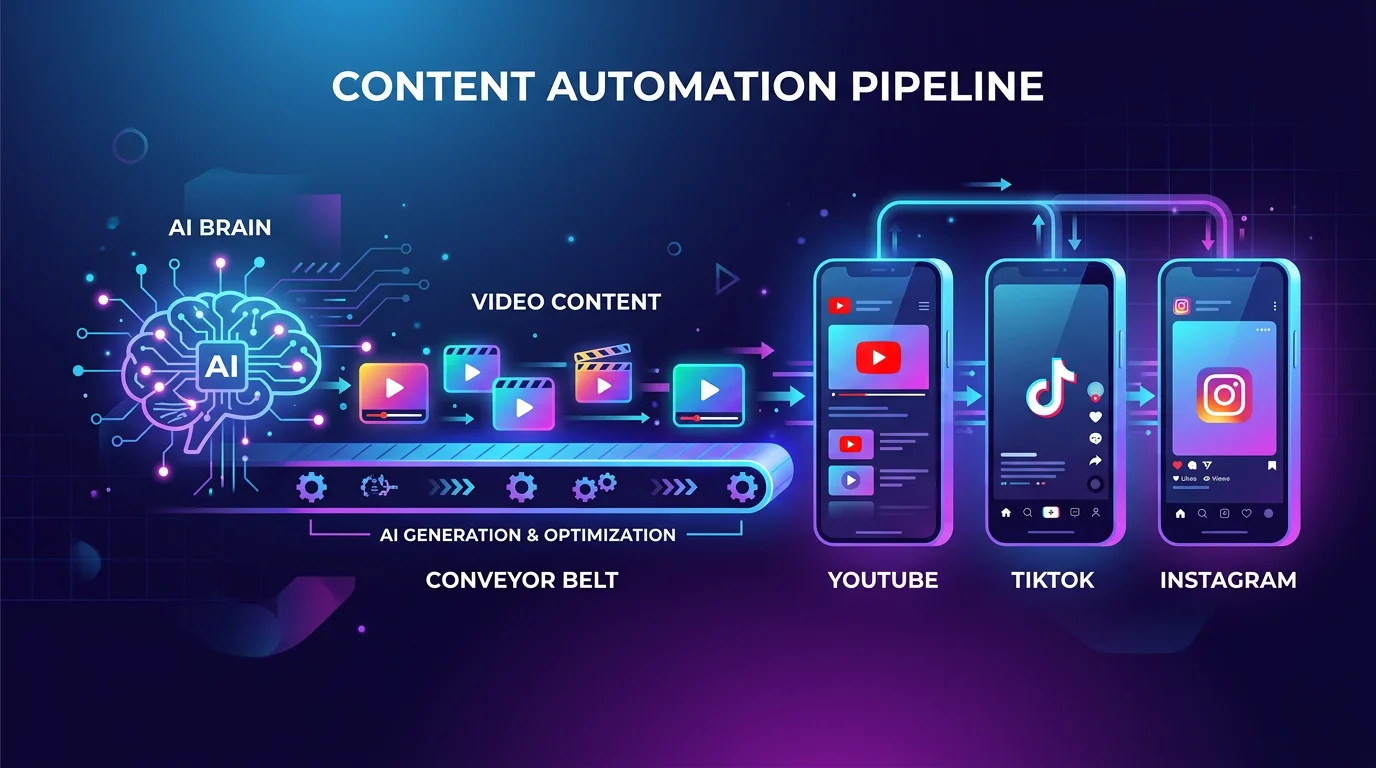
Scripting, filming, editing, adding captions, and posting across YouTube Shorts, TikTok, and Instagram Reels — every single day. That's the reality of short-form video in 2026. At 3 platforms and daily posting, you're looking at 90+ videos per month. No creator can sustain that manually.
Content automation is the system that solves this. It's not a single tool — it's a workflow that handles creation, publishing, and distribution so you can focus on strategy instead of production.
This guide explains what content automation is, why it matters, how to build your stack, and which tools actually work. Whether you're a solo creator or running multiple faceless accounts, you'll leave with a clear system to implement.
What Is Content Automation?
Content automation is a system that uses software and AI to handle one or more stages of content production — from ideation and creation to scheduling, publishing, and distribution — reducing or eliminating manual work at each step.
That's the definition. Here's what it means in practice:
Content automation exists on a spectrum, from simple to fully hands-free:
| Level | What's Automated | Example |
|---|---|---|
| Basic | Scheduling only | Buffer, Later — you create, they post on time |
| Intermediate | Repurposing + scheduling | Repurpose.io — converts podcasts to clips automatically |
| Advanced | AI creation + scheduling | AI generates scripts and visuals, you review and post |
| Full pipeline | Creation + posting + distribution | FlowShorts — AI creates and auto-posts videos on a schedule |
The key distinction: automation isn't "just using tools." It's building a system where each step feeds into the next without you being the bottleneck. For more on the concepts, read automatic content creation explained.
Why Content Automation Matters in 2026
Three forces make content automation essential this year:
1. The volume problem. Algorithms reward consistency. YouTube wants daily Shorts, TikTok performs best at 1-3 posts per day, and Instagram pushes creators who post Reels 5+ times per week. That's 60-150 videos per month across three platforms. Manual production at that scale leads to one outcome: burnout.
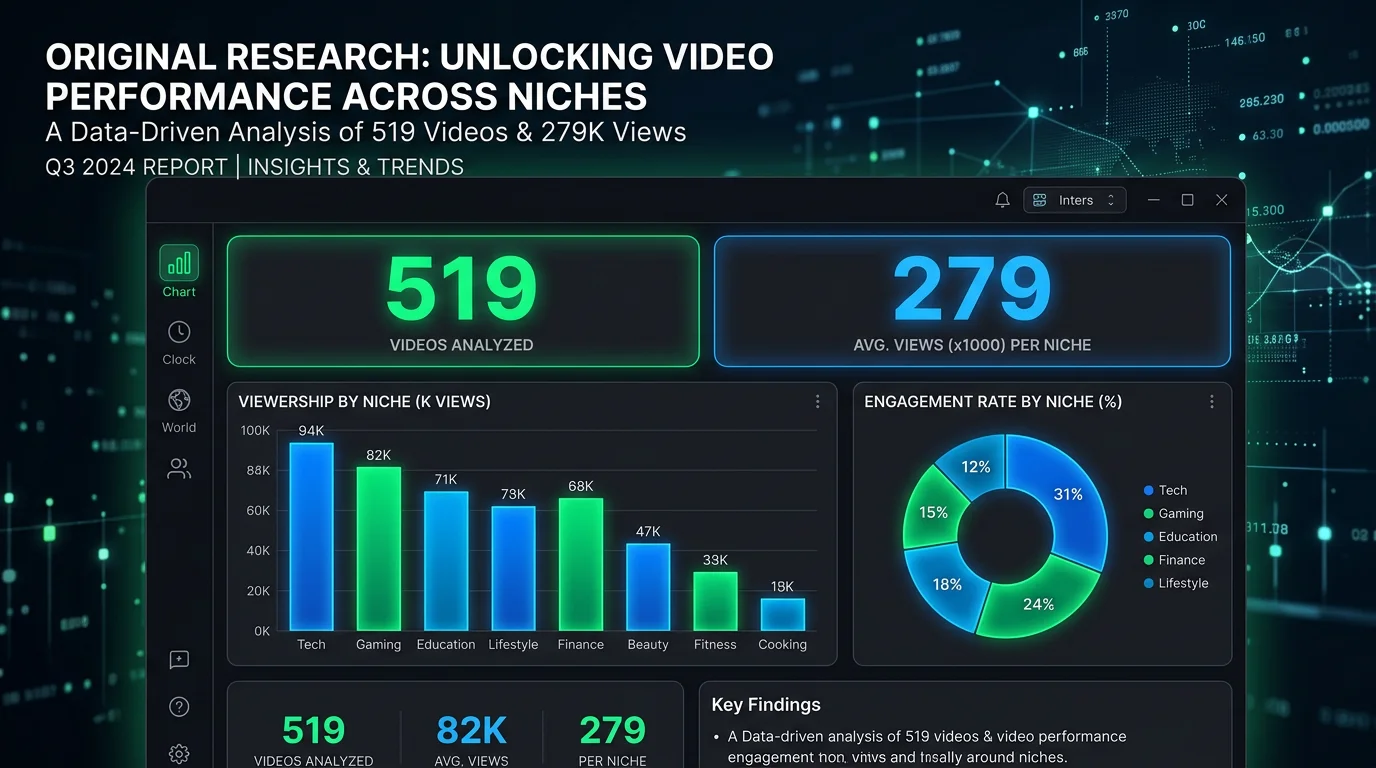
2. The faceless video revolution. Faceless channels — using AI voiceover, generated visuals, and automated captions — have proven that you don't need a camera to build an audience. These channels are automation-native. Our analysis of 519 AI-generated videos shows that automated faceless content performs comparably to manually produced videos in engagement and retention.
3. Platform multiplication. The same 60-second video can reach different audiences on every short-form video platform. But manually uploading and formatting for each platform triples your workload. Automation makes multi-platform distribution effortless.
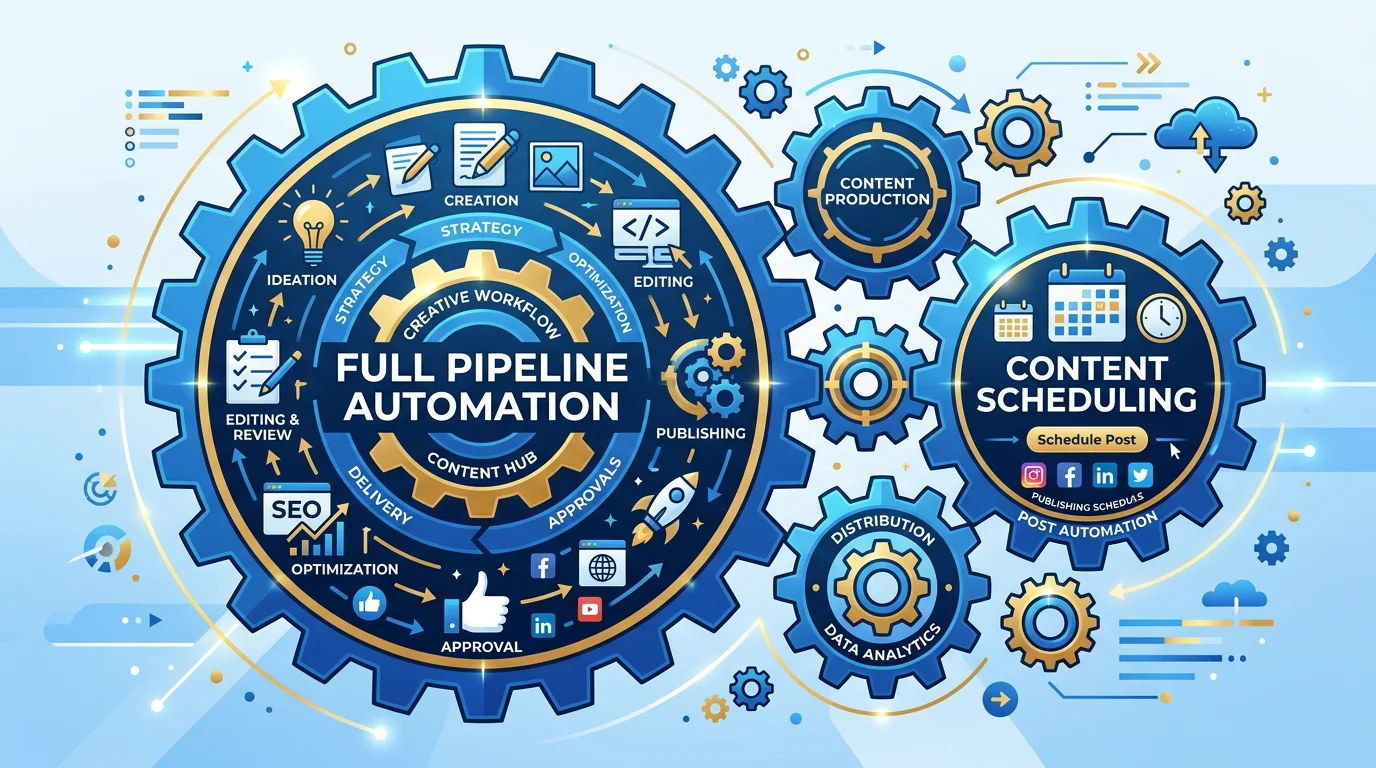
The Content Automation Stack (4 Layers)
Every content automation system has four layers. You can automate one layer or all four — the more you automate, the more hands-free your workflow becomes.
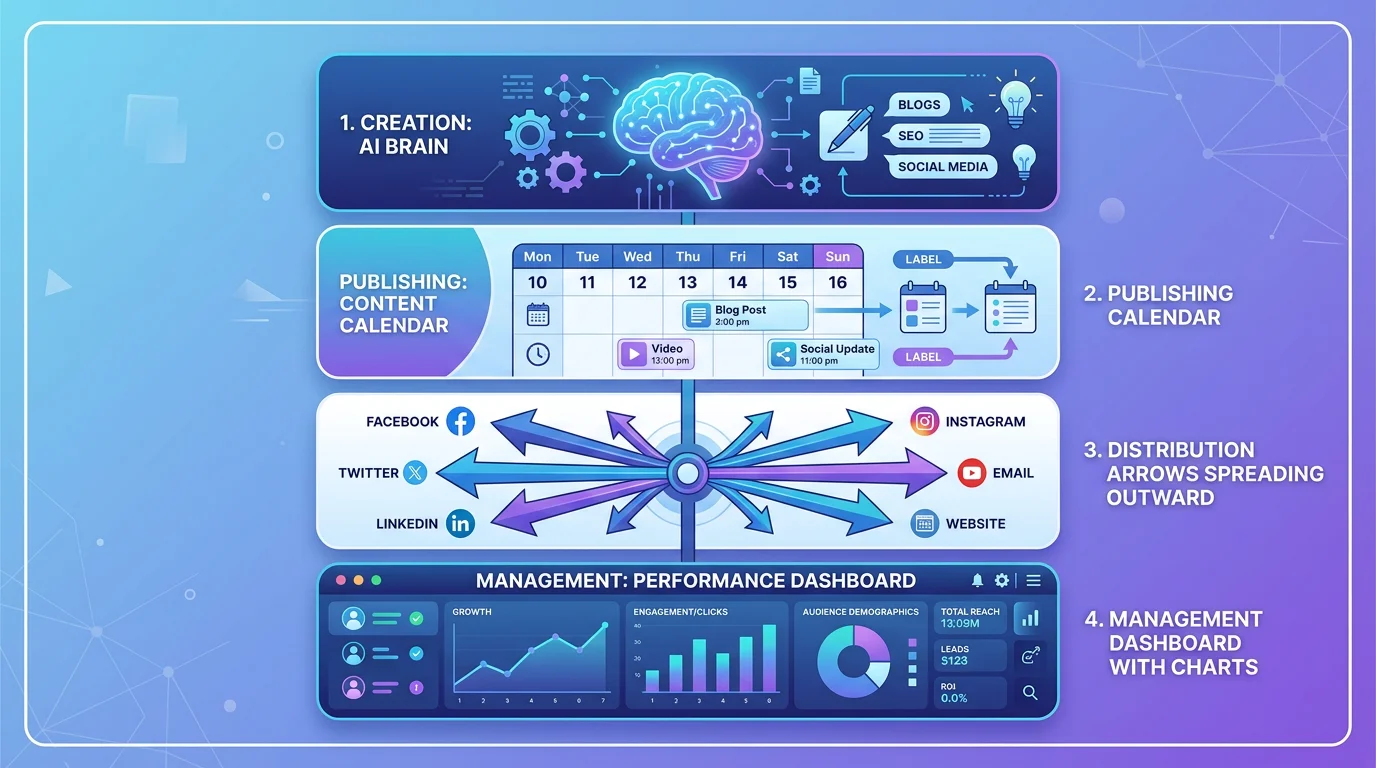
Layer 1: Content Creation (AI Generation)
This is where AI does the heavy lifting. Modern AI tools handle:
- Script generation — AI writes video scripts based on a topic or niche (use our free prompt generator to get started)
- Visual creation — AI generates images or selects relevant footage for each scene
- Voiceover — Text-to-speech engines produce natural-sounding narration
- Captions — AI generates word-level subtitles automatically
- Assembly — Everything combines into a finished vertical video
For a detailed look at how this pipeline works, read how FlowShorts works. For tool comparisons, see best faceless video generators that auto-post.
Layer 2: Publishing and Scheduling
Once videos are created, they need to go live at the right times on the right platforms. This layer handles:
- Scheduled posting — Queue content days or weeks in advance
- Auto-posting — Videos publish automatically without manual intervention
- Multi-platform publishing — One video goes to YouTube, TikTok, and Instagram simultaneously
Automate Your Entire Video Workflow
FlowShorts generates scripts, creates videos, and posts to YouTube, TikTok & Instagram on autopilot.
Start Automating Free →Platform-specific guides:
- How to automate your YouTube channel
- Automatic Instagram Reels generation and posting
- Auto-sharing on TikTok
- TikTok automation software comparison
For the broader strategy: how to automate social media posts.
Layer 3: Distribution and Repurposing
Creating content is half the battle. Distribution multiplies its value. This layer covers:
- Cross-posting — Adapting one video for multiple platforms (different aspect ratios, captions, metadata)
- Content atomization — Breaking long-form content into multiple short clips
- Format conversion — Turning tweets, articles, or podcasts into videos
Read our guides on content distribution strategies, content repurposing strategies, and converting tweets to videos.
Layer 4: Management and Optimization
At scale, you need systems to manage multiple accounts and optimize performance:
- Multi-account management — Running several niche accounts from one dashboard
- Analytics tracking — Monitoring which content performs across platforms
- Growth optimization — Adjusting strategy based on data
See how to manage multiple social media accounts and social media growth strategies.
Best Content Automation Tools (2026)
Different tools excel at different layers. Here's how the major options compare:
| Tool | AI Creation | Auto-Post | Platforms | Best For | Price |
|---|---|---|---|---|---|
| FlowShorts | Full pipeline | Yes | YouTube, TikTok, Instagram | Faceless video automation | $19-69/mo |
| Buffer | No | Yes | All major | Scheduling only | $6-120/mo |
| Later | No | Yes | Instagram, TikTok, YouTube | Visual planning + scheduling | $25-80/mo |
| Repurpose.io | No | Yes | All major | Cross-posting + repurposing | $25-125/mo |
| Hootsuite | No | Yes | All major | Enterprise social management | $99+/mo |
Key distinction: Most tools handle scheduling (Layer 2) only. FlowShorts is one of the few that handles the full stack — AI creation + auto-posting — specifically for short-form video.
For deeper comparisons, read content marketing automation tools and YouTube automation tools.
Content Automation by Platform
YouTube Shorts Automation
YouTube supports scheduled uploads natively via YouTube Studio. For full automation (AI creation + posting), tools like FlowShorts handle the pipeline end-to-end. The YouTube API allows direct posting, making it the most automation-friendly platform. Full guide: how to automate your YouTube channel.
TikTok Automation
TikTok's API now supports scheduled publishing for registered developer apps. Third-party tools can auto-post, though TikTok's terms are stricter about bot-like behavior. Focus on quality over quantity. Full guide: TikTok automation software.
Instagram Reels Automation
Instagram supports scheduled Reels through the Meta Business API. Auto-posting works reliably for business and creator accounts. Full guide: automatic Instagram Reels.
Automate Your Entire Video Workflow
FlowShorts generates scripts, creates videos, and posts to YouTube, TikTok & Instagram on autopilot.
Start Automating Free →Content Automation Workflow (Step-by-Step)
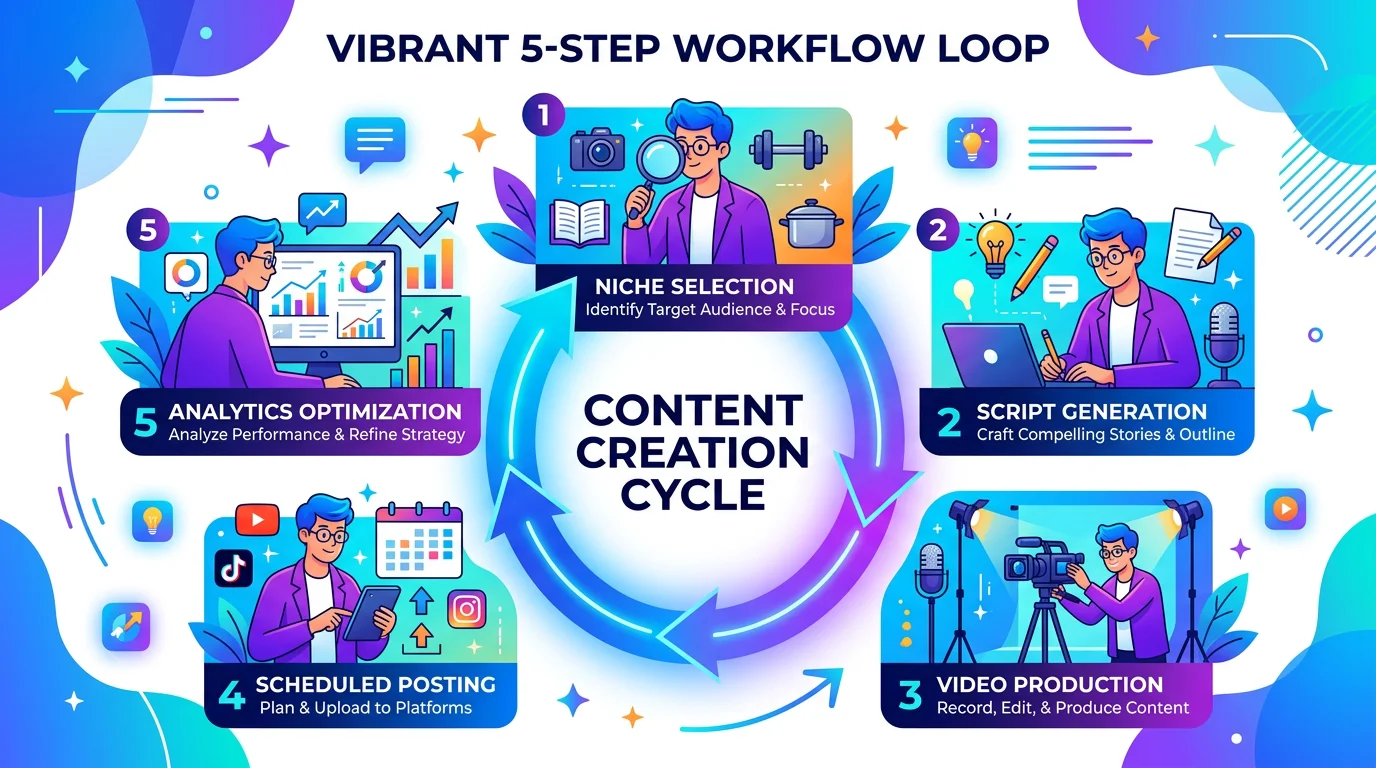
Here's the 5-step workflow most automated creators follow:
- Choose your niche. Pick 1-3 content categories. Faceless niches like motivation, history, finance, and tech work best for automation.
- Set up your content pipeline. Connect your AI creation tool to your social accounts. Configure your posting schedule (time, frequency, platforms).
- Generate content in batches. Create a week's worth of content in one session — or let AI generate daily on autopilot.
- Review and refine. Even with full automation, spend 15-30 minutes daily reviewing upcoming posts. Check scripts for accuracy, tweak hooks, and ensure quality.
- Analyze and optimize. Weekly, check which topics and formats perform best. Double down on winners, cut underperformers.
This is exactly how FlowShorts implements automation — you pick a niche, connect your accounts, and the system generates and posts videos daily.
Hooks, Scripts, and Content Quality
Automation doesn't mean low quality. The best automated channels succeed because they combine AI efficiency with human-quality content strategy.
The areas where human input matters most:
- Hooks — The first 1-2 seconds determine whether someone watches or scrolls. AI can generate hooks, but the best ones come from studying what works in your niche. See 47 proven hooks for short-form video.
- Topic selection — AI can write about anything, but knowing what your audience wants requires human judgment and data analysis.
- Quality control — Review scripts for factual accuracy, check that visuals match the narration, and ensure captions are readable.
Even fully automated channels should have a human reviewing content before it goes live — at least in the beginning. As you learn what works, you can give the system more autonomy.
Need content inspiration? Browse funny video ideas or use our prompt generator to create topic ideas for any niche.
Frequently Asked Questions
Is content automation the same as AI content?
No. AI content is one component of content automation. Automation includes scheduling, repurposing, distribution, and management — much of which doesn't require AI at all. You can automate posting with simple scheduling tools. AI adds the creation layer on top.
Will automated content get flagged by platforms?
No. YouTube, TikTok, and Instagram don't penalize AI-generated or automated content as long as it provides value to viewers. What gets penalized is spam — posting identical content, misleading metadata, or engagement manipulation. Quality automated content performs the same as manual content in the algorithm.
How much does content automation cost?
It depends on the level. Basic scheduling tools start at $6/month (Buffer). AI creation + auto-posting tools like FlowShorts start at $19/month for 8 videos. Enterprise social management (Hootsuite, Sprout) runs $99-300+/month. Most solo creators spend $20-70/month total.
Can I automate content without AI?
Yes. Scheduling tools (Buffer, Later), cross-posting tools (Repurpose.io), and batch-creation workflows all automate content without AI. You create the content manually, then automate everything after creation — publishing, distribution, and repurposing.
What's the difference between scheduling and automation?
Scheduling is one part of automation — it handles when content gets posted. Full automation also handles what gets created, how it's produced, and where it's distributed. Think of scheduling as Layer 2 in a 4-layer stack.
How many videos should I automate per day?
Start with 1 per day across your primary platform. Once you're confident in quality, scale to 1-2 per day across 2-3 platforms. The sweet spot for most creators is 30-60 automated videos per month — enough for daily posting without overwhelming your audience.
Build Your Content System
The future of content creation isn't hustle — it's systems. The creators who win in 2026 aren't the ones working 12-hour days editing videos. They're the ones who built an automation stack that creates, publishes, and distributes content while they focus on strategy and growth.
Start building your system:
- Audit your current workflow — where are you spending the most time?
- Automate the biggest bottleneck first (usually creation or scheduling)
- Add layers over time until your system runs with minimal daily input
Ready to automate the full pipeline? FlowShorts handles AI video creation and auto-posting to YouTube Shorts, TikTok, and Instagram Reels. Try it with a free video — no credit card needed.
For platform-specific guides, see our YouTube Shorts guide, Instagram guide, and TikTok guide.