How to Turn Tweets Into Videos: Complete Guide (2026)
Turning tweets into short-form videos is one of the easiest content strategies on TikTok and YouTube Shorts. Here are 5 methods — from screenshot-based to fully AI-automated — with pros, cons, and legal considerations.
FlowShorts Team
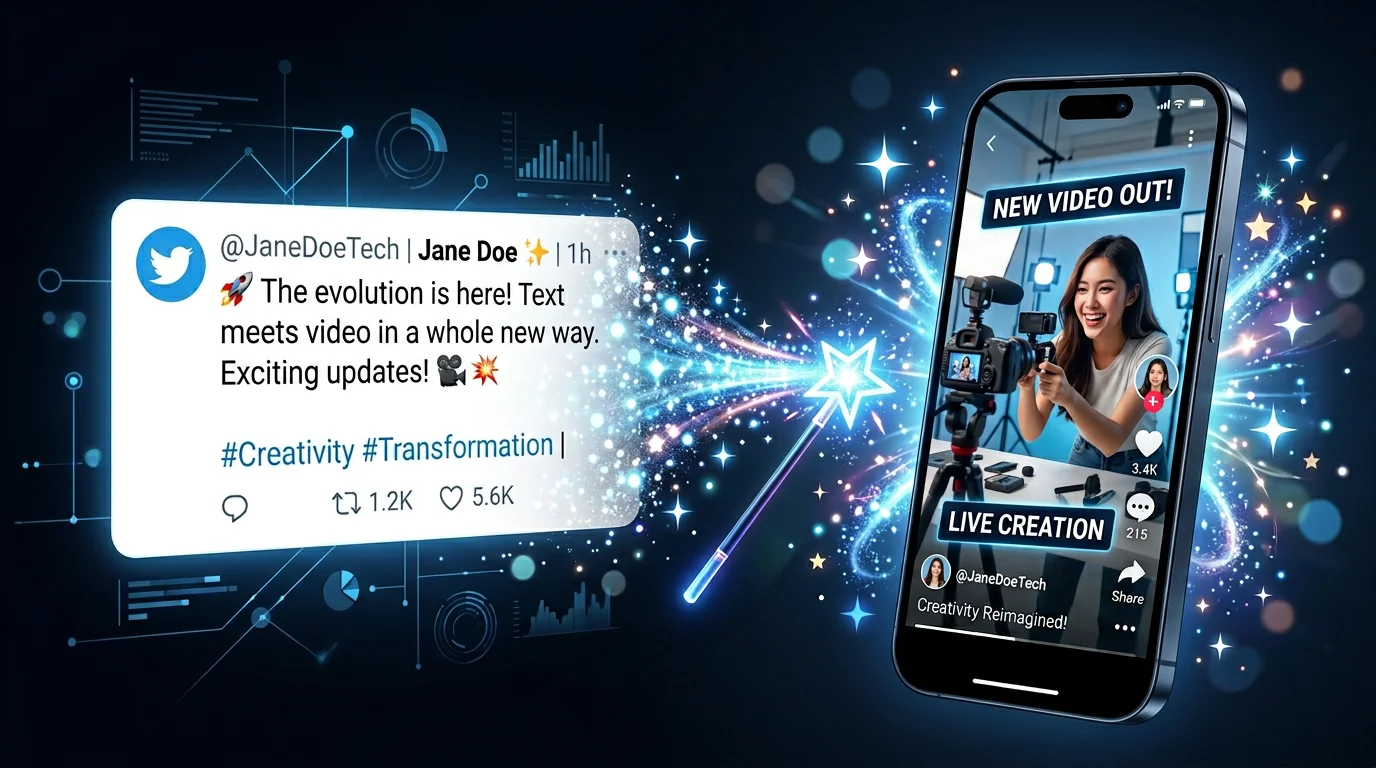
Tweet-to-video content is one of the simplest viral formats on TikTok and YouTube Shorts. Take a popular tweet, add voiceover narration, style it with animations and captions, and post. Creators build entire channels around this — no camera, no original writing, just smart curation and formatting.
This guide covers why tweet videos work, 5 methods to make them (from free manual to fully automated), the best types of tweets to convert, and the legal considerations you need to know.
Why Tweet-to-Video Content Works
Tweets are pre-validated content. A tweet with 50K likes has already proven it resonates with people. Converting it to video lets you:
- Skip the ideation step — You don't need to come up with original ideas. The tweet IS the idea. Your job is formatting and delivery.
- Tap into proven engagement — A tweet with massive engagement already has built-in appeal. The video version reaches audiences who don't use Twitter/X.
- Leverage dual-platform audiences — Most TikTok and YouTube Shorts viewers don't actively browse X. The same content feels new to them.
- Create at scale — A creator can produce 5-10 tweet videos per hour with AI tools. Volume + proven content = growth.
Tweets with images or strong opinions get roughly 2x more engagement when converted to video than plain text content, because the visual format adds narration and emotional delivery that text alone can't convey.
5 Methods to Turn Tweets Into Videos
| Method | Time | Cost | Best For |
|---|---|---|---|
| AI tools (ReVid, TweetOut) | 30-60 seconds | Free-$20/mo | Speed and scale |
| FlowShorts + script | 2-3 minutes | From $19/mo | Gameplay background + auto-posting |
| Screenshot + CapCut | 10-15 minutes | Free | Full creative control |
| Screen recording | 5-10 minutes | Free | Thread walk-throughs |
| TikTok native editor | 5-10 minutes | Free | Quick posts, no desktop needed |
Method 1: AI Tweet-to-Video Tools (Fastest)
Dedicated tools convert tweets to video automatically:
- ReVid.ai — Paste a tweet URL, select a visual style and voice, get a 9:16 video in seconds. Includes voiceover, animations, and captions. Ranks as the most popular tool in this category.
- TweetOut — Copy any public post, thread, or meme link. Select a theme and resolution. Outputs 4K vertical videos ready for TikTok/Reels/Shorts.
- Medeo — Paste tweet text, AI transforms it into animated vertical video with subtitles.
- GoEnhance — Free tweet-to-video tool with basic styling options.
Pros: Extremely fast (under 1 minute). No editing skills needed. Good for testing what works before investing more effort.
Cons: Less customization. Output can look generic. No gameplay backgrounds.
Method 2: FlowShorts with Tweet as Script
For a more engaging format, use the tweet text as your script in FlowShorts:
Create Faceless Videos on Autopilot
FlowShorts generates and posts AI videos to YouTube, TikTok & Instagram while you sleep.
Try FlowShorts Free →- Copy the tweet text (not the URL — the actual words)
- Paste as your script in the text-to-brainrot tool
- Choose a gameplay background (Subway Surfers, Minecraft, etc.)
- Select voice and caption style
- Generate — the AI creates voiceover, captions, and gameplay overlay
Why this works: Gameplay background videos get 40-80% higher retention than static tweet screenshots. The tweet becomes the voiceover content, the gameplay keeps eyes on screen, and the captions ensure comprehension even on mute.
Method 3: Screenshot + CapCut (Most Popular Manual Method)
- Screenshot the tweet — Capture the full tweet including username, text, and engagement metrics (likes/retweets add social proof)
- Import into CapCut — Add the screenshot as the main visual element
- Add voiceover — Use CapCut's built-in AI voice or record your own narration reading the tweet and adding commentary
- Animate — Add zoom effects, text highlights on key phrases, transition effects
- Add music — Use a trending sound or low-volume instrumental
- Export 9:16 — 1080x1920, ready for all platforms
Pros: Free. Full creative control. Can add your own commentary and personality.
Cons: 10-15 minutes per video. Not scalable for daily posting.
Method 4: Screen Recording (Best for Threads)
For Twitter/X threads (multi-tweet stories), screen recording is more natural than screenshots:
- Open the thread on your phone
- Start screen recording
- Slowly scroll through the thread while reading aloud (or add voiceover later)
- Trim the recording in CapCut/TikTok editor
- Add captions and music
This format feels like "reading along with the viewer" and works especially well for dramatic or suspenseful threads.
Method 5: TikTok Native Editor
The simplest approach — do everything inside TikTok:
- Save the tweet screenshot to your camera roll
- Open TikTok > Create > Upload photo
- Add TikTok's text-to-speech narration
- Add a trending sound at low volume
- Post directly
This is the lowest effort method but also the lowest production quality. Good for testing tweet topics before investing in higher-quality versions.
Create Faceless Videos on Autopilot
FlowShorts generates and posts AI videos to YouTube, TikTok & Instagram while you sleep.
Try FlowShorts Free →Best Types of Tweets to Convert
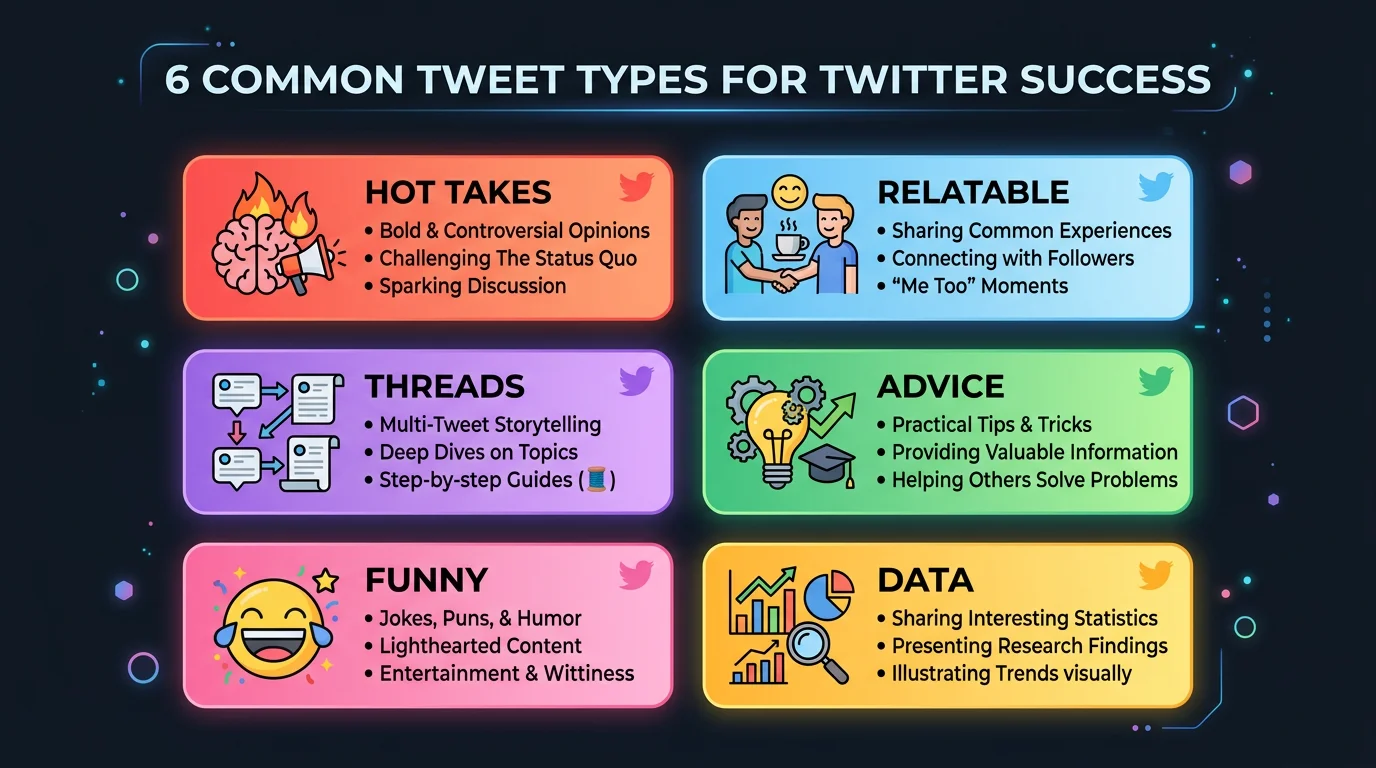
Not every tweet makes a good video. The formats that perform best:
| Tweet Type | Why It Works as Video | Example |
|---|---|---|
| Hot takes / opinions | Provokes comments and debates. Viewers share to argue. | "Unpopular opinion: [controversial take]" |
| Relatable observations | "That's so true" reaction drives shares and saves. | "Nobody talks about how [universal experience]" |
| Thread stories | Built-in narrative arc keeps viewers watching. | "The craziest thing happened to me today. Thread:" |
| Life advice / wisdom | Bookmark-worthy content. High save rate. | "Things I wish I knew at 20: 1. [insight]..." |
| Funny tweets | Comedy always travels well across platforms. | Jokes, self-deprecating humor, absurd observations |
| Data/stats | Surprising numbers create "wait, really?" reactions. | "The average person spends X hours doing Y" |
Where to find viral tweets: Search Twitter/X for tweets with 10K+ likes in your niche. Use tools like Tweet Hunter to discover high-engagement content. Browse r/BestOf on Reddit for tweet compilations. Follow popular accounts in your content niche and save standout tweets.
Legal Considerations
This is the part most guides skip, and it matters:
Is It Legal to Use Someone's Tweet in a Video?
- Public tweets are public. Tweets posted publicly are visible to anyone. Displaying a tweet screenshot in a video is generally considered fair use, especially when you add commentary or narration (transformative use).
- Attribution matters. Always show the original poster's username. Cropping out the username and presenting the content as your own is plagiarism.
- Commentary adds legal protection. Simply reading a tweet word-for-word is weaker legally than reading it AND adding your own commentary, reaction, or analysis. The more you transform the content, the stronger your fair use argument.
- Some users object. Even if it's technically legal, some tweet authors don't want their content repurposed. If someone asks you to remove a video featuring their tweet, the respectful move is to comply.
- Never use private/protected tweets. Only use publicly posted content.
Best Practices
- Always show the original username and handle
- Add your own voiceover commentary — don't just display the text silently
- Credit the creator in your caption: "via @username on X"
- Remove the video if the original author requests it
- Focus on tweets from public figures, brands, and accounts that clearly welcome engagement
Scaling Tweet-to-Video Content
The creators who grow fastest with this format treat it as a system:
- Curate daily — Save 5-10 viral tweets per day in a folder or spreadsheet. Tag them by category (funny, advice, hot take, story).
- Batch produce — Once a week, convert your best saved tweets into videos. AI tools make it possible to produce 10-20 in an hour.
- Test and iterate — Post 2-3 tweet videos per day. Track which tweet types get the most views. Double down on what works.
- Cross-post everywhere — The same tweet video works on TikTok, YouTube Shorts, and Instagram Reels. Triple your distribution with zero extra effort.
Related Tools & Guides
- FlowShorts — Turn text into videos with gameplay backgrounds
- Video Script Generator — Expand tweet ideas into full video scripts
- Video Hook Generator — Write scroll-stopping opening lines
- How to Make Gameplay Videos — Add gameplay backgrounds for higher retention
- Best Hooks for Short-Form Videos
- Best Time to Post Calculator — Optimal posting times for all platforms