Instagram Carousel Posts: The Complete Guide to More Engagement (2026)
Complete guide to Instagram carousel posts. Covers dimensions, slide limits, 7 high-performing carousel types, design best practices, and carousels vs Reels comparison.
FlowShorts Team
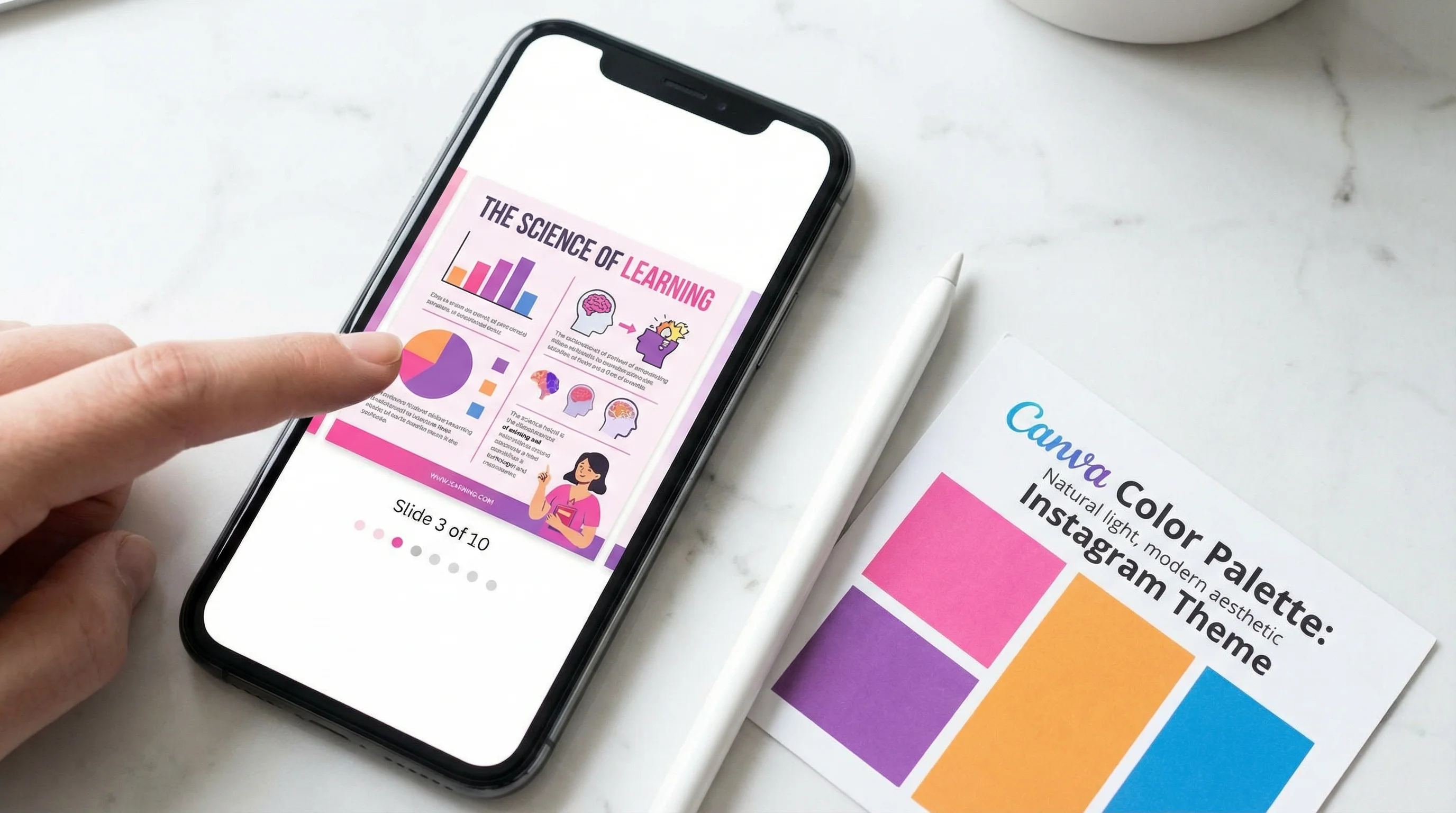
Instagram carousel posts get more engagement than any other feed format. According to Social Insider's 2025 study, carousels average 1.92% engagement rate compared to 1.74% for Reels and 1.22% for single images. The swipe mechanic creates interaction, and Instagram counts each swipe as engagement — which boosts distribution.
This guide covers dimensions, slide limits, design best practices, content ideas, and when to use carousels vs. Reels for maximum reach.
Instagram Carousel Dimensions (2026)
| Specification | Details |
|---|---|
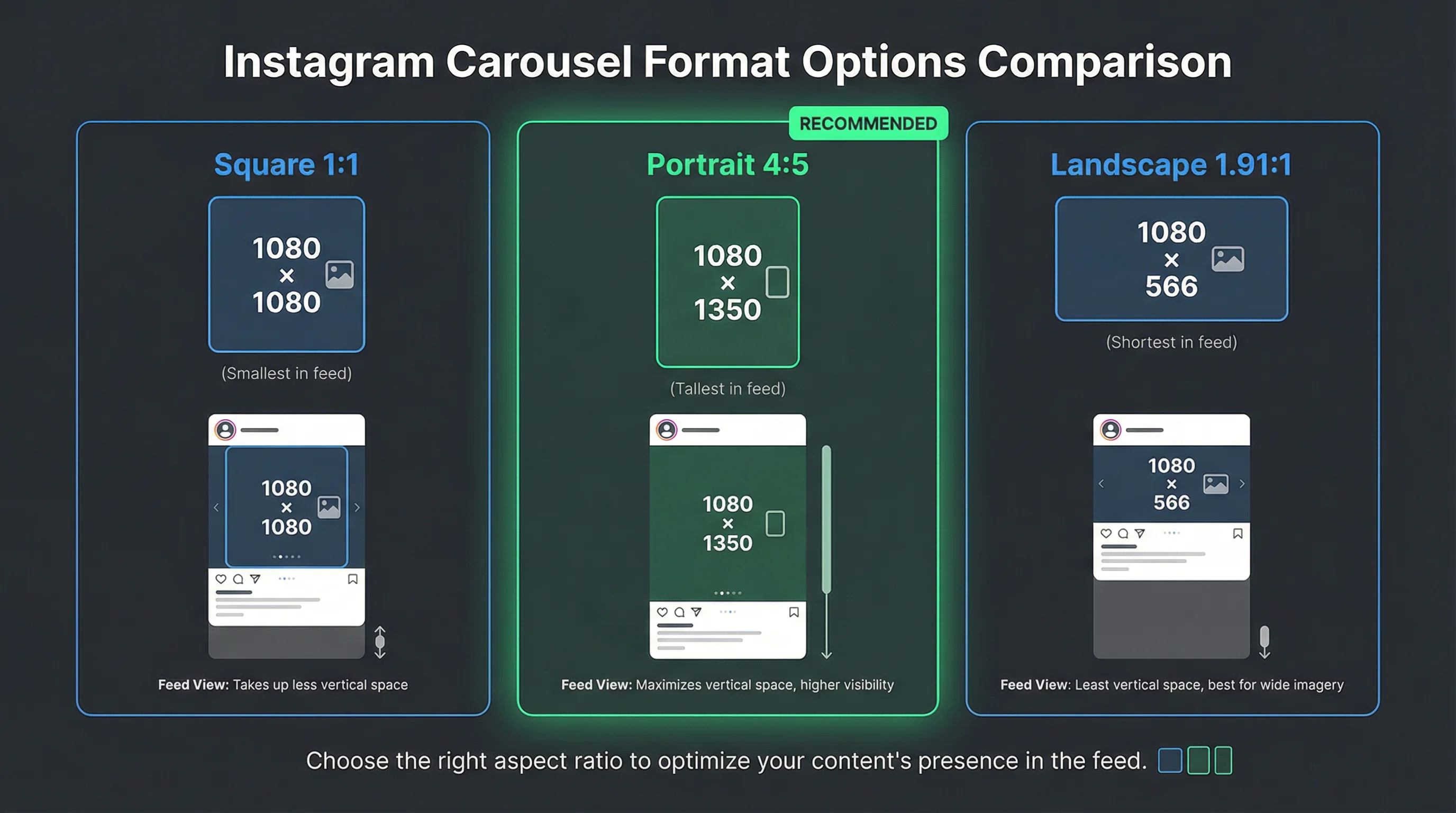
| Square format | 1080 × 1080 px (1:1) |
| Portrait format | 1080 × 1350 px (4:5) — recommended |
| Landscape format | 1080 × 566 px (1.91:1) |
| Maximum slides | 20 per carousel |
| File formats | JPG, PNG (images) / MP4, MOV (videos) |
| Max image file size | 30 MB per image |
| Max video file size | 4 GB per video |
| Max video length per slide | 60 seconds |
| Mixed media | Yes — combine images and videos in one carousel |
Use 1080 × 1350 (4:5 portrait) for maximum feed real estate. Portrait carousels take up more vertical space in the scroll, making them harder to skip past. Square (1:1) works too but occupies less screen area. Avoid landscape — it wastes precious feed height.
Important: First Slide Sets the Aspect Ratio
The aspect ratio of your first slide determines the ratio for every other slide in that carousel. If slide 1 is 1:1, all subsequent slides will be displayed at 1:1 even if they were designed at 4:5. Always set your first slide to 4:5 portrait if that's your desired format.
Types of Carousel Posts That Perform
Not all carousels are equal. These formats consistently drive the highest engagement:
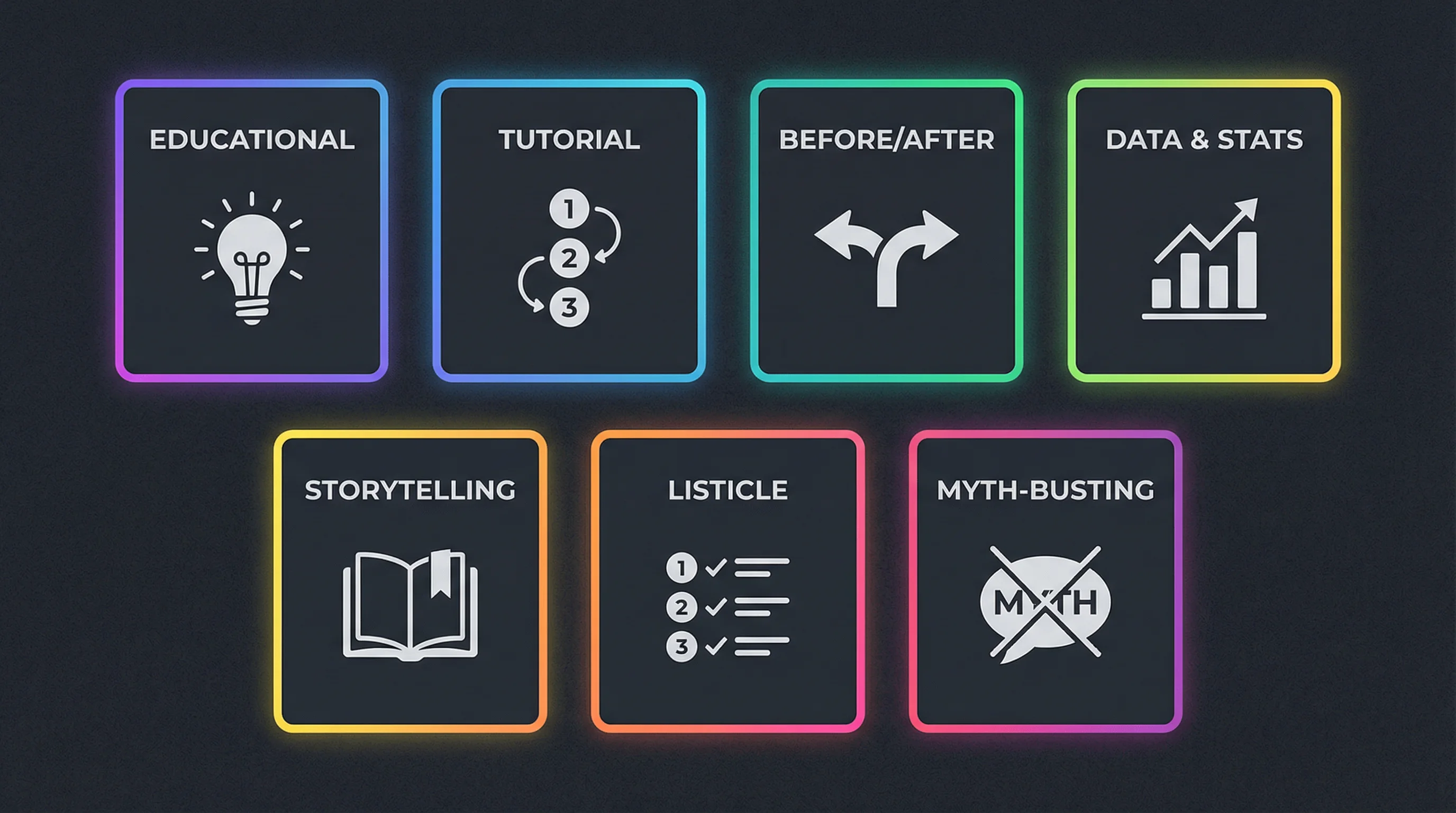
1. Educational Slides (Teach Something)
Break a topic into bite-sized lessons — one key point per slide. The classic format: bold headline on slide 1 (the hook), 5-8 content slides with one tip each, and a CTA on the final slide.
Examples: "5 mistakes killing your Reels reach," "How the Instagram algorithm actually works," "Lighting setup for $20 or less"
Educational carousels get saved at high rates — saves are weighted heavily by Instagram's algorithm, boosting distribution beyond your existing followers.
2. Step-by-Step Tutorials
Walk through a process one step per slide. Recipe steps, makeup tutorials, design workflows, editing processes. Each slide is a visual instruction with minimal text. Viewers swipe through the full process.
3. Before / After
Slide 1: the "before." Slide 2: the "after." Simple, visual, high curiosity. Works for fitness, home renovation, design, editing, and any transformation content. The swipe to reveal the result is deeply satisfying.
4. Data and Statistics
Present research, survey results, or industry data as a visual slide deck. Each slide features one stat with context. Data carousels get shared and saved because they're reference material — people bookmark them to cite later.
5. Storytelling (Photo Dumps / Narratives)
Tell a story across slides — a trip, a project, an event, a day-in-the-life. The narrative arc keeps viewers swiping. Each slide reveals the next chapter. This format feels personal and authentic.
Create Faceless Videos on Autopilot
FlowShorts generates and posts AI videos to YouTube, TikTok & Instagram while you sleep.
Try FlowShorts Free →6. Listicles (Top 5, Best 10, etc.)
Numbered lists across slides — one item per slide. "Top 7 free editing apps," "Best 5 caption formulas," "10 Reels ideas for this week." The numbered format creates expectation (viewers want to see all 10) which drives completion.
7. Myth-Busting
"Myth" on one slide, "Truth" on the next. Alternate between debunking common misconceptions. High engagement because people tag friends who believe the myths, and comments fill with debate.
Carousel Design Best Practices
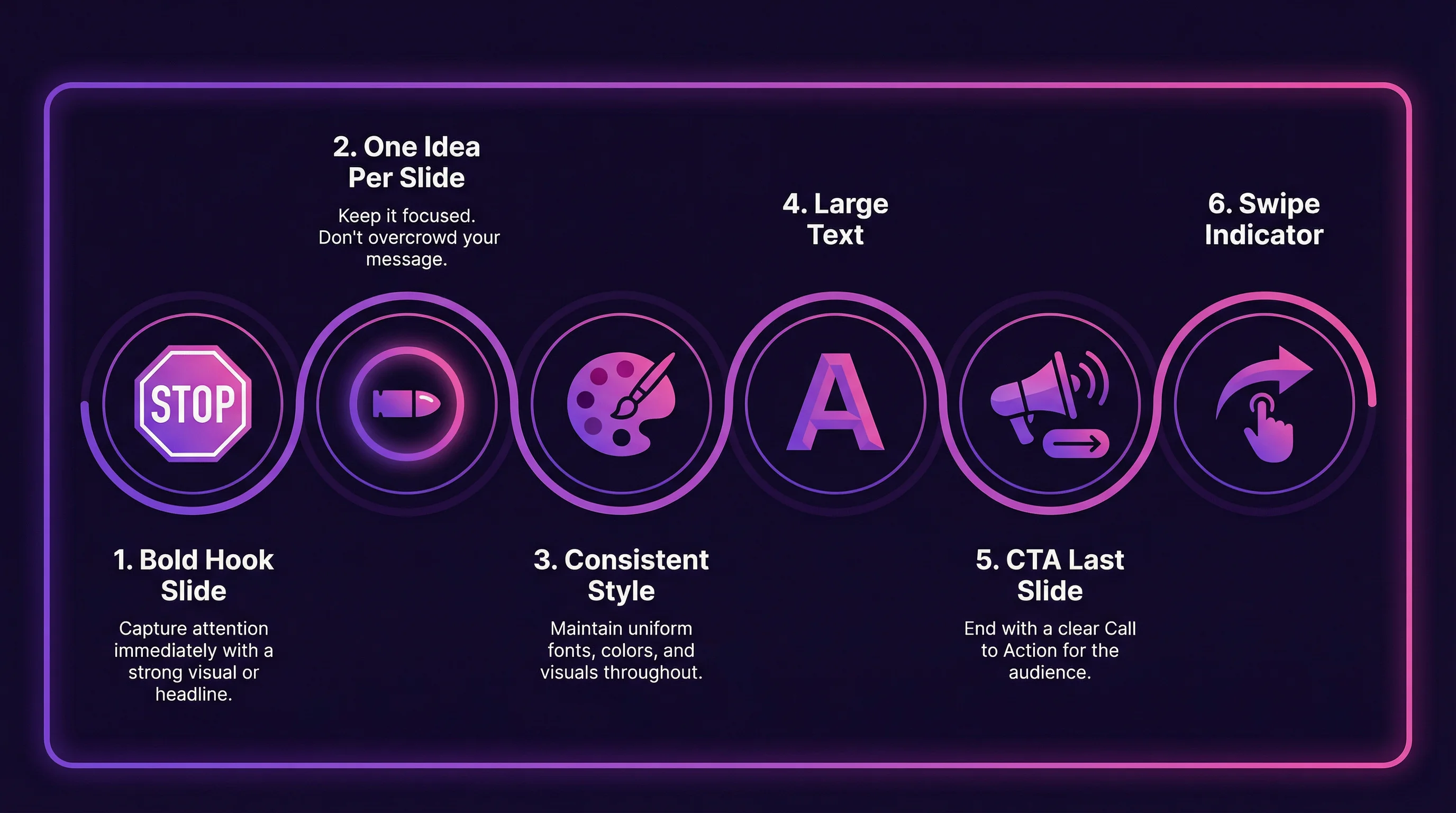
1. First Slide Is Your Thumbnail — Make It Stop the Scroll
The first slide is the only one visible in the feed before someone swipes. It needs to work as a standalone hook — bold text, a compelling visual, or a question that creates curiosity. If slide 1 doesn't stop the scroll, slides 2-20 don't exist.
2. One Idea Per Slide
Don't cram multiple points onto one slide. Each slide should communicate a single concept with minimal text (under 30 words). Viewers swipe fast — if they can't absorb a slide in 2-3 seconds, the content is too dense.
3. Consistent Visual Style
Use the same fonts, colors, layout structure, and background treatment across all slides. A carousel should feel like a cohesive deck, not a random collection. Templates help — create one master slide layout and duplicate it.
4. Use Contrast and Large Text
Text on carousels needs to be readable on a phone screen without zooming. Minimum font size: roughly 40px on a 1080-wide canvas. High contrast (white text on dark background, or vice versa) ensures readability in any lighting condition.
5. End With a CTA Slide
The final slide should tell the viewer what to do next: "Save this for later," "Share with someone who needs this," "Follow for more [niche] tips," or "Comment your answer below." Without a CTA, viewers swipe past and move on.
6. Add a "Swipe" Indicator on Slide 1
Not everyone knows a post is a carousel (especially new Instagram users). A small arrow or "Swipe →" text on the first slide increases swipe-through rate. Instagram shows carousel dots at the bottom, but an explicit visual nudge helps.
How Many Slides Should a Carousel Have?
| Slide Count | Best For | Engagement |
|---|---|---|
| 2-3 slides | Before/after, quick comparisons | Moderate — quick consumption |
| 5-7 slides | Tips, listicles, short tutorials | High — the sweet spot for most content |
| 8-10 slides | In-depth tutorials, comprehensive guides | Highest — more swipes = more engagement signals |
| 11-20 slides | Photo dumps, detailed step-by-steps | High if content is strong; risk of drop-off if padded |
The sweet spot is 7-10 slides. Enough depth to provide real value, enough swipes to generate strong engagement signals, but not so many that viewers lose interest mid-carousel.
Create Faceless Videos on Autopilot
FlowShorts generates and posts AI videos to YouTube, TikTok & Instagram while you sleep.
Try FlowShorts Free →Carousels vs. Reels: When to Use Which
| Factor | Carousels | Reels |
|---|---|---|
| Best for | Educational content, reference material, step-by-steps | Entertainment, hooks, trending content, product demos |
| Engagement type | Saves (high), shares, swipes | Likes, comments, replays, follows |
| Discovery | Feed + Explore (moderate reach to non-followers) | Reels tab + Explore (high reach to non-followers) |
| Profile appearance | Clean grid — first slide as thumbnail | Separate Reels tab + grid thumbnail |
| Production effort | Low — design in Canva/Figma, no filming needed | Medium to high — filming or AI generation needed |
| Save rate | Highest of any format | Moderate |
| Follower growth | Moderate | Highest — Reels reach the most non-followers |
The ideal strategy uses both. Carousels for educational content that gets saved and shared (building authority). Reels for discovery and follower growth (building audience). A content mix of 40% Reels, 30% carousels, 20% Stories, 10% feed posts tends to perform well across accounts.
For automated Reels creation, FlowShorts generates AI-powered Reels and auto-posts them to Instagram. Combine that with manually created carousels for a high-frequency, mixed-format content strategy.
Best Free Tools for Creating Carousels
| Tool | Best For | Key Feature | Price |
|---|---|---|---|
| Canva | Beginners, templates | Hundreds of carousel templates, drag-and-drop | Free (Pro $13/mo) |
| Figma | Designers, custom layouts | Full design control, component reuse | Free tier |
| Adobe Express | Brand consistency | Brand kit, AI design suggestions | Free (Premium $10/mo) |
| Piktochart | Data-heavy carousels | Built-in charts and infographic elements | Free tier |
| Carousel Maker (app) | Mobile-first creation | Create carousels directly on your phone | Free |
Carousel Content Ideas by Niche
- Business / Marketing: "5 email subject lines that get 40%+ open rates," campaign case studies, tool comparison checklists
- Fitness: Workout routines (one exercise per slide), meal prep steps, form correction guides
- Food: Recipe slides, ingredient substitution guides, "what I eat in a day"
- Education: Study tips, concept breakdowns, vocabulary cards, historical timelines
- Tech: App reviews, setup tutorials, productivity tool walkthroughs
- Travel: Photo dumps with captions, packing checklists, city guides
- Personal growth: Journal prompts, habit trackers, book summaries, mindset shifts
For Reels content ideas, use our video ideas generator or explore Instagram Reels ideas by niche. For caption writing, try our Instagram caption generator.
Frequently Asked Questions
What size should an Instagram carousel be?
1080 × 1350 pixels (4:5 portrait) is the recommended size — it takes up the most feed space. Square (1080×1080) also works but occupies less screen area. The first slide's aspect ratio determines the ratio for all slides in the carousel.
How many slides can an Instagram carousel have?
Up to 20 slides per carousel. The sweet spot for engagement is 7-10 slides — enough depth to provide value without losing viewers. Instagram counts each swipe as an engagement signal.
Can I mix photos and videos in one carousel?
Yes. Instagram carousels support both images and videos in the same post. Videos can be up to 60 seconds per slide. This is great for hybrid content — a static title slide followed by a video demo, for example.
Are carousels better than Reels for engagement?
Carousels average higher engagement rate (1.92% vs 1.74% for Reels) and significantly higher save rates. However, Reels have better discovery reach to non-followers through the Reels tab. Use carousels for engagement and saves; use Reels for reach and follower growth.
Does the first slide matter most?
Yes. The first slide is the only one visible in the feed before someone decides to swipe. It functions as your thumbnail and hook. If the first slide doesn't stop the scroll, the remaining slides get zero views.
Related Guides
- Instagram Reels Size & Dimensions Guide
- Instagram Reels Length Limit Guide
- Best Time to Post Reels
- How to Reset Your Instagram Algorithm
- Content Repurposing Strategies
Pair Carousels With Automated Reels
The best Instagram strategy combines carousels (for saves and authority) with daily Reels (for discovery). FlowShorts generates AI-powered Reels and auto-posts them — freeing your time to design carousels and engage with your audience.