How to Start a Faceless YouTube Channel with AI in 2026
Learn how to start a faceless YouTube channel using AI tools in 2026. Step-by-step guide covering niche selection, content creation, and monetization.
FlowShorts Team
A faceless YouTube channel is one where the creator never appears on camera. Content is built with voiceovers, stock footage, screen recordings, animations, or AI-generated visuals. Channels like BRIGHT SIDE (44.7M subscribers), Lofi Girl (15.3M subscribers), and The Infographics Show (15.3M subscribers) have proven the format works at scale.
This guide walks through every step: picking a niche, setting up the channel, creating your first video with AI tools, optimizing for the algorithm, and a realistic budget and timeline.
Step 1: Choose a Profitable Niche
Your niche determines your content, audience, and revenue. Not all niches pay the same — YouTube ad revenue (CPM) varies significantly:
| Niche | CPM Range | Why It Pays |
|---|---|---|
| Personal Finance | $15-30 | Advertisers pay premium for finance audiences |
| Business & Marketing | $12-25 | Enterprise and SaaS companies bid aggressively |
| Tech & Software | $10-20 | High-value B2B advertisers |
| Education | $8-15 | Course creators and ed-tech companies advertise |
| Gaming | $2-5 | High volume but lower advertiser value |
| Entertainment | $2-6 | Brand awareness ads, lower CPMs |
Validate Demand
Search your niche on YouTube. Look for channels with 10K-500K subscribers. This range means there's proven demand without mega-channel dominance you can't compete with.
Pick a Sustainable Format
You'll need 50-100+ videos before seeing meaningful results. Choose a format that matches your skills and budget:
- Screen recordings + narration: Easiest entry point (just record your screen and talk)
- Stock footage + voiceover: Moderate effort (source footage, write scripts)
- Custom animations: Highest effort (requires design skills or tools like After Effects)
- AI-generated videos: Fastest for short-form (automated end-to-end)
For niche inspiration, see our list of 50 faceless YouTube channel ideas.
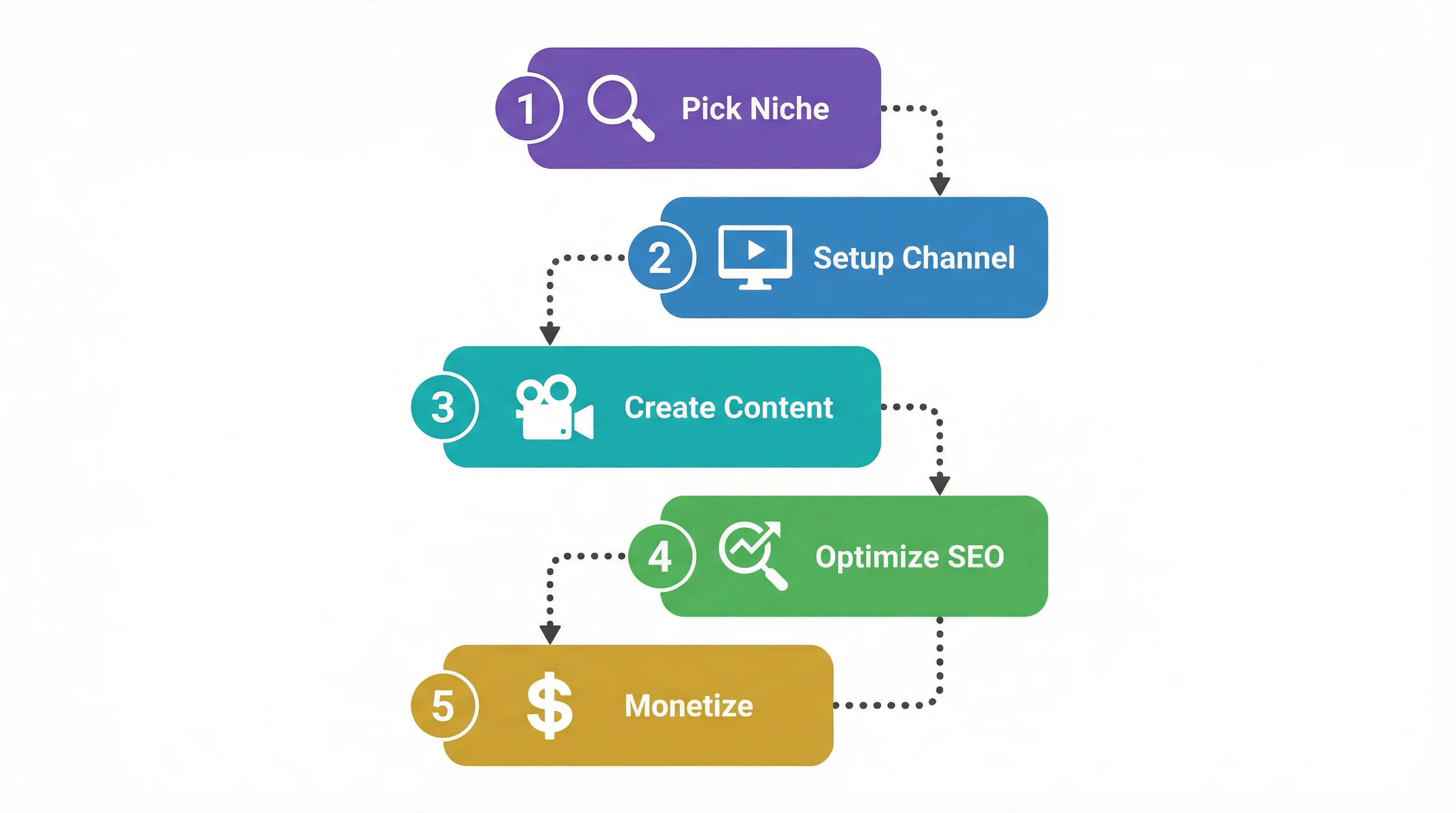
Step 2: Set Up Your Channel
Channel setup takes about 15 minutes:
1. Create a Google account (or use an existing one).
2. Create your channel
- YouTube → profile icon → "Create a channel"
- Pick a name that reflects your niche. Clear beats clever — "Finance Simplified" tells viewers what to expect. "MoneyVortex3000" doesn't.
3. Set up branding
- Profile picture: Simple logo, recognizable at small sizes. Canva or any AI image generator works.
- Banner: 2560 x 1440px. Include your channel name, posting schedule, and a one-line description of what viewers get.
- Channel description: 2-3 sentences about what viewers will learn. Include your target keyword naturally.
4. Create a channel trailer
- 60-second video explaining what your channel covers and why viewers should subscribe.
- This is the first thing non-subscribers see on your channel page.
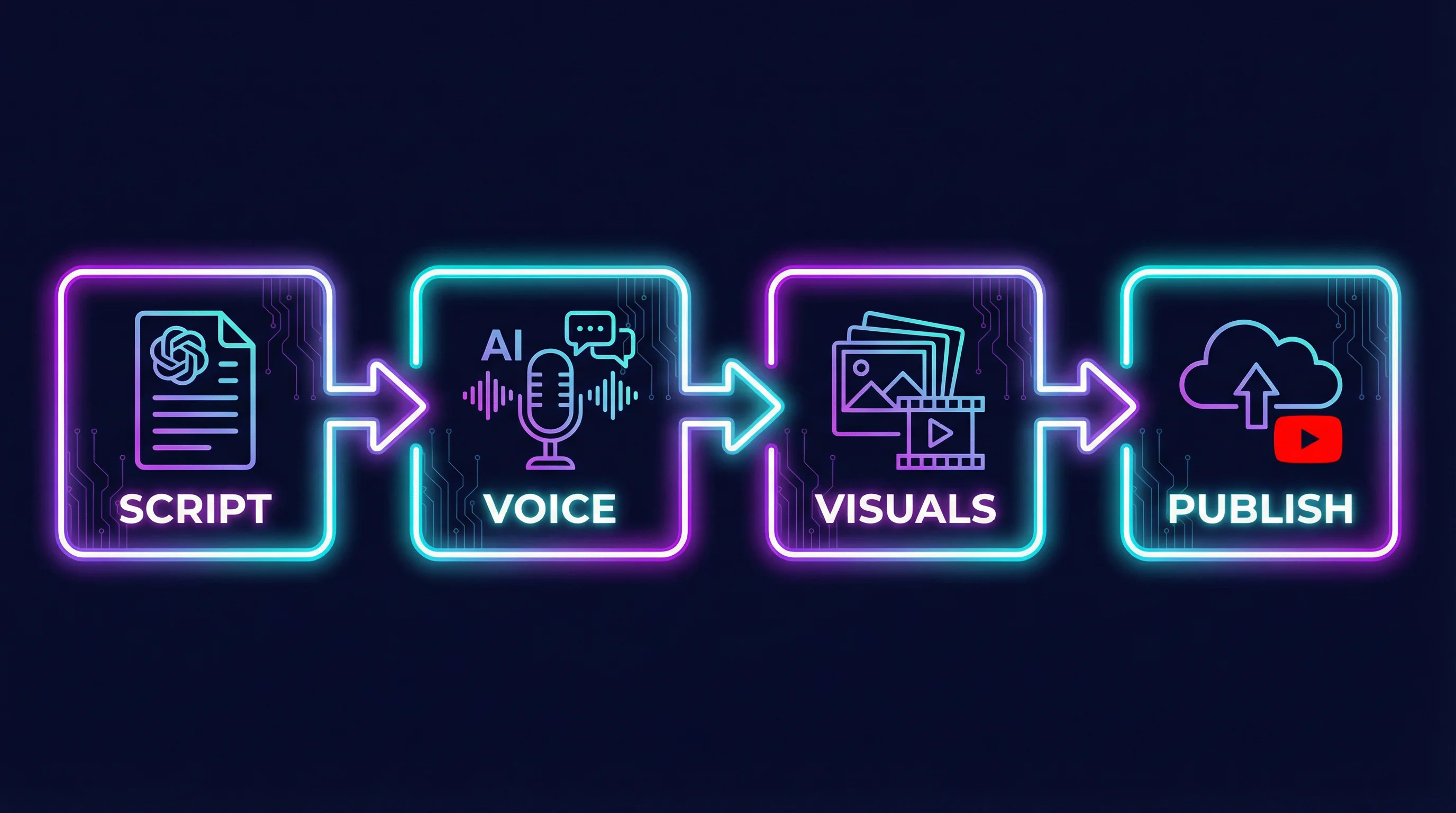
Step 3: Create Your First Video with AI
Write the Script
Use an LLM (ChatGPT, Claude, Gemini) to generate a first draft. A good prompt:
"Write a 1,500-word YouTube script about [topic]. Include a hook in the first 10 seconds, use a conversational tone, add section headers, and end with a call to subscribe."
Review and edit the output. AI generates a solid starting point — your knowledge of the topic and your audience gets it to a finished script. For more on script structure, see our guide on writing a script for a YouTube video.
Generate the Voiceover
| Tool | Best For | Price |
|---|---|---|
| ElevenLabs | Most natural-sounding voices | Free tier + paid plans |
| Murf AI | Business/professional tone | From $23/month |
| Play.ht | Large voice library | Free tier + paid plans |
Pick a voice that matches your niche (authoritative for finance, casual for entertainment). Stay consistent — use the same voice across all your videos to build channel identity.
Automate Your Entire Video Workflow
FlowShorts generates scripts, creates videos, and posts to YouTube, TikTok & Instagram on autopilot.
Start Automating Free →Add Visuals
- Stock footage: Pexels, Pixabay (free) or Storyblocks, Artgrid (paid)
- Screen recordings: OBS Studio (free) for tech tutorials
- AI image generation: Midjourney, DALL-E for custom visuals
Edit and Publish
Combine voiceover and visuals in a video editor:
- Free: CapCut, DaVinci Resolve
- Paid: Adobe Premiere Pro, Final Cut Pro
Add captions (essential — many viewers watch with sound off), background music, and transitions. Export at 1080p minimum. For short-form faceless content, AI platforms like FlowShorts can automate the full pipeline from script to published video.
AI Disclosure Requirements (2024+)
YouTube now requires creators to disclose when content contains AI-generated or synthetic material that could be mistaken for real people, places, or events. When uploading, check the disclosure box in YouTube Studio under "AI-generated content" if your video uses:
- AI-generated voiceovers (ElevenLabs, Play.ht, etc.)
- AI-generated images or video clips
- Digitally altered footage that looks realistic
This doesn't apply to clearly stylized or animated content. Most faceless channels using stock footage with AI voiceover fall in a gray area — when in doubt, disclose. YouTube penalizes non-disclosure more than disclosure.
Step 4: Optimize for the Algorithm
Thumbnails
Thumbnails determine your click-through rate. For faceless channels (no face to feature):
- Bold text, 3-5 words max
- High-contrast colors
- Clean, uncluttered design
- Design in Canva or Photoshop
- Use YouTube's built-in A/B thumbnail test to find what works
Titles
- Include your target keyword near the beginning
- Add a curiosity element or specific number
- Keep under 60 characters
- "5 AI Tools That Write YouTube Scripts for Free" beats "AI Tools for YouTube"
Descriptions and Tags
- First 2 lines show before "Show more" — write a compelling summary
- Include your main keyword in the first sentence
- Add timestamps for longer videos (they create clickable chapters)
- Use 5-10 relevant tags
Posting Schedule
- Shorts: Daily or 5x/week for subscriber growth
- Long-form: 1x/week minimum for new channels, 2-3x/week for established ones
Consistency matters more than volume. Pick a schedule you can maintain for months.
Your First 90 Days: A Realistic Roadmap
The most common mistake new faceless creators make is expecting results in the first two weeks. Here's what a realistic 90-day launch looks like, based on patterns from channels that reached monetization within their first year:
Days 1-14: Foundation
- Set up your channel (branding, description, trailer)
- Test your production workflow end-to-end with 3-5 videos
- Find your voice: experiment with AI voiceover styles, pacing, and script tone
- Don't optimize yet — focus on finishing and publishing videos
Days 15-45: Build the Habit
- Publish 2-3 videos per week on a consistent schedule
- Review YouTube Analytics: watch time retention graphs tell you where viewers drop off
- A/B test thumbnails using YouTube's built-in thumbnail test feature
- By day 45, you should have 15-20 published videos
Days 46-90: Double Down
Automate Your Entire Video Workflow
FlowShorts generates scripts, creates videos, and posts to YouTube, TikTok & Instagram on autopilot.
Start Automating Free →- Identify your top 3-5 performing videos by click-through rate and watch time
- Create more content like your winners (same topics, formats, or angles)
- The algorithm starts distributing your content more broadly around the 50-video mark
- Some channels see their first viral video in this window — 10K-50K views on a single video
Forbes documented the case of Scott Smith, who runs 22 faceless channels generating over $200,000 per month combined. His approach: launch with a focused niche, publish daily for 90 days, then scale what works. Most successful faceless creators follow a similar pattern of early volume and iteration.
Budget and Timeline
Startup Costs
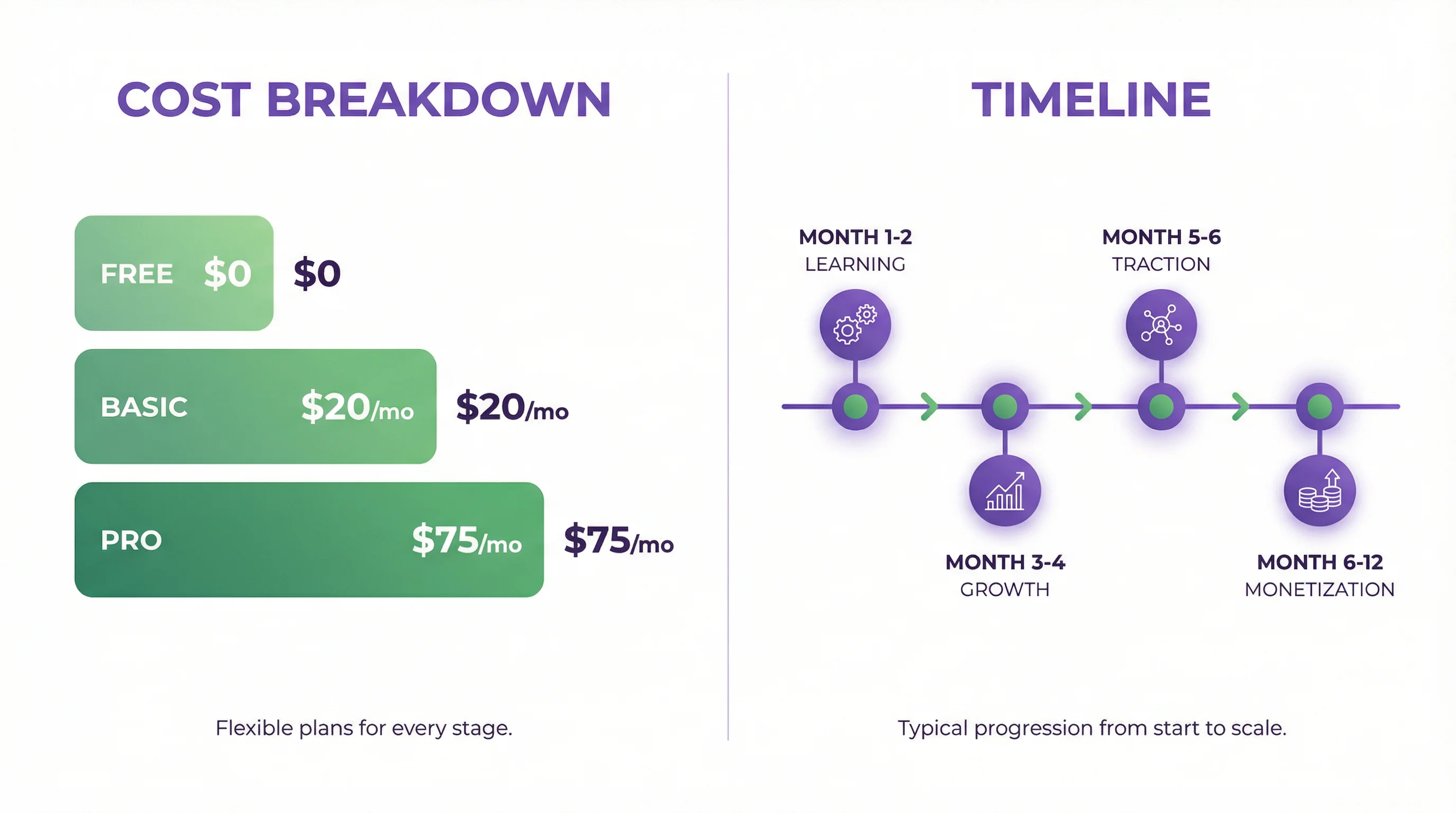
| Item | Free Option | Paid Option |
|---|---|---|
| Video editing | CapCut, DaVinci Resolve | Premiere Pro ($22/mo) |
| AI voiceover | ElevenLabs free tier | ElevenLabs paid ($5+/mo) |
| Stock footage | Pexels, Pixabay | Storyblocks ($15/mo) |
| Thumbnails | Canva free | Canva Pro ($13/mo) |
| AI video generation | — | FlowShorts (from $19/mo) |
| Total | $0 | $50-75/mo |
You can start with $0. As revenue comes in, reinvest into paid tools that speed up production.
Realistic Timeline
- Month 1-2: Learning the workflow, publishing your first 10-20 videos. Expect minimal views.
- Month 3-4: Algorithm starts distributing your content if quality and consistency are there. 100-1,000 views per video.
- Month 5-6: Compounding growth if you've found a good niche. Some videos outperform others — double down on what works.
- Month 6-12: YouTube Partner Program eligibility (500 subscribers + 3,000 watch hours). First ad revenue.
The key variable is consistency. Channels that post regularly and improve with each video grow. Channels that post sporadically don't.
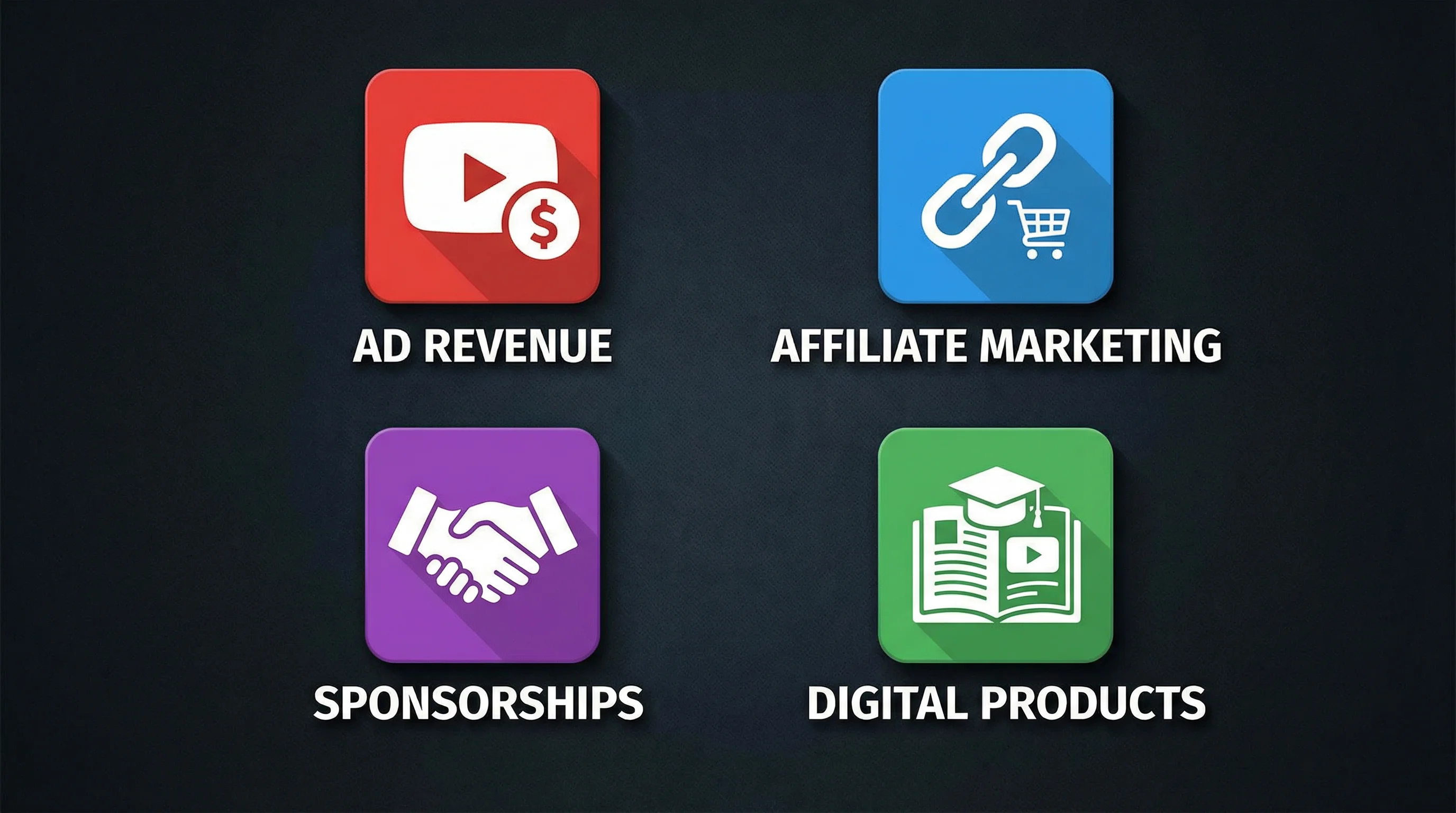
Monetization Options
YouTube Ad Revenue (AdSense)
Join the YouTube Partner Program after hitting 500 subscribers + 3,000 watch hours (or 500 subscribers + 3M Shorts views). Revenue depends on niche CPM — see the table above.
Affiliate Marketing
Recommend products and tools in your descriptions with affiliate links. Works well for tech, software, and tutorial channels where you're naturally mentioning specific products.
Sponsorships
Brands typically start reaching out at 10K-50K subscribers. Faceless channels can charge $500-$5,000 per sponsorship depending on niche and audience size.
Digital Products
Sell courses, templates, or ebooks related to your niche. A finance channel could sell a budgeting spreadsheet. A tech channel could sell a setup guide. The audience you've built through free content becomes the customer base.
Common Questions
Can I Start a Faceless Channel for Free?
Yes. Free tools cover every step: CapCut or DaVinci Resolve for editing, ElevenLabs free tier for voiceover, Pexels for stock footage, Canva for thumbnails. The only investment is your time. Upgrade to paid tools as revenue allows.
How Long Until I Make Money?
Most channels start earning ad revenue between 6-12 months after launch, assuming consistent posting (2-3 videos per week). Finance and tech niches tend to reach monetization faster due to higher engagement and CPMs.
Do Faceless Channels Actually Make Money?
Yes. BRIGHT SIDE and The Infographics Show are entirely faceless and generate millions in revenue. Smaller faceless channels with 50K-100K subscribers can earn $2,000-$10,000 per month depending on niche CPM. The format works because viewers subscribe for the content, not the creator's face.
What's the Easiest Type of Faceless Channel to Start?
Reddit story narration and "Top 10" listicle channels have the lowest barrier to entry. Content ideas are endless, the editing is straightforward, and the format is proven. For short-form, AI tools can generate and publish videos with minimal manual work.
How Many Views Do I Need to Make $10,000 per Month?
It depends entirely on your niche CPM. A finance channel with $20 CPM needs 500,000 monthly views to hit $10,000 in ad revenue ($20 per 1,000 views × 500K). An entertainment channel at $3 CPM would need over 3.3 million views for the same income. This is why niche selection matters so much — the same effort produces wildly different revenue depending on CPM. Most channels supplement ad revenue with affiliate marketing and sponsorships, which can double or triple total income.
What Is the 7-Second Rule on YouTube?
The 7-second rule says you have roughly 7 seconds to convince a viewer to keep watching. YouTube's algorithm heavily weights early retention — if viewers click away in the first few seconds, the video gets less distribution. For faceless channels, this means your opening needs an immediate hook: a surprising fact, a bold claim, a question, or a visual that creates curiosity. Avoid generic intros like "Hey guys, welcome back to my channel." Start with the content.
Related Guides
- 15 Best Faceless YouTube Channels Making Money
- 50 Faceless YouTube Channel Ideas
- Best AI Video Generators
- How to Make AI YouTube Shorts
- How to Monetize YouTube Shorts
Related: Choosing the Perfect Channel Name
Explore niches: Browse Faceless YouTube Channel Ideas by Niche — 30+ niches with CPM data and video topics.
Free tools: Faceless Niche Finder · YouTube Name Generator


