How to Automate Your YouTube Channel: A Step-by-Step Guide (2026)
A complete guide to YouTube channel automation in 2026. Learn how to automate video creation, uploading, and posting using AI tools — with step-by-step workflows for YouTube Shorts, niche selection, and scaling your channel without burning out.
FlowShorts Team

YouTube channel automation uses AI and software to handle the repetitive parts of running a channel: scriptwriting, voiceover, video editing, uploading, and posting. The goal isn't to remove creators from the process, but to reduce the hours spent on production tasks so you can publish consistently.
This guide covers what can be automated today, how to build an AI video workflow, and how to avoid the mistakes that get automated channels flagged.
What You Can and Can't Automate
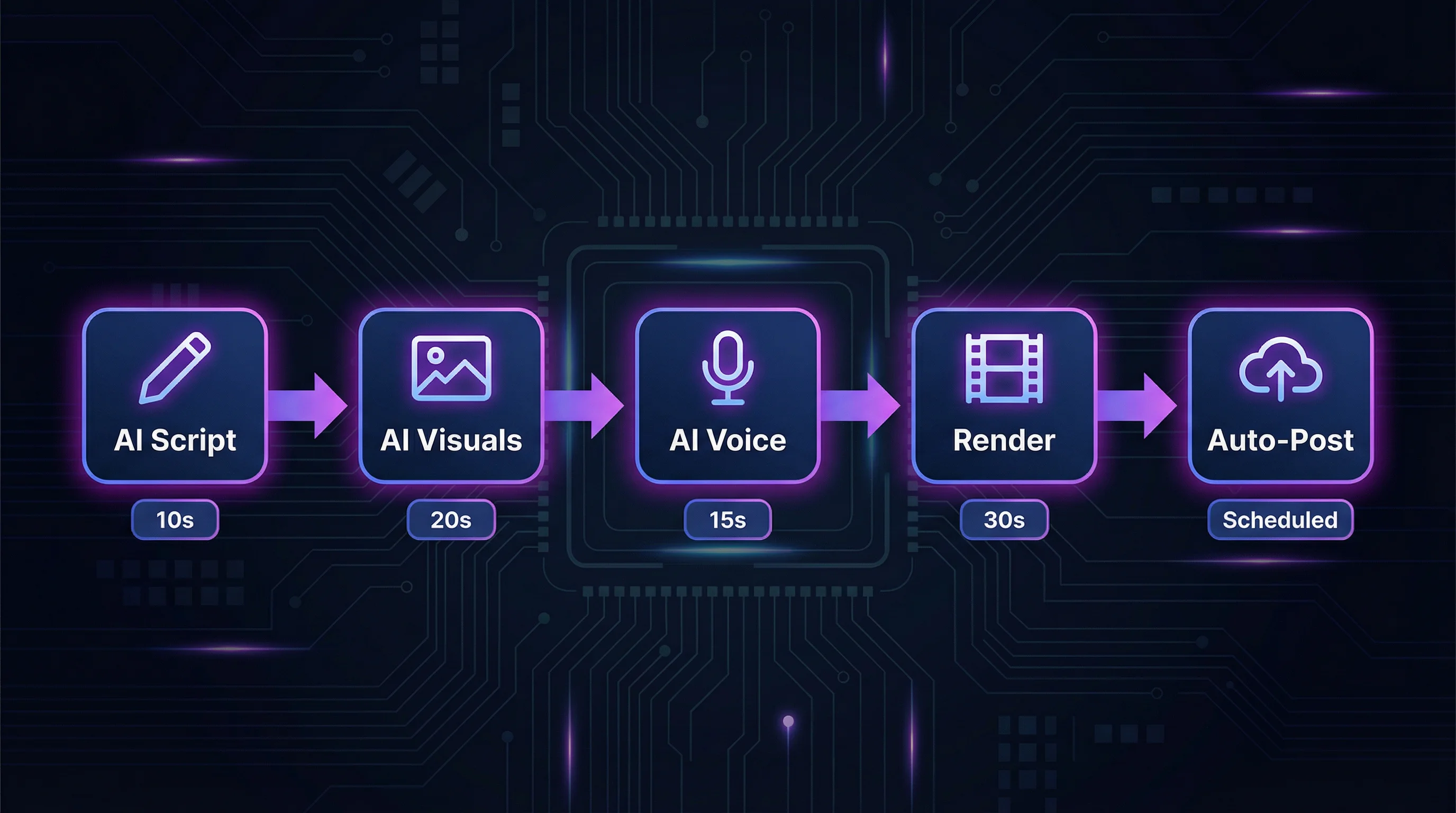
There are two types of YouTube automation, and most guides mix them up:
- Workflow automation handles tasks around the video: scheduling uploads, cross-posting to multiple platforms, managing metadata. Tools like Buffer, Hootsuite, and YouTube Studio's built-in scheduler cover this.
- Content automation handles the video itself: generating scripts, producing voiceovers, creating visuals, and rendering the final output. This is where AI tools like FlowShorts, InVideo AI, and Fliki operate.
If your bottleneck is making the video, workflow automation alone won't help. Here's a realistic breakdown of what AI handles well today:
| Task | Automatable? | Tools |
|---|---|---|
| Scriptwriting | Yes | ChatGPT, Gemini, Claude, built-in generators |
| Voiceover | Yes | ElevenLabs, OpenAI TTS, Play.ht |
| Video editing and rendering | Yes | AI video generators, CapCut |
| Captions | Yes | Whisper, CapCut auto-captions |
| Background music | Yes | Epidemic Sound, royalty-free libraries |
| Uploading and posting | Yes | YouTube Studio scheduler, auto-posting tools |
| Thumbnail creation | Partially | Canva AI, Midjourney (still needs review) |
| Analytics review | Partially | YouTube Studio, vidIQ, TubeBuddy |
| Channel strategy | No | Human decision-making |
| Quality review | No | Watch before publishing |
| Community engagement | No | Reply to comments personally |
Production tasks are highly automatable. Strategic and community tasks are not. The best automated channels use AI for the heavy lifting while keeping a human in the loop for quality control. For more on this distinction, see our guide on what content automation means.
Step 1: Choose a Niche Suited to Automation
Automation works best when your content follows a repeatable structure. The best niches for automated channels share three traits:
- Templatable format. Each video follows a similar structure: hook, narrative, conclusion. Motivation, history, science facts, and finance tips all fit this pattern.
- Evergreen topics. Content that stays relevant for months gets compounding views. "The science of black holes" keeps getting recommended; yesterday's news doesn't.
- No face required. Faceless channels using AI-generated visuals or stock footage remove the biggest production bottleneck.
Popular automation-friendly niches include motivation, personal finance, philosophy, tech explainers, history, psychology, and science facts. For a full breakdown with CPM data, see our top faceless YouTube niches guide.
For format, Shorts have a clear advantage for automation: they're under 3 minutes, production is faster, and YouTube's algorithm tests each one independently with new audiences. Most automated channels start with Shorts.
Step 2: Build Your AI Video Workflow
You need a repeatable pipeline that turns a topic into a finished video. Here's each stage.
Script Generation
The script determines whether a viewer watches or scrolls past. Two approaches:
- Manual prompting: Use ChatGPT, Gemini, or Claude with a detailed prompt. More control, but requires writing and reviewing each script.
- Built-in generation: All-in-one tools generate scripts based on your niche, with hooks designed for short-form retention.
Focus on the hook. The first 2-3 seconds decide whether anyone watches the rest. For hook formulas, see our YouTube script writing guide.
Automate Your Entire Video Workflow
FlowShorts generates scripts, creates videos, and posts to YouTube, TikTok & Instagram on autopilot.
Start Automating Free →Voiceover
AI voiceover quality in 2026 is difficult to distinguish from human narration in short-form content. The leading options:
- ElevenLabs — Voice cloning, 30+ languages, fine-grained pacing control. Industry standard.
- OpenAI TTS — Clean, reliable voices at lower cost.
- Play.ht and Murf — Good mid-tier options with large voice libraries.
Pick one voice and stick with it. Voice consistency matters for channel identity. Switching voices between videos makes a channel feel generic.
Visuals and Editing
For faceless short-form videos, visuals come from AI image generators (Flux, Midjourney, DALL-E 3), stock footage (Pexels, Storyblocks), or image-to-video AI that converts static images into animated clips. For a full comparison, see our best AI video generators roundup.
Captions
Captions are non-negotiable for short-form video. A large share of viewers watch with sound off, especially on mobile. Auto-captioning tools like Whisper generate word-level subtitles that can be burned into the video.
Step 3: Set Up Automated Posting
Creating the video is half the work. Getting it published consistently is where most creators fall off. Three levels of upload automation:
| Level | What It Does | Tools |
|---|---|---|
| Manual scheduling | Upload in batches, schedule publication dates | YouTube Studio (free) |
| Cross-platform scheduling | Schedule across YouTube, TikTok, Instagram from one dashboard | Buffer, Hootsuite, Later |
| End-to-end auto-posting | The tool creates the video and posts it automatically | FlowShorts, AutoShorts.ai |
For more on cross-platform tools, see our guide on content marketing automation tools.
Step 4: Monitor and Scale
Automation doesn't mean "set and forget." Track these metrics to know what's working:
- Average view duration. The most important metric. Aim for 70%+ retention on Shorts under 30 seconds.
- Views per Short. Track as a rolling average to establish a baseline, then test to push it higher.
- Subscriber conversion rate. A healthy Shorts channel converts 1-3% of viewers into subscribers.
To optimize: A/B test hook formats on similar topics, review your worst-performing Shorts for patterns, and double down when a video gets 5-10x your average. When a formula works consistently, scale by adding platforms (cross-post to TikTok and Instagram Reels) or launching a second channel.
YouTube's monetization threshold for Shorts is 1,000 subscribers and 10 million Shorts views in 90 days. For the full breakdown, see our how to monetize YouTube Shorts guide.
YouTube Automation Tools Compared (2026)
| Tool | Best For | Auto-Posting | Starting Price |
|---|---|---|---|
| InVideo AI | Long-form AI video creation | No | $25/mo |
| AutoShorts.ai | Quick faceless Shorts with auto-posting | Yes (YouTube) | $20/mo |
| FlowShorts | Faceless Shorts with multi-platform posting | Yes (YouTube, TikTok, Instagram) | $19/mo |
| Opus Clip | Repurposing long videos into short clips | No | $19/mo |
| Fliki | Text-to-video with AI voices | No | $28/mo |
Mistakes That Get Automated Channels Flagged
Automate Your Entire Video Workflow
FlowShorts generates scripts, creates videos, and posts to YouTube, TikTok & Instagram on autopilot.
Start Automating Free →Mass-producing without reviewing. AI makes mistakes: factual errors, awkward phrasing, nonsensical sentences. Spending 60 seconds reviewing each video catches these issues and protects your channel.
Ignoring YouTube's "inauthentic content" policy. In 2025, YouTube updated its policy to target channels that publish auto-generated content with no human oversight, use misleading metadata, or produce nearly identical videos. Automated channels that review output are fine. Channels that blindly publish are at risk of termination. See YouTube's spam policies for the full guidelines.
Posting too many videos per day. 1-2 Shorts per day is sustainable. Going above 3-5 per day risks triggering spam detection. For more on frequency, see our Shorts posting frequency guide.
No voice consistency. Switching AI voices between videos makes your channel feel generic. Pick one voice and use it consistently to build recognizable brand identity.
Weak metadata. A Short titled "The Deepest Hole Ever Dug Was Sealed Shut" outperforms "Amazing Facts #47" every time. Titles, descriptions, and tags still matter for search discovery.
Free YouTube Tools
Common Questions
Is YouTube Automation Legal?
Yes. YouTube's policies focus on content quality, not production method. As long as your videos are original, non-deceptive, and follow community guidelines, automation is acceptable.
How Much Does YouTube Automation Cost?
From $0 to $70/month. A DIY workflow with free AI tools (ChatGPT free tier + ElevenLabs free tier + CapCut) costs nothing but requires 15-30 minutes per video. End-to-end platforms run $19-$70/month and reduce per-video time significantly.
Can You Automate YouTube Shorts?
Yes. Shorts are the most automatable format on YouTube. Their short length, templatable structure, and algorithm-driven discovery make them suited for AI workflows. See our guide to making AI YouTube Shorts for the step-by-step process.
Does YouTube Penalize Automated Content?
YouTube doesn't penalize automation itself. It penalizes low-quality content regardless of how it was made. The "inauthentic content" policy targets mass-produced videos with no human oversight. Automated channels that maintain quality and review output perform the same as manually produced ones.
Related Guides
- How to Start a Faceless YouTube Channel
- Top Faceless YouTube Niches
- Best AI Video Generators
- How to Get More Views on YouTube Shorts
- How to Monetize YouTube Shorts
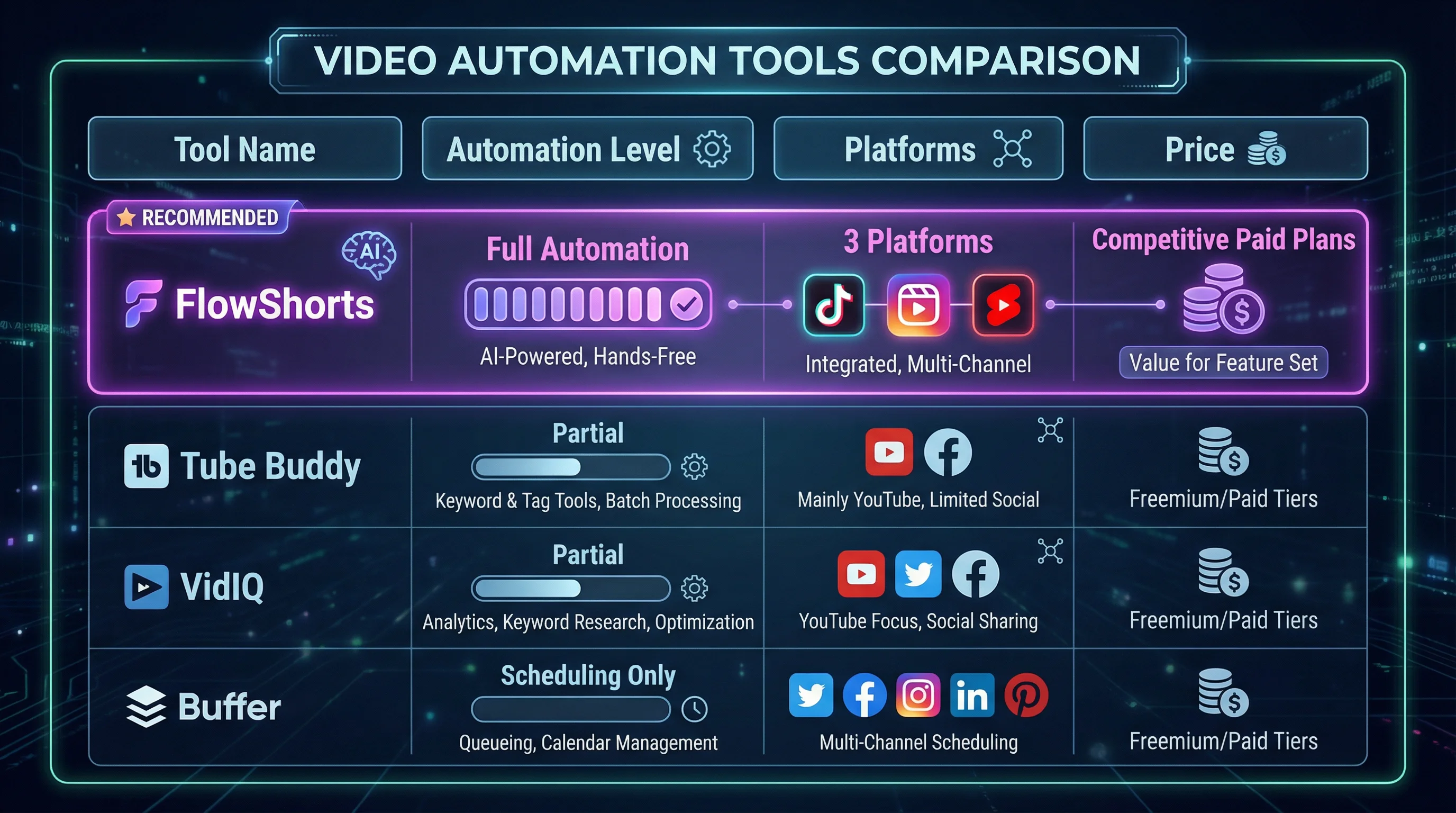
Compare YouTube Automation Tools
Want a detailed side-by-side breakdown of the tools mentioned above? See how FlowShorts compares:
Start by niche: How to Start a YouTube Channel by Niche — step-by-step guides for 25+ niches.


