Best Software for Faceless YouTube Channels: The Complete Toolkit (2026)
Every tool you need to run a faceless YouTube channel in 2026 — from scripting to voiceover to editing to auto-posting. Organized by category with free and paid options, plus 3 complete stacks at different budgets.
FlowShorts Team
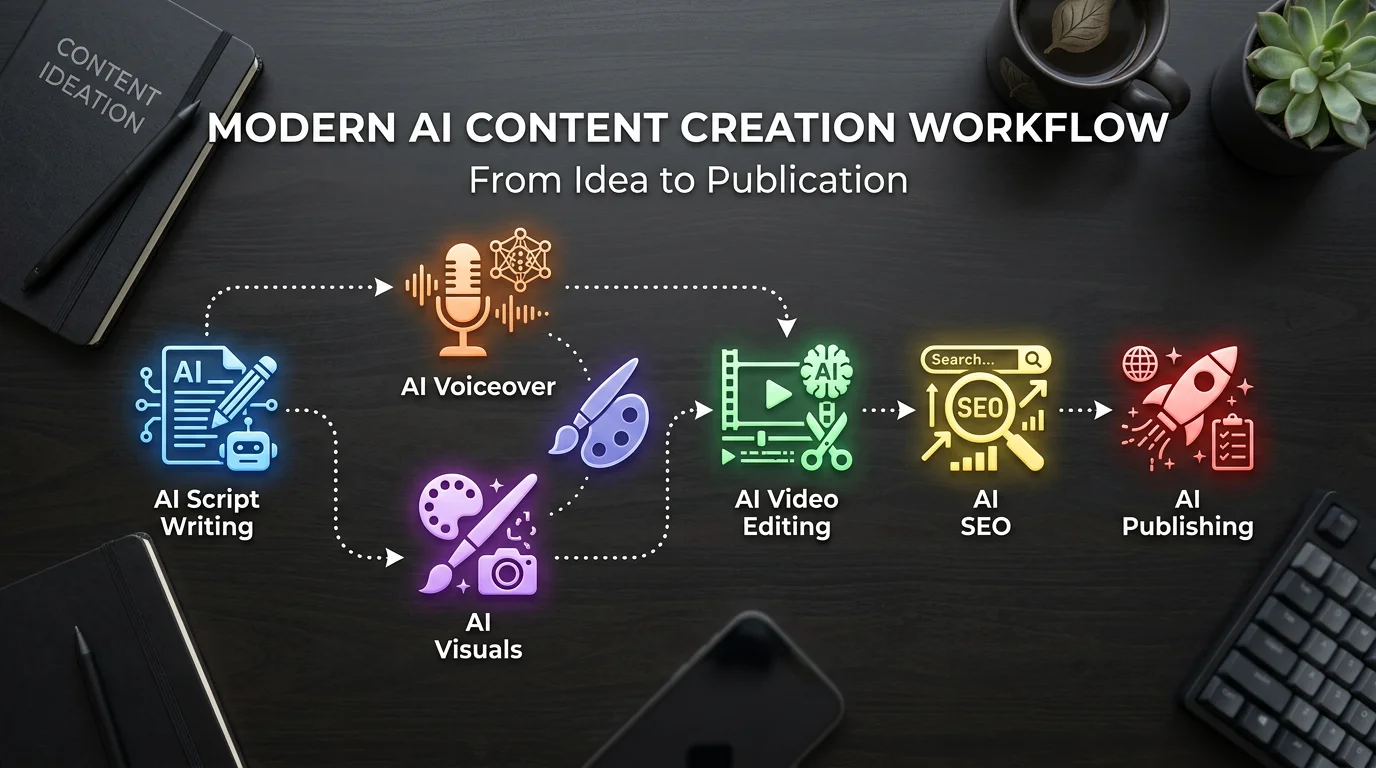
Running a faceless YouTube channel requires a stack of tools: something to write scripts, generate voiceover, create visuals, edit video, add captions, and publish. You can use a single all-in-one platform or assemble individual best-in-class tools for each step.
This guide covers both approaches — organized by category so you can build the toolkit that fits your budget and workflow.
The Faceless Video Pipeline
Every faceless video goes through the same 6 stages, regardless of which tools you use:
| Stage | What Happens | Key Tool Category |
|---|---|---|
| 1. Topic & Script | Choose a topic, write a script with hook + narration + CTA | AI writing tools |
| 2. Voiceover | Generate AI narration from the script | Text-to-speech (TTS) |
| 3. Visuals | Create or source images/footage to match the narration | AI image generators or stock footage |
| 4. Editing | Combine voice + visuals + captions + music into final video | Video editors |
| 5. Optimization | Title, description, tags, thumbnail for SEO | YouTube SEO tools |
| 6. Publishing | Upload and schedule across platforms | Auto-posting tools |
Best Tools by Category
Script Writing
| Tool | What It Does | Price | Best For |
|---|---|---|---|
| ChatGPT / Claude | General-purpose AI writing with custom prompts | Free / $20/mo | Flexibility, any niche, custom formats |
| FlowShorts Script Gen | Free video script generator optimized for Shorts | Free | Short-form scripts with hooks and CTAs |
| Rytr | AI writing with 30+ use cases, 20+ tones | Free / $9/mo | Budget-conscious creators, multiple formats |
| Jasper | Enterprise AI writing with brand voice | $49/mo | Teams, brand consistency across content |
Free approach: ChatGPT free tier + a good prompt template gets you 90% of the way. Our free video script generator is specifically tuned for short-form video scripts.
AI Voiceover (Text-to-Speech)
| Tool | Voice Quality | Languages | Price | Best For |
|---|---|---|---|---|
| ElevenLabs | Best in class | 32 languages | Free tier / $5/mo+ | Premium quality, emotion control, voice cloning |
| OpenAI TTS | Very good | Multiple | Pay per use | Natural voices via API, developer-friendly |
| Maestra | Broadcast quality | 125+ languages | $25/mo | Multi-language content, dubbing |
| Google TTS | Good | 40+ languages | Free tier | Budget option, decent quality |
| Fliki | Good | 75+ languages | $28/mo | All-in-one with video creation included |
Recommendation: ElevenLabs is the clear winner for voice quality. Their free tier gives you enough minutes to test. For faceless channels, voice quality directly impacts viewer retention — don't skimp here.
Automate Your Entire Video Workflow
FlowShorts generates scripts, creates videos, and posts to YouTube, TikTok & Instagram on autopilot.
Start Automating Free →Visual Creation
| Tool | Type | Price | Best For |
|---|---|---|---|
| Midjourney | AI image generation | $10/mo | Highest quality AI images, artistic control |
| DALL-E 3 (ChatGPT) | AI image generation | Included in ChatGPT+ | Good quality, easiest to use via conversation |
| fal.ai | AI image generation API | Pay per use | Developers, automated pipelines (used by FlowShorts) |
| Pexels / Pixabay | Stock footage | Free | Free stock video clips, no attribution needed |
| Canva | Design + some AI | Free / $12/mo | Thumbnails, simple graphics, templates |
Key decision: AI-generated images (Midjourney, DALL-E) make every video look unique. Stock footage is easier but all creators using the same library end up with similar-looking content. This is one of AutoShorts' main criticisms — stock footage fatigue.
Video Editing
| Tool | Platform | Price | Best For |
|---|---|---|---|
| CapCut | Mobile + Desktop | Free | Quick edits, auto-captions, trending templates |
| DaVinci Resolve | Desktop | Free | Professional editing, color grading, no watermark |
| Descript | Desktop | $24/mo | Text-based editing (edit video by editing transcript) |
| Premiere Pro | Desktop | $22/mo | Industry standard, maximum control |
For faceless Shorts: CapCut is the best free option. Its auto-caption feature alone saves hours. For creators who don't want to edit at all, all-in-one tools like FlowShorts handle the editing step automatically.
YouTube SEO & Optimization
| Tool | What It Does | Price |
|---|---|---|
| VidIQ | Keyword research, SEO scores, competitor analysis, trending topics | Free / $7.50/mo |
| TubeBuddy | Tag suggestions, A/B thumbnail testing, best time to publish | Free / $4.99/mo |
| FlowShorts Tools | Free tag generator, title generator, description generator, hashtag generator | Free |
Auto-Posting & Scheduling
| Tool | Platforms | Price | Notes |
|---|---|---|---|
| FlowShorts | YouTube + TikTok + Instagram | From $19/mo | Generates AND posts (full pipeline) |
| AutoShorts | YouTube + TikTok | From $19/mo | Generates AND posts (no Instagram) |
| Buffer | All major platforms | Free / $6/mo | Scheduling only (you provide the video) |
| Later | All major platforms | $25/mo | Scheduling + analytics |
3 Complete Stacks at Different Budgets
Automate Your Entire Video Workflow
FlowShorts generates scripts, creates videos, and posts to YouTube, TikTok & Instagram on autopilot.
Start Automating Free →Budget Stack: $0-10/month
| Stage | Tool | Cost |
|---|---|---|
| Script | ChatGPT (free) + FlowShorts Script Generator | $0 |
| Voice | ElevenLabs (free tier) or Google TTS | $0 |
| Visuals | Pexels (stock) or DALL-E (ChatGPT free) | $0 |
| Editing | CapCut | $0 |
| SEO | VidIQ (free) + FlowShorts free tools | $0 |
| Posting | Manual upload | $0 |
| Total | $0/month |
Time per video: 30-60 minutes. Best for: Testing the waters before committing money.
Mid-Tier Stack: $40-80/month
| Stage | Tool | Cost |
|---|---|---|
| Script | ChatGPT Plus | $20 |
| Voice | ElevenLabs Starter | $5 |
| Visuals | Midjourney Basic | $10 |
| Editing | CapCut (free) | $0 |
| SEO | VidIQ Pro | $7.50 |
| Posting | Buffer (free) or manual | $0 |
| Total | ~$43/month |
Time per video: 15-25 minutes. Best for: Creators who want quality output and are willing to do some manual work.
Automation Stack: $19-69/month
| Stage | Tool | Cost |
|---|---|---|
| Everything | FlowShorts (script + voice + visuals + editing + posting) | $19-69 |
| SEO | FlowShorts free tools + VidIQ free | $0 |
| Total | $19-69/month |
Time per video: 2-3 minutes (review + publish). Best for: Creators who want daily posting without daily production work. Set up once, content generates and posts on schedule.
How to Choose Your Stack
- Starting out, no budget? → Budget stack. Test content ideas for free. Upgrade when you find what works.
- Want quality but hands-on? → Mid-tier stack. Best output quality per dollar. Requires 15-25 min per video.
- Want hands-off daily posting? → Automation stack. The $39/month FlowShorts Creator plan produces 30 videos/month (one per day) with auto-posting to all 3 platforms.
- Hybrid approach? → Use FlowShorts for daily faceless content + mid-tier stack for special/custom videos when you want full creative control.
Related Guides
- How to Start a Faceless YouTube Channel
- YouTube Shorts Earnings by Niche
- YouTube Shorts Algorithm Explained
- Best AutoShorts Alternatives
- Free Video Script Generator
- Faceless Niche Finder
- Faceless YouTube Channel Ideas
Explore niches: Browse Faceless YouTube Channel Ideas by Niche — 30+ niches with CPM data and video topics.


