Best AI TikTok Video Generators: 8 Tools Compared (2026)
8 AI TikTok video generators compared for 2026. Covers faceless automation tools, AI editors, prompt-to-video generators, and repurposing tools — with honest pros, cons, and pricing for each.
FlowShorts Team
Search for "AI TikTok video generator" and you will find dozens of tools that all claim to create TikTok videos with AI. The problem is they do very different things. Some generate complete videos from scratch and post them for you. Others are editing apps with AI features bolted on. Others take your existing long-form videos and clip them into short-form pieces.
If you pick the wrong type of tool, you will waste time and money trying to force it into a workflow it was never designed for. This guide breaks 8 popular tools into 3 clear categories so you can find the one that actually matches how you want to create TikTok content.
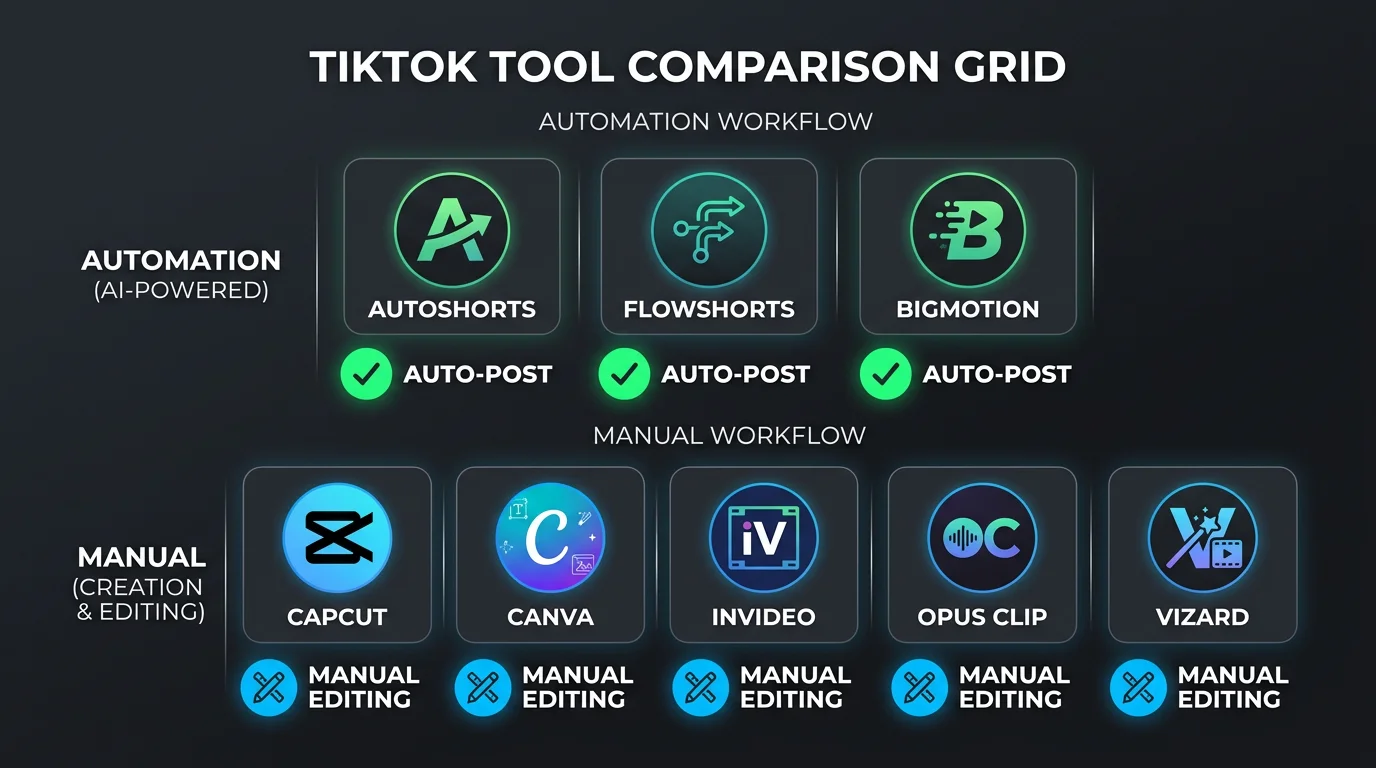
3 Types of AI TikTok Video Generators
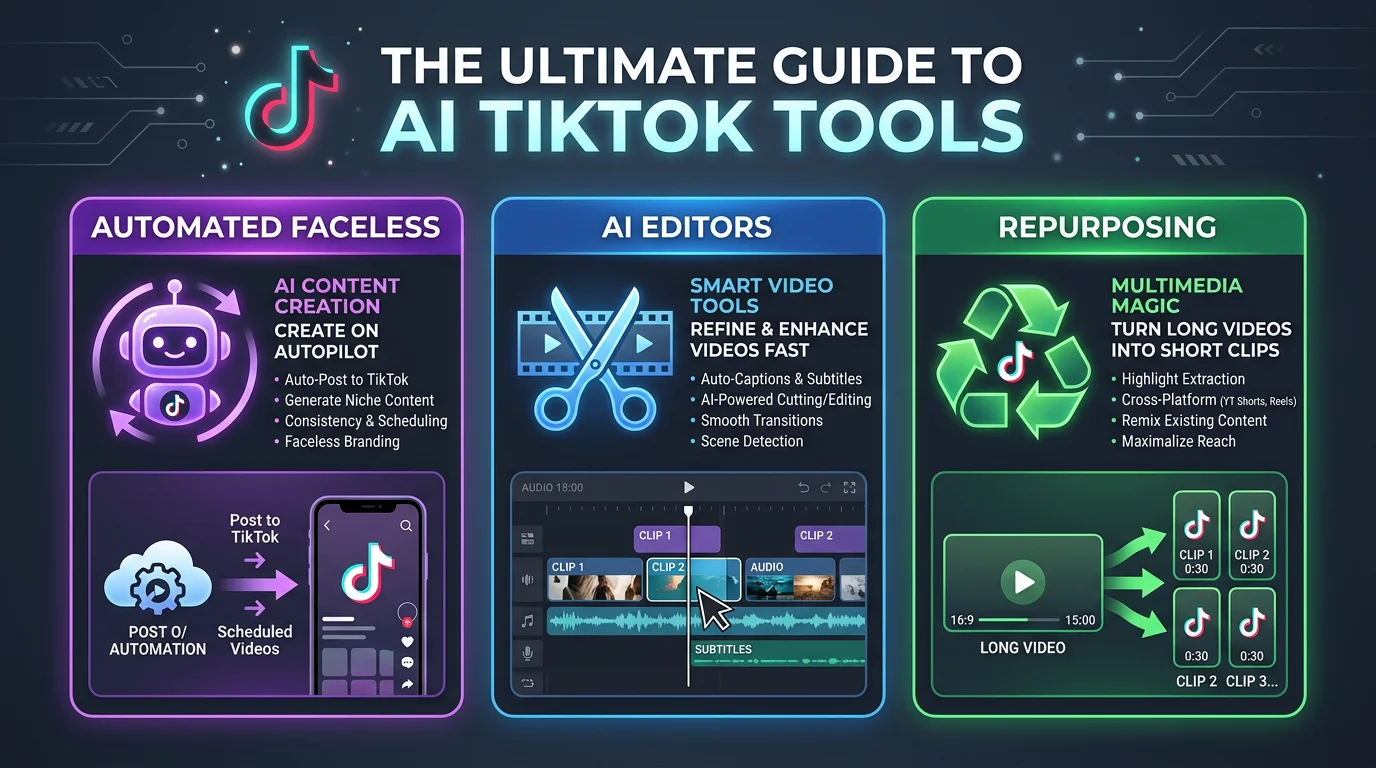
Before diving into individual tools, it helps to understand that "AI TikTok video generator" is a broad label covering three fundamentally different product categories:
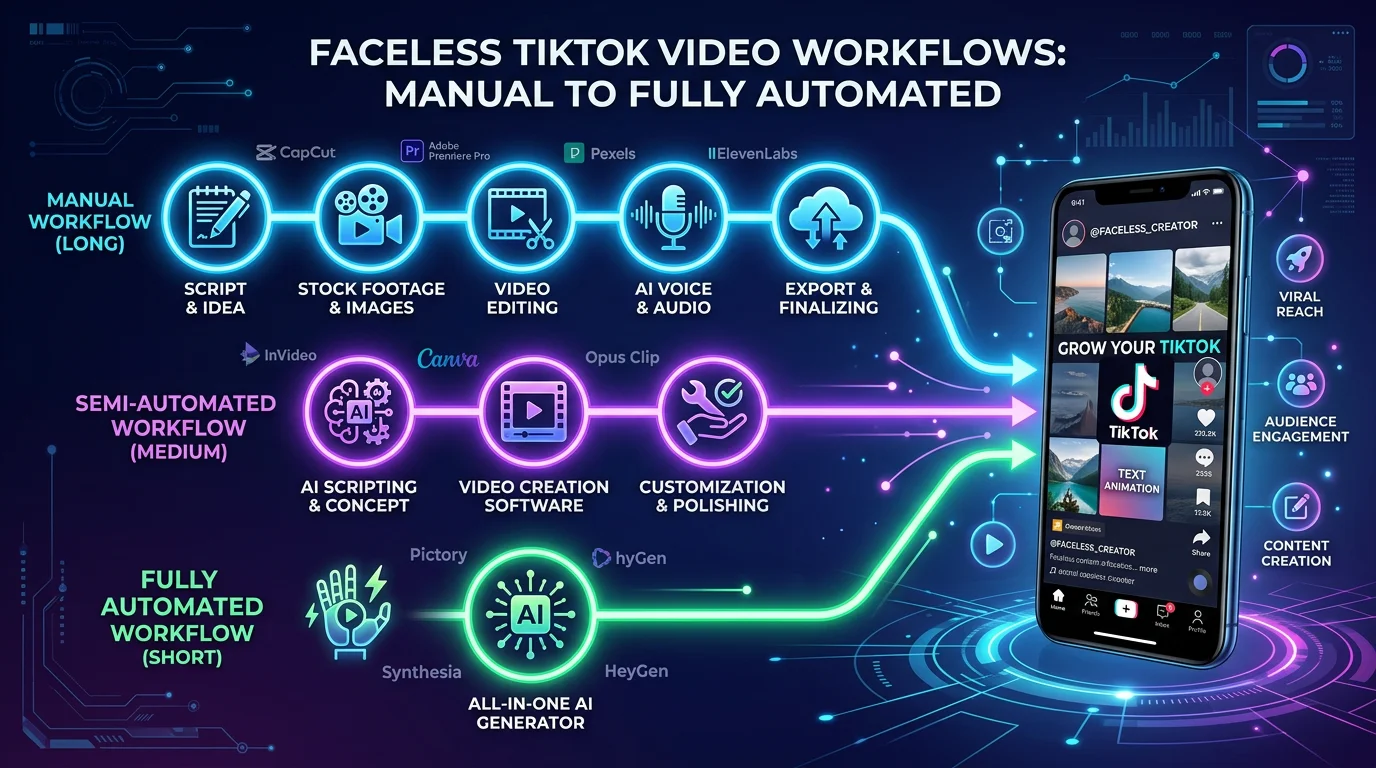
Automated Faceless Generators — These tools handle the entire pipeline. You pick a niche or topic, the AI writes the script, generates visuals, adds voiceover and captions, renders the video, and posts it to TikTok on a schedule. You never open an editor. Best for creators who want consistent output without daily hands-on work.
AI-Powered Editors — These are video editing tools enhanced with AI features like auto-captions, background removal, text-to-speech, and template suggestions. You still direct the creative process and make editing decisions. Best for creators who want control over every frame but want AI to speed up repetitive tasks.
Repurposing Tools — These take existing long-form videos (podcasts, YouTube videos, webinars) and use AI to identify the best clips, add captions, and reformat them for TikTok. Best for creators who already produce long-form content and want to extract short-form clips from it.
Each category solves a different problem. Knowing which one you need is more important than comparing feature lists.
The 8 Best AI TikTok Video Generators
Automated Faceless Generators
1. AutoShorts.ai
AutoShorts is one of the original faceless short-form video generators. You select a content category, and it creates and uploads videos to your connected TikTok or YouTube account automatically. The interface is deliberately minimal — pick a niche, connect your accounts, and let it run.
Pros:
- Very simple setup process with minimal configuration required
- Supports both TikTok and YouTube Shorts posting
- Established platform with a track record since 2024
Cons:
- Limited customization options for scripts and visuals
- No Instagram Reels support
Pricing: From $29/month. Free trial available.
Best for: Beginners who want the simplest possible faceless video setup.
2. FlowShorts
FlowShorts runs a full production pipeline: AI script generation, image creation, premium ElevenLabs voiceovers, animated TikTok-style captions, and auto-posting to TikTok, YouTube Shorts, and Instagram Reels. You choose a category, set a posting schedule, and the system generates and publishes videos on autopilot. It is built specifically for faceless TikTok content across niches like motivation, finance, tech, and history.
Pros:
- Full 3-platform auto-posting (TikTok, YouTube Shorts, Instagram Reels)
- Premium AI voices with multiple style options per niche
- Animated caption styles including trending formats (Hormozi, MrBeast)
Cons:
- No manual editing interface — it is fully automated, so you cannot tweak individual frames
- AI-generated visuals only, no stock video footage option
Pricing: From $19/month (Starter). Creator plan at $39/month for daily posting.
Best for: Creators who want hands-off faceless content across all three short-form platforms with premium voice quality.
3. BigMotion AI
BigMotion AI is a newer entrant in the automated faceless space. It offers a free tier with limited video generation and supports posting to TikTok, YouTube, and Instagram. The tool uses stock footage-based videos rather than AI-generated images, giving output a different visual feel.
Pros:
- Free tier available with basic video generation
- Stock footage gives videos a polished, familiar look
- Supports all three major short-form platforms
Cons:
- Free tier is very limited in output quality and volume
- Less unique visuals since stock footage gets reused across creators
Create Faceless Videos on Autopilot
FlowShorts generates and posts AI videos to YouTube, TikTok & Instagram while you sleep.
Try FlowShorts Free →Pricing: Free tier available. Paid plans from $24/month.
Best for: Creators who want to test automated posting without an upfront commitment.
AI-Powered Editors
4. CapCut
CapCut is TikTok's own video editor, and it is the most popular editing tool among TikTok creators for good reason. It offers AI-powered auto-captions, background removal, text-to-speech, effects, and a massive template library. Because it is made by ByteDance (TikTok's parent company), it integrates seamlessly with TikTok's publishing workflow.
Pros:
- Free and feature-rich — most AI features cost nothing
- Deepest TikTok integration of any editor (direct publish, trending templates)
- Excellent auto-captioning that matches TikTok's native style
Cons:
- Requires manual editing work for every video — no automation
- Desktop and mobile apps have different feature sets, which can be confusing
Pricing: Free with optional Pro plan at $7.99/month.
Best for: TikTok creators who want full creative control with AI-assisted editing at no cost.
5. Canva
Canva's video editor has grown significantly over the past two years. It now includes AI-powered features like Magic Design (template suggestions from a prompt), text-to-video generation, auto-resize for different platforms, and a huge library of templates. For creators who already use Canva for thumbnails or graphics, adding TikTok video creation to the same workspace is convenient.
Pros:
- Intuitive drag-and-drop interface that beginners can learn in minutes
- Enormous template library specifically for TikTok and short-form video
- All-in-one platform if you already use Canva for other content
Cons:
- Video editing capabilities are still basic compared to dedicated video editors
- AI features require Canva Pro ($12.99/month) — free plan is limited
Pricing: Free tier available. Canva Pro at $12.99/month for full AI features.
Best for: Beginners and small businesses who want template-based TikTok videos without learning a complex editor.
6. InVideo AI
InVideo AI takes a prompt-to-video approach. You type a description of the video you want, and the AI generates a complete video with stock footage, voiceover, music, and captions. You can then edit any element in their browser-based editor. It bridges the gap between fully automated tools and manual editors — you get a complete first draft but can customize everything.
Pros:
- Prompt-to-video generation creates a usable first draft in minutes
- Full editing control after generation — change any scene, clip, or text
- Large stock footage and music library included
Cons:
- No auto-posting — you download and upload to TikTok manually
- Output can feel generic if you do not customize the AI-generated draft
Pricing: Free tier with watermark. Paid plans from $25/month.
Best for: Creators who want an AI-generated starting point but still want to edit and customize before publishing.
Repurposing Tools
7. Opus Clip
Opus Clip is the leading AI video clipping tool. Paste a link to a YouTube video, podcast, or webinar, and it identifies the most engaging segments, crops them to vertical format, adds captions, and generates multiple TikTok-ready clips. Its AI is trained to detect viral-worthy moments based on engagement patterns.
Pros:
- Excellent AI clip detection that identifies genuinely engaging moments
- Auto-captions with multiple style options and high accuracy
- Batch processing — get 10+ clips from a single long video
Cons:
Create Faceless Videos on Autopilot
FlowShorts generates and posts AI videos to YouTube, TikTok & Instagram while you sleep.
Try FlowShorts Free →- Requires existing long-form video content — cannot create from scratch
- Clip quality depends entirely on the quality of your source material
Pricing: Free tier with limited clips. Paid plans from $19/month.
Best for: YouTubers, podcasters, and educators who want to repurpose long-form content into TikTok clips.
8. Vizard.ai
Vizard.ai takes a similar approach to Opus Clip but with a stronger focus on AI-powered editing after clipping. It auto-detects speakers, adds dynamic captions, and lets you edit transcripts to refine clips. It also supports direct recording and screen capture, making it useful for course creators and SaaS demos.
Pros:
- Speaker detection and framing works well for interview and podcast content
- Transcript-based editing makes it easy to trim clips precisely
- Screen recording feature adds versatility beyond just clipping
Cons:
- Smaller clip library per video compared to Opus Clip
- Free tier is more restrictive than competitors
Pricing: Free tier available. Paid plans from $16/month.
Best for: Course creators, SaaS companies, and interview-style content creators who need speaker-aware clipping.
Comparison Table
| Tool | Type | Auto-Post TikTok | AI Voiceover | Free Tier | Starting Price |
|---|---|---|---|---|---|
| AutoShorts.ai | Automated Faceless | Yes | Yes | Trial only | $29/mo |
| FlowShorts | Automated Faceless | Yes | Yes (ElevenLabs) | No | $19/mo |
| BigMotion AI | Automated Faceless | Yes | Yes | Yes | $24/mo |
| CapCut | AI Editor | No (manual) | Yes (TTS) | Yes | Free / $7.99/mo Pro |
| Canva | AI Editor | No (manual) | Yes (limited) | Yes | Free / $12.99/mo Pro |
| InVideo AI | AI Editor | No | Yes | Yes (watermark) | $25/mo |
| Opus Clip | Repurposing | No | No (uses source) | Yes | $19/mo |
| Vizard.ai | Repurposing | No | No (uses source) | Yes | $16/mo |
Which Tool Should You Choose?
The right tool depends on your workflow, not which one has the longest feature list. Here is a quick decision guide:
You want TikTok content on autopilot with zero editing: Choose an automated faceless generator. FlowShorts if you want 3-platform posting with premium voices, AutoShorts if you want the simplest setup, or BigMotion AI if you want to start free.
You want to create custom TikTok videos with AI assistance: Choose an AI editor. CapCut is the obvious pick if you want the deepest TikTok integration for free. Canva works well if you are already in the Canva ecosystem. InVideo AI is the best option if you want an AI-generated first draft you can then refine.
You already have long-form content and want TikTok clips: Choose a repurposing tool. Opus Clip is the strongest for batch clip generation. Vizard.ai is better for interview and speaker-focused content.
You are not sure yet: Start with CapCut (free, no commitment) to understand what TikTok content creation involves. Once you know whether you want automation, editing control, or repurposing, you can pick a specialized tool. You can also use a free video script generator to plan your content before committing to a tool.
TikTok-Specific Tips for AI-Generated Content
Regardless of which tool you use, these TikTok-specific considerations will affect your results:
Make videos at least 1 minute long. TikTok's Creator Rewards Program (which replaced the old Creator Fund) requires videos to be over 1 minute to qualify for revenue. If monetization matters to you, make sure your tool produces videos that hit this threshold.
Hook viewers in the first 2 seconds. TikTok's algorithm heavily weights early retention. The first frame and first line of your voiceover need to immediately communicate why someone should keep watching. AI-generated scripts sometimes bury the hook — review and frontload your strongest line.
Post consistently, ideally 1-2 times per day. TikTok rewards consistent posting more than any other platform. Our analysis on how often to post on TikTok found that daily posting significantly improves reach over time. This is where automated tools have a structural advantage — they maintain a schedule without requiring daily effort.
Explore niche-specific content ideas. Generic content gets lost on TikTok. Tools like the TikTok ideas generator can help you find angles within your niche that are trending but not yet saturated.
Understand monetization paths. AI-generated TikTok content can absolutely make money, but your monetization strategy should influence your tool choice. If you are building toward the Creator Rewards Program, consistency and video length matter most. If you are driving traffic to a product, editing control might matter more than automation.
Frequently Asked Questions
What is the best free AI TikTok video generator?
CapCut is the best free option overall — it is a full-featured editor with AI auto-captions, text-to-speech, effects, and direct TikTok integration, all at no cost. For free automated generation, BigMotion AI offers a free tier, though the output volume and quality are limited. Canva also has a free tier that includes basic video creation.
Can AI-generated TikToks get monetized?
Yes. TikTok does not prohibit AI-generated content. To qualify for the Creator Rewards Program, your videos need to be over 1 minute long, original (not copied), and your account needs at least 10,000 followers and 100,000 views in the last 30 days. AI-generated faceless content can meet all of these requirements as long as the videos are unique and provide value to viewers.
Which tool has the best auto-posting to TikTok?
Among the tools reviewed, FlowShorts, AutoShorts, and BigMotion AI all support direct auto-posting to TikTok. FlowShorts is the only one that auto-posts to all three platforms (TikTok, YouTube Shorts, and Instagram Reels) from a single dashboard. CapCut supports direct publishing to TikTok but requires you to manually create and export each video first.
Are AI TikTok videos against TikTok's rules?
No. TikTok allows AI-generated content. Their community guidelines require creators to label realistic AI-generated content (like deepfakes or synthetic voices mimicking real people), but standard AI-generated faceless content — narrated explainers, motivational clips, educational videos — is fully allowed and widely published on the platform. Many of the tools on this list, including the top faceless video generators, are specifically designed for TikTok publishing.
Wrapping Up
The "best" AI TikTok video generator depends entirely on what type of creator you are. Automated faceless tools like FlowShorts and AutoShorts are built for hands-off consistency. Editors like CapCut and Canva give you creative control with AI assistance. Repurposing tools like Opus Clip and Vizard extract value from content you have already created.
Pick the category that matches your workflow first, then compare tools within that category. That approach will save you from the most common mistake: signing up for an automation tool when you wanted an editor, or vice versa.